Compare commits
No commits in common. "868d5556810b9d31b1ffbf632e48d993f5abe8af" and "b2a491c10ae99ccc75c3d489cbaf25b07855b009" have entirely different histories.
868d555681
...
b2a491c10a
Binary file not shown.
13189
CAD/klingel v1.step
13189
CAD/klingel v1.step
File diff suppressed because it is too large
Load Diff
9653
CAD/klingel v2.step
9653
CAD/klingel v2.step
File diff suppressed because it is too large
Load Diff
Binary file not shown.
File diff suppressed because it is too large
Load Diff
@ -5,7 +5,7 @@
|
|||||||
<title>FingerprintDoorbell</title>
|
<title>FingerprintDoorbell</title>
|
||||||
<meta name="viewport" content="width=device-width, initial-scale=1" charset="utf-8">
|
<meta name="viewport" content="width=device-width, initial-scale=1" charset="utf-8">
|
||||||
<link rel="icon" href="data:,">
|
<link rel="icon" href="data:,">
|
||||||
<link rel="stylesheet" href="bootstrap.min.css">
|
<link rel="stylesheet" href="https://maxcdn.bootstrapcdn.com/bootstrap/3.3.7/css/bootstrap.min.css" integrity="sha384-BVYiiSIFeK1dGmJRAkycuHAHRg32OmUcww7on3RYdg4Va+PmSTsz/K68vbdEjh4u" crossorigin="anonymous">
|
||||||
<style>
|
<style>
|
||||||
.alert-custom{
|
.alert-custom{
|
||||||
background-color:#cecece;
|
background-color:#cecece;
|
||||||
|
|||||||
@ -5,7 +5,7 @@
|
|||||||
<title>FingerprintDoorbell</title>
|
<title>FingerprintDoorbell</title>
|
||||||
<meta name="viewport" content="width=device-width, initial-scale=1" charset="utf-8">
|
<meta name="viewport" content="width=device-width, initial-scale=1" charset="utf-8">
|
||||||
<link rel="icon" href="data:,">
|
<link rel="icon" href="data:,">
|
||||||
<link rel="stylesheet" href="bootstrap.min.css">
|
<link rel="stylesheet" href="https://maxcdn.bootstrapcdn.com/bootstrap/3.3.7/css/bootstrap.min.css" integrity="sha384-BVYiiSIFeK1dGmJRAkycuHAHRg32OmUcww7on3RYdg4Va+PmSTsz/K68vbdEjh4u" crossorigin="anonymous">
|
||||||
<style>
|
<style>
|
||||||
.alert-custom{
|
.alert-custom{
|
||||||
background-color:#cecece;
|
background-color:#cecece;
|
||||||
@ -15,10 +15,6 @@
|
|||||||
margin-left: 15px;
|
margin-left: 15px;
|
||||||
margin-right: 15px;
|
margin-right: 15px;
|
||||||
}
|
}
|
||||||
form i {
|
|
||||||
margin-left: -30px;
|
|
||||||
cursor: pointer;
|
|
||||||
}
|
|
||||||
</style>
|
</style>
|
||||||
</head>
|
</head>
|
||||||
<body>
|
<body>
|
||||||
@ -43,14 +39,6 @@
|
|||||||
}, false);
|
}, false);
|
||||||
|
|
||||||
}
|
}
|
||||||
function togglevisibility() {
|
|
||||||
var x = document.getElementById("pincode");
|
|
||||||
if (x.type === "password") {
|
|
||||||
x.type = "text";
|
|
||||||
} else {
|
|
||||||
x.type = "password";
|
|
||||||
}
|
|
||||||
}
|
|
||||||
</script>
|
</script>
|
||||||
|
|
||||||
<nav class="navbar navbar-inverse">
|
<nav class="navbar navbar-inverse">
|
||||||
@ -74,17 +62,10 @@
|
|||||||
<legend>Settings</legend>
|
<legend>Settings</legend>
|
||||||
|
|
||||||
<!-- Text input-->
|
<!-- Text input-->
|
||||||
|
|
||||||
<div class="form-group">
|
|
||||||
<label class="col-md-4 control-label" for="mqtt_server">PIN Code</label>
|
|
||||||
<div class="col-md-4">
|
|
||||||
<input id="pincode" name="pincode" type="password" maxlength="10" placeholder="Desired pin code" class="form-control input-md" value="%PIN_CODE%" required><input type="checkbox" onclick="togglevisibility()">Show Pin</input>
|
|
||||||
</div>
|
|
||||||
</div>
|
|
||||||
<div class="form-group">
|
<div class="form-group">
|
||||||
<label class="col-md-4 control-label" for="mqtt_server">MQTT Server (Broker)</label>
|
<label class="col-md-4 control-label" for="mqtt_server">MQTT Server (Broker)</label>
|
||||||
<div class="col-md-4">
|
<div class="col-md-4">
|
||||||
<input id="mqtt_server" name="mqtt_server" type="text" placeholder="Address of your MQTT Broker" class="form-control input-md" value="%MQTT_SERVER%">
|
<input id="mqtt_server" name="mqtt_server" type="text" placeholder="Address of your MQTT Broker" class="form-control input-md" value="%MQTT_SERVER%" required>
|
||||||
</div>
|
</div>
|
||||||
</div>
|
</div>
|
||||||
|
|
||||||
|
|||||||
@ -1,675 +0,0 @@
|
|||||||
GNU GENERAL PUBLIC LICENSE
|
|
||||||
Version 3, 29 June 2007
|
|
||||||
|
|
||||||
Copyright (C) 2007 Free Software Foundation, Inc. <http://fsf.org/>
|
|
||||||
Everyone is permitted to copy and distribute verbatim copies
|
|
||||||
of this license document, but changing it is not allowed.
|
|
||||||
|
|
||||||
Preamble
|
|
||||||
|
|
||||||
The GNU General Public License is a free, copyleft license for
|
|
||||||
software and other kinds of works.
|
|
||||||
|
|
||||||
The licenses for most software and other practical works are designed
|
|
||||||
to take away your freedom to share and change the works. By contrast,
|
|
||||||
the GNU General Public License is intended to guarantee your freedom to
|
|
||||||
share and change all versions of a program--to make sure it remains free
|
|
||||||
software for all its users. We, the Free Software Foundation, use the
|
|
||||||
GNU General Public License for most of our software; it applies also to
|
|
||||||
any other work released this way by its authors. You can apply it to
|
|
||||||
your programs, too.
|
|
||||||
|
|
||||||
When we speak of free software, we are referring to freedom, not
|
|
||||||
price. Our General Public Licenses are designed to make sure that you
|
|
||||||
have the freedom to distribute copies of free software (and charge for
|
|
||||||
them if you wish), that you receive source code or can get it if you
|
|
||||||
want it, that you can change the software or use pieces of it in new
|
|
||||||
free programs, and that you know you can do these things.
|
|
||||||
|
|
||||||
To protect your rights, we need to prevent others from denying you
|
|
||||||
these rights or asking you to surrender the rights. Therefore, you have
|
|
||||||
certain responsibilities if you distribute copies of the software, or if
|
|
||||||
you modify it: responsibilities to respect the freedom of others.
|
|
||||||
|
|
||||||
For example, if you distribute copies of such a program, whether
|
|
||||||
gratis or for a fee, you must pass on to the recipients the same
|
|
||||||
freedoms that you received. You must make sure that they, too, receive
|
|
||||||
or can get the source code. And you must show them these terms so they
|
|
||||||
know their rights.
|
|
||||||
|
|
||||||
Developers that use the GNU GPL protect your rights with two steps:
|
|
||||||
(1) assert copyright on the software, and (2) offer you this License
|
|
||||||
giving you legal permission to copy, distribute and/or modify it.
|
|
||||||
|
|
||||||
For the developers' and authors' protection, the GPL clearly explains
|
|
||||||
that there is no warranty for this free software. For both users' and
|
|
||||||
authors' sake, the GPL requires that modified versions be marked as
|
|
||||||
changed, so that their problems will not be attributed erroneously to
|
|
||||||
authors of previous versions.
|
|
||||||
|
|
||||||
Some devices are designed to deny users access to install or run
|
|
||||||
modified versions of the software inside them, although the manufacturer
|
|
||||||
can do so. This is fundamentally incompatible with the aim of
|
|
||||||
protecting users' freedom to change the software. The systematic
|
|
||||||
pattern of such abuse occurs in the area of products for individuals to
|
|
||||||
use, which is precisely where it is most unacceptable. Therefore, we
|
|
||||||
have designed this version of the GPL to prohibit the practice for those
|
|
||||||
products. If such problems arise substantially in other domains, we
|
|
||||||
stand ready to extend this provision to those domains in future versions
|
|
||||||
of the GPL, as needed to protect the freedom of users.
|
|
||||||
|
|
||||||
Finally, every program is threatened constantly by software patents.
|
|
||||||
States should not allow patents to restrict development and use of
|
|
||||||
software on general-purpose computers, but in those that do, we wish to
|
|
||||||
avoid the special danger that patents applied to a free program could
|
|
||||||
make it effectively proprietary. To prevent this, the GPL assures that
|
|
||||||
patents cannot be used to render the program non-free.
|
|
||||||
|
|
||||||
The precise terms and conditions for copying, distribution and
|
|
||||||
modification follow.
|
|
||||||
|
|
||||||
TERMS AND CONDITIONS
|
|
||||||
|
|
||||||
0. Definitions.
|
|
||||||
|
|
||||||
"This License" refers to version 3 of the GNU General Public License.
|
|
||||||
|
|
||||||
"Copyright" also means copyright-like laws that apply to other kinds of
|
|
||||||
works, such as semiconductor masks.
|
|
||||||
|
|
||||||
"The Program" refers to any copyrightable work licensed under this
|
|
||||||
License. Each licensee is addressed as "you". "Licensees" and
|
|
||||||
"recipients" may be individuals or organizations.
|
|
||||||
|
|
||||||
To "modify" a work means to copy from or adapt all or part of the work
|
|
||||||
in a fashion requiring copyright permission, other than the making of an
|
|
||||||
exact copy. The resulting work is called a "modified version" of the
|
|
||||||
earlier work or a work "based on" the earlier work.
|
|
||||||
|
|
||||||
A "covered work" means either the unmodified Program or a work based
|
|
||||||
on the Program.
|
|
||||||
|
|
||||||
To "propagate" a work means to do anything with it that, without
|
|
||||||
permission, would make you directly or secondarily liable for
|
|
||||||
infringement under applicable copyright law, except executing it on a
|
|
||||||
computer or modifying a private copy. Propagation includes copying,
|
|
||||||
distribution (with or without modification), making available to the
|
|
||||||
public, and in some countries other activities as well.
|
|
||||||
|
|
||||||
To "convey" a work means any kind of propagation that enables other
|
|
||||||
parties to make or receive copies. Mere interaction with a user through
|
|
||||||
a computer network, with no transfer of a copy, is not conveying.
|
|
||||||
|
|
||||||
An interactive user interface displays "Appropriate Legal Notices"
|
|
||||||
to the extent that it includes a convenient and prominently visible
|
|
||||||
feature that (1) displays an appropriate copyright notice, and (2)
|
|
||||||
tells the user that there is no warranty for the work (except to the
|
|
||||||
extent that warranties are provided), that licensees may convey the
|
|
||||||
work under this License, and how to view a copy of this License. If
|
|
||||||
the interface presents a list of user commands or options, such as a
|
|
||||||
menu, a prominent item in the list meets this criterion.
|
|
||||||
|
|
||||||
1. Source Code.
|
|
||||||
|
|
||||||
The "source code" for a work means the preferred form of the work
|
|
||||||
for making modifications to it. "Object code" means any non-source
|
|
||||||
form of a work.
|
|
||||||
|
|
||||||
A "Standard Interface" means an interface that either is an official
|
|
||||||
standard defined by a recognized standards body, or, in the case of
|
|
||||||
interfaces specified for a particular programming language, one that
|
|
||||||
is widely used among developers working in that language.
|
|
||||||
|
|
||||||
The "System Libraries" of an executable work include anything, other
|
|
||||||
than the work as a whole, that (a) is included in the normal form of
|
|
||||||
packaging a Major Component, but which is not part of that Major
|
|
||||||
Component, and (b) serves only to enable use of the work with that
|
|
||||||
Major Component, or to implement a Standard Interface for which an
|
|
||||||
implementation is available to the public in source code form. A
|
|
||||||
"Major Component", in this context, means a major essential component
|
|
||||||
(kernel, window system, and so on) of the specific operating system
|
|
||||||
(if any) on which the executable work runs, or a compiler used to
|
|
||||||
produce the work, or an object code interpreter used to run it.
|
|
||||||
|
|
||||||
The "Corresponding Source" for a work in object code form means all
|
|
||||||
the source code needed to generate, install, and (for an executable
|
|
||||||
work) run the object code and to modify the work, including scripts to
|
|
||||||
control those activities. However, it does not include the work's
|
|
||||||
System Libraries, or general-purpose tools or generally available free
|
|
||||||
programs which are used unmodified in performing those activities but
|
|
||||||
which are not part of the work. For example, Corresponding Source
|
|
||||||
includes interface definition files associated with source files for
|
|
||||||
the work, and the source code for shared libraries and dynamically
|
|
||||||
linked subprograms that the work is specifically designed to require,
|
|
||||||
such as by intimate data communication or control flow between those
|
|
||||||
subprograms and other parts of the work.
|
|
||||||
|
|
||||||
The Corresponding Source need not include anything that users
|
|
||||||
can regenerate automatically from other parts of the Corresponding
|
|
||||||
Source.
|
|
||||||
|
|
||||||
The Corresponding Source for a work in source code form is that
|
|
||||||
same work.
|
|
||||||
|
|
||||||
2. Basic Permissions.
|
|
||||||
|
|
||||||
All rights granted under this License are granted for the term of
|
|
||||||
copyright on the Program, and are irrevocable provided the stated
|
|
||||||
conditions are met. This License explicitly affirms your unlimited
|
|
||||||
permission to run the unmodified Program. The output from running a
|
|
||||||
covered work is covered by this License only if the output, given its
|
|
||||||
content, constitutes a covered work. This License acknowledges your
|
|
||||||
rights of fair use or other equivalent, as provided by copyright law.
|
|
||||||
|
|
||||||
You may make, run and propagate covered works that you do not
|
|
||||||
convey, without conditions so long as your license otherwise remains
|
|
||||||
in force. You may convey covered works to others for the sole purpose
|
|
||||||
of having them make modifications exclusively for you, or provide you
|
|
||||||
with facilities for running those works, provided that you comply with
|
|
||||||
the terms of this License in conveying all material for which you do
|
|
||||||
not control copyright. Those thus making or running the covered works
|
|
||||||
for you must do so exclusively on your behalf, under your direction
|
|
||||||
and control, on terms that prohibit them from making any copies of
|
|
||||||
your copyrighted material outside their relationship with you.
|
|
||||||
|
|
||||||
Conveying under any other circumstances is permitted solely under
|
|
||||||
the conditions stated below. Sublicensing is not allowed; section 10
|
|
||||||
makes it unnecessary.
|
|
||||||
|
|
||||||
3. Protecting Users' Legal Rights From Anti-Circumvention Law.
|
|
||||||
|
|
||||||
No covered work shall be deemed part of an effective technological
|
|
||||||
measure under any applicable law fulfilling obligations under article
|
|
||||||
11 of the WIPO copyright treaty adopted on 20 December 1996, or
|
|
||||||
similar laws prohibiting or restricting circumvention of such
|
|
||||||
measures.
|
|
||||||
|
|
||||||
When you convey a covered work, you waive any legal power to forbid
|
|
||||||
circumvention of technological measures to the extent such circumvention
|
|
||||||
is effected by exercising rights under this License with respect to
|
|
||||||
the covered work, and you disclaim any intention to limit operation or
|
|
||||||
modification of the work as a means of enforcing, against the work's
|
|
||||||
users, your or third parties' legal rights to forbid circumvention of
|
|
||||||
technological measures.
|
|
||||||
|
|
||||||
4. Conveying Verbatim Copies.
|
|
||||||
|
|
||||||
You may convey verbatim copies of the Program's source code as you
|
|
||||||
receive it, in any medium, provided that you conspicuously and
|
|
||||||
appropriately publish on each copy an appropriate copyright notice;
|
|
||||||
keep intact all notices stating that this License and any
|
|
||||||
non-permissive terms added in accord with section 7 apply to the code;
|
|
||||||
keep intact all notices of the absence of any warranty; and give all
|
|
||||||
recipients a copy of this License along with the Program.
|
|
||||||
|
|
||||||
You may charge any price or no price for each copy that you convey,
|
|
||||||
and you may offer support or warranty protection for a fee.
|
|
||||||
|
|
||||||
5. Conveying Modified Source Versions.
|
|
||||||
|
|
||||||
You may convey a work based on the Program, or the modifications to
|
|
||||||
produce it from the Program, in the form of source code under the
|
|
||||||
terms of section 4, provided that you also meet all of these conditions:
|
|
||||||
|
|
||||||
a) The work must carry prominent notices stating that you modified
|
|
||||||
it, and giving a relevant date.
|
|
||||||
|
|
||||||
b) The work must carry prominent notices stating that it is
|
|
||||||
released under this License and any conditions added under section
|
|
||||||
7. This requirement modifies the requirement in section 4 to
|
|
||||||
"keep intact all notices".
|
|
||||||
|
|
||||||
c) You must license the entire work, as a whole, under this
|
|
||||||
License to anyone who comes into possession of a copy. This
|
|
||||||
License will therefore apply, along with any applicable section 7
|
|
||||||
additional terms, to the whole of the work, and all its parts,
|
|
||||||
regardless of how they are packaged. This License gives no
|
|
||||||
permission to license the work in any other way, but it does not
|
|
||||||
invalidate such permission if you have separately received it.
|
|
||||||
|
|
||||||
d) If the work has interactive user interfaces, each must display
|
|
||||||
Appropriate Legal Notices; however, if the Program has interactive
|
|
||||||
interfaces that do not display Appropriate Legal Notices, your
|
|
||||||
work need not make them do so.
|
|
||||||
|
|
||||||
A compilation of a covered work with other separate and independent
|
|
||||||
works, which are not by their nature extensions of the covered work,
|
|
||||||
and which are not combined with it such as to form a larger program,
|
|
||||||
in or on a volume of a storage or distribution medium, is called an
|
|
||||||
"aggregate" if the compilation and its resulting copyright are not
|
|
||||||
used to limit the access or legal rights of the compilation's users
|
|
||||||
beyond what the individual works permit. Inclusion of a covered work
|
|
||||||
in an aggregate does not cause this License to apply to the other
|
|
||||||
parts of the aggregate.
|
|
||||||
|
|
||||||
6. Conveying Non-Source Forms.
|
|
||||||
|
|
||||||
You may convey a covered work in object code form under the terms
|
|
||||||
of sections 4 and 5, provided that you also convey the
|
|
||||||
machine-readable Corresponding Source under the terms of this License,
|
|
||||||
in one of these ways:
|
|
||||||
|
|
||||||
a) Convey the object code in, or embodied in, a physical product
|
|
||||||
(including a physical distribution medium), accompanied by the
|
|
||||||
Corresponding Source fixed on a durable physical medium
|
|
||||||
customarily used for software interchange.
|
|
||||||
|
|
||||||
b) Convey the object code in, or embodied in, a physical product
|
|
||||||
(including a physical distribution medium), accompanied by a
|
|
||||||
written offer, valid for at least three years and valid for as
|
|
||||||
long as you offer spare parts or customer support for that product
|
|
||||||
model, to give anyone who possesses the object code either (1) a
|
|
||||||
copy of the Corresponding Source for all the software in the
|
|
||||||
product that is covered by this License, on a durable physical
|
|
||||||
medium customarily used for software interchange, for a price no
|
|
||||||
more than your reasonable cost of physically performing this
|
|
||||||
conveying of source, or (2) access to copy the
|
|
||||||
Corresponding Source from a network server at no charge.
|
|
||||||
|
|
||||||
c) Convey individual copies of the object code with a copy of the
|
|
||||||
written offer to provide the Corresponding Source. This
|
|
||||||
alternative is allowed only occasionally and noncommercially, and
|
|
||||||
only if you received the object code with such an offer, in accord
|
|
||||||
with subsection 6b.
|
|
||||||
|
|
||||||
d) Convey the object code by offering access from a designated
|
|
||||||
place (gratis or for a charge), and offer equivalent access to the
|
|
||||||
Corresponding Source in the same way through the same place at no
|
|
||||||
further charge. You need not require recipients to copy the
|
|
||||||
Corresponding Source along with the object code. If the place to
|
|
||||||
copy the object code is a network server, the Corresponding Source
|
|
||||||
may be on a different server (operated by you or a third party)
|
|
||||||
that supports equivalent copying facilities, provided you maintain
|
|
||||||
clear directions next to the object code saying where to find the
|
|
||||||
Corresponding Source. Regardless of what server hosts the
|
|
||||||
Corresponding Source, you remain obligated to ensure that it is
|
|
||||||
available for as long as needed to satisfy these requirements.
|
|
||||||
|
|
||||||
e) Convey the object code using peer-to-peer transmission, provided
|
|
||||||
you inform other peers where the object code and Corresponding
|
|
||||||
Source of the work are being offered to the general public at no
|
|
||||||
charge under subsection 6d.
|
|
||||||
|
|
||||||
A separable portion of the object code, whose source code is excluded
|
|
||||||
from the Corresponding Source as a System Library, need not be
|
|
||||||
included in conveying the object code work.
|
|
||||||
|
|
||||||
A "User Product" is either (1) a "consumer product", which means any
|
|
||||||
tangible personal property which is normally used for personal, family,
|
|
||||||
or household purposes, or (2) anything designed or sold for incorporation
|
|
||||||
into a dwelling. In determining whether a product is a consumer product,
|
|
||||||
doubtful cases shall be resolved in favor of coverage. For a particular
|
|
||||||
product received by a particular user, "normally used" refers to a
|
|
||||||
typical or common use of that class of product, regardless of the status
|
|
||||||
of the particular user or of the way in which the particular user
|
|
||||||
actually uses, or expects or is expected to use, the product. A product
|
|
||||||
is a consumer product regardless of whether the product has substantial
|
|
||||||
commercial, industrial or non-consumer uses, unless such uses represent
|
|
||||||
the only significant mode of use of the product.
|
|
||||||
|
|
||||||
"Installation Information" for a User Product means any methods,
|
|
||||||
procedures, authorization keys, or other information required to install
|
|
||||||
and execute modified versions of a covered work in that User Product from
|
|
||||||
a modified version of its Corresponding Source. The information must
|
|
||||||
suffice to ensure that the continued functioning of the modified object
|
|
||||||
code is in no case prevented or interfered with solely because
|
|
||||||
modification has been made.
|
|
||||||
|
|
||||||
If you convey an object code work under this section in, or with, or
|
|
||||||
specifically for use in, a User Product, and the conveying occurs as
|
|
||||||
part of a transaction in which the right of possession and use of the
|
|
||||||
User Product is transferred to the recipient in perpetuity or for a
|
|
||||||
fixed term (regardless of how the transaction is characterized), the
|
|
||||||
Corresponding Source conveyed under this section must be accompanied
|
|
||||||
by the Installation Information. But this requirement does not apply
|
|
||||||
if neither you nor any third party retains the ability to install
|
|
||||||
modified object code on the User Product (for example, the work has
|
|
||||||
been installed in ROM).
|
|
||||||
|
|
||||||
The requirement to provide Installation Information does not include a
|
|
||||||
requirement to continue to provide support service, warranty, or updates
|
|
||||||
for a work that has been modified or installed by the recipient, or for
|
|
||||||
the User Product in which it has been modified or installed. Access to a
|
|
||||||
network may be denied when the modification itself materially and
|
|
||||||
adversely affects the operation of the network or violates the rules and
|
|
||||||
protocols for communication across the network.
|
|
||||||
|
|
||||||
Corresponding Source conveyed, and Installation Information provided,
|
|
||||||
in accord with this section must be in a format that is publicly
|
|
||||||
documented (and with an implementation available to the public in
|
|
||||||
source code form), and must require no special password or key for
|
|
||||||
unpacking, reading or copying.
|
|
||||||
|
|
||||||
7. Additional Terms.
|
|
||||||
|
|
||||||
"Additional permissions" are terms that supplement the terms of this
|
|
||||||
License by making exceptions from one or more of its conditions.
|
|
||||||
Additional permissions that are applicable to the entire Program shall
|
|
||||||
be treated as though they were included in this License, to the extent
|
|
||||||
that they are valid under applicable law. If additional permissions
|
|
||||||
apply only to part of the Program, that part may be used separately
|
|
||||||
under those permissions, but the entire Program remains governed by
|
|
||||||
this License without regard to the additional permissions.
|
|
||||||
|
|
||||||
When you convey a copy of a covered work, you may at your option
|
|
||||||
remove any additional permissions from that copy, or from any part of
|
|
||||||
it. (Additional permissions may be written to require their own
|
|
||||||
removal in certain cases when you modify the work.) You may place
|
|
||||||
additional permissions on material, added by you to a covered work,
|
|
||||||
for which you have or can give appropriate copyright permission.
|
|
||||||
|
|
||||||
Notwithstanding any other provision of this License, for material you
|
|
||||||
add to a covered work, you may (if authorized by the copyright holders of
|
|
||||||
that material) supplement the terms of this License with terms:
|
|
||||||
|
|
||||||
a) Disclaiming warranty or limiting liability differently from the
|
|
||||||
terms of sections 15 and 16 of this License; or
|
|
||||||
|
|
||||||
b) Requiring preservation of specified reasonable legal notices or
|
|
||||||
author attributions in that material or in the Appropriate Legal
|
|
||||||
Notices displayed by works containing it; or
|
|
||||||
|
|
||||||
c) Prohibiting misrepresentation of the origin of that material, or
|
|
||||||
requiring that modified versions of such material be marked in
|
|
||||||
reasonable ways as different from the original version; or
|
|
||||||
|
|
||||||
d) Limiting the use for publicity purposes of names of licensors or
|
|
||||||
authors of the material; or
|
|
||||||
|
|
||||||
e) Declining to grant rights under trademark law for use of some
|
|
||||||
trade names, trademarks, or service marks; or
|
|
||||||
|
|
||||||
f) Requiring indemnification of licensors and authors of that
|
|
||||||
material by anyone who conveys the material (or modified versions of
|
|
||||||
it) with contractual assumptions of liability to the recipient, for
|
|
||||||
any liability that these contractual assumptions directly impose on
|
|
||||||
those licensors and authors.
|
|
||||||
|
|
||||||
All other non-permissive additional terms are considered "further
|
|
||||||
restrictions" within the meaning of section 10. If the Program as you
|
|
||||||
received it, or any part of it, contains a notice stating that it is
|
|
||||||
governed by this License along with a term that is a further
|
|
||||||
restriction, you may remove that term. If a license document contains
|
|
||||||
a further restriction but permits relicensing or conveying under this
|
|
||||||
License, you may add to a covered work material governed by the terms
|
|
||||||
of that license document, provided that the further restriction does
|
|
||||||
not survive such relicensing or conveying.
|
|
||||||
|
|
||||||
If you add terms to a covered work in accord with this section, you
|
|
||||||
must place, in the relevant source files, a statement of the
|
|
||||||
additional terms that apply to those files, or a notice indicating
|
|
||||||
where to find the applicable terms.
|
|
||||||
|
|
||||||
Additional terms, permissive or non-permissive, may be stated in the
|
|
||||||
form of a separately written license, or stated as exceptions;
|
|
||||||
the above requirements apply either way.
|
|
||||||
|
|
||||||
8. Termination.
|
|
||||||
|
|
||||||
You may not propagate or modify a covered work except as expressly
|
|
||||||
provided under this License. Any attempt otherwise to propagate or
|
|
||||||
modify it is void, and will automatically terminate your rights under
|
|
||||||
this License (including any patent licenses granted under the third
|
|
||||||
paragraph of section 11).
|
|
||||||
|
|
||||||
However, if you cease all violation of this License, then your
|
|
||||||
license from a particular copyright holder is reinstated (a)
|
|
||||||
provisionally, unless and until the copyright holder explicitly and
|
|
||||||
finally terminates your license, and (b) permanently, if the copyright
|
|
||||||
holder fails to notify you of the violation by some reasonable means
|
|
||||||
prior to 60 days after the cessation.
|
|
||||||
|
|
||||||
Moreover, your license from a particular copyright holder is
|
|
||||||
reinstated permanently if the copyright holder notifies you of the
|
|
||||||
violation by some reasonable means, this is the first time you have
|
|
||||||
received notice of violation of this License (for any work) from that
|
|
||||||
copyright holder, and you cure the violation prior to 30 days after
|
|
||||||
your receipt of the notice.
|
|
||||||
|
|
||||||
Termination of your rights under this section does not terminate the
|
|
||||||
licenses of parties who have received copies or rights from you under
|
|
||||||
this License. If your rights have been terminated and not permanently
|
|
||||||
reinstated, you do not qualify to receive new licenses for the same
|
|
||||||
material under section 10.
|
|
||||||
|
|
||||||
9. Acceptance Not Required for Having Copies.
|
|
||||||
|
|
||||||
You are not required to accept this License in order to receive or
|
|
||||||
run a copy of the Program. Ancillary propagation of a covered work
|
|
||||||
occurring solely as a consequence of using peer-to-peer transmission
|
|
||||||
to receive a copy likewise does not require acceptance. However,
|
|
||||||
nothing other than this License grants you permission to propagate or
|
|
||||||
modify any covered work. These actions infringe copyright if you do
|
|
||||||
not accept this License. Therefore, by modifying or propagating a
|
|
||||||
covered work, you indicate your acceptance of this License to do so.
|
|
||||||
|
|
||||||
10. Automatic Licensing of Downstream Recipients.
|
|
||||||
|
|
||||||
Each time you convey a covered work, the recipient automatically
|
|
||||||
receives a license from the original licensors, to run, modify and
|
|
||||||
propagate that work, subject to this License. You are not responsible
|
|
||||||
for enforcing compliance by third parties with this License.
|
|
||||||
|
|
||||||
An "entity transaction" is a transaction transferring control of an
|
|
||||||
organization, or substantially all assets of one, or subdividing an
|
|
||||||
organization, or merging organizations. If propagation of a covered
|
|
||||||
work results from an entity transaction, each party to that
|
|
||||||
transaction who receives a copy of the work also receives whatever
|
|
||||||
licenses to the work the party's predecessor in interest had or could
|
|
||||||
give under the previous paragraph, plus a right to possession of the
|
|
||||||
Corresponding Source of the work from the predecessor in interest, if
|
|
||||||
the predecessor has it or can get it with reasonable efforts.
|
|
||||||
|
|
||||||
You may not impose any further restrictions on the exercise of the
|
|
||||||
rights granted or affirmed under this License. For example, you may
|
|
||||||
not impose a license fee, royalty, or other charge for exercise of
|
|
||||||
rights granted under this License, and you may not initiate litigation
|
|
||||||
(including a cross-claim or counterclaim in a lawsuit) alleging that
|
|
||||||
any patent claim is infringed by making, using, selling, offering for
|
|
||||||
sale, or importing the Program or any portion of it.
|
|
||||||
|
|
||||||
11. Patents.
|
|
||||||
|
|
||||||
A "contributor" is a copyright holder who authorizes use under this
|
|
||||||
License of the Program or a work on which the Program is based. The
|
|
||||||
work thus licensed is called the contributor's "contributor version".
|
|
||||||
|
|
||||||
A contributor's "essential patent claims" are all patent claims
|
|
||||||
owned or controlled by the contributor, whether already acquired or
|
|
||||||
hereafter acquired, that would be infringed by some manner, permitted
|
|
||||||
by this License, of making, using, or selling its contributor version,
|
|
||||||
but do not include claims that would be infringed only as a
|
|
||||||
consequence of further modification of the contributor version. For
|
|
||||||
purposes of this definition, "control" includes the right to grant
|
|
||||||
patent sublicenses in a manner consistent with the requirements of
|
|
||||||
this License.
|
|
||||||
|
|
||||||
Each contributor grants you a non-exclusive, worldwide, royalty-free
|
|
||||||
patent license under the contributor's essential patent claims, to
|
|
||||||
make, use, sell, offer for sale, import and otherwise run, modify and
|
|
||||||
propagate the contents of its contributor version.
|
|
||||||
|
|
||||||
In the following three paragraphs, a "patent license" is any express
|
|
||||||
agreement or commitment, however denominated, not to enforce a patent
|
|
||||||
(such as an express permission to practice a patent or covenant not to
|
|
||||||
sue for patent infringement). To "grant" such a patent license to a
|
|
||||||
party means to make such an agreement or commitment not to enforce a
|
|
||||||
patent against the party.
|
|
||||||
|
|
||||||
If you convey a covered work, knowingly relying on a patent license,
|
|
||||||
and the Corresponding Source of the work is not available for anyone
|
|
||||||
to copy, free of charge and under the terms of this License, through a
|
|
||||||
publicly available network server or other readily accessible means,
|
|
||||||
then you must either (1) cause the Corresponding Source to be so
|
|
||||||
available, or (2) arrange to deprive yourself of the benefit of the
|
|
||||||
patent license for this particular work, or (3) arrange, in a manner
|
|
||||||
consistent with the requirements of this License, to extend the patent
|
|
||||||
license to downstream recipients. "Knowingly relying" means you have
|
|
||||||
actual knowledge that, but for the patent license, your conveying the
|
|
||||||
covered work in a country, or your recipient's use of the covered work
|
|
||||||
in a country, would infringe one or more identifiable patents in that
|
|
||||||
country that you have reason to believe are valid.
|
|
||||||
|
|
||||||
If, pursuant to or in connection with a single transaction or
|
|
||||||
arrangement, you convey, or propagate by procuring conveyance of, a
|
|
||||||
covered work, and grant a patent license to some of the parties
|
|
||||||
receiving the covered work authorizing them to use, propagate, modify
|
|
||||||
or convey a specific copy of the covered work, then the patent license
|
|
||||||
you grant is automatically extended to all recipients of the covered
|
|
||||||
work and works based on it.
|
|
||||||
|
|
||||||
A patent license is "discriminatory" if it does not include within
|
|
||||||
the scope of its coverage, prohibits the exercise of, or is
|
|
||||||
conditioned on the non-exercise of one or more of the rights that are
|
|
||||||
specifically granted under this License. You may not convey a covered
|
|
||||||
work if you are a party to an arrangement with a third party that is
|
|
||||||
in the business of distributing software, under which you make payment
|
|
||||||
to the third party based on the extent of your activity of conveying
|
|
||||||
the work, and under which the third party grants, to any of the
|
|
||||||
parties who would receive the covered work from you, a discriminatory
|
|
||||||
patent license (a) in connection with copies of the covered work
|
|
||||||
conveyed by you (or copies made from those copies), or (b) primarily
|
|
||||||
for and in connection with specific products or compilations that
|
|
||||||
contain the covered work, unless you entered into that arrangement,
|
|
||||||
or that patent license was granted, prior to 28 March 2007.
|
|
||||||
|
|
||||||
Nothing in this License shall be construed as excluding or limiting
|
|
||||||
any implied license or other defenses to infringement that may
|
|
||||||
otherwise be available to you under applicable patent law.
|
|
||||||
|
|
||||||
12. No Surrender of Others' Freedom.
|
|
||||||
|
|
||||||
If conditions are imposed on you (whether by court order, agreement or
|
|
||||||
otherwise) that contradict the conditions of this License, they do not
|
|
||||||
excuse you from the conditions of this License. If you cannot convey a
|
|
||||||
covered work so as to satisfy simultaneously your obligations under this
|
|
||||||
License and any other pertinent obligations, then as a consequence you may
|
|
||||||
not convey it at all. For example, if you agree to terms that obligate you
|
|
||||||
to collect a royalty for further conveying from those to whom you convey
|
|
||||||
the Program, the only way you could satisfy both those terms and this
|
|
||||||
License would be to refrain entirely from conveying the Program.
|
|
||||||
|
|
||||||
13. Use with the GNU Affero General Public License.
|
|
||||||
|
|
||||||
Notwithstanding any other provision of this License, you have
|
|
||||||
permission to link or combine any covered work with a work licensed
|
|
||||||
under version 3 of the GNU Affero General Public License into a single
|
|
||||||
combined work, and to convey the resulting work. The terms of this
|
|
||||||
License will continue to apply to the part which is the covered work,
|
|
||||||
but the special requirements of the GNU Affero General Public License,
|
|
||||||
section 13, concerning interaction through a network will apply to the
|
|
||||||
combination as such.
|
|
||||||
|
|
||||||
14. Revised Versions of this License.
|
|
||||||
|
|
||||||
The Free Software Foundation may publish revised and/or new versions of
|
|
||||||
the GNU General Public License from time to time. Such new versions will
|
|
||||||
be similar in spirit to the present version, but may differ in detail to
|
|
||||||
address new problems or concerns.
|
|
||||||
|
|
||||||
Each version is given a distinguishing version number. If the
|
|
||||||
Program specifies that a certain numbered version of the GNU General
|
|
||||||
Public License "or any later version" applies to it, you have the
|
|
||||||
option of following the terms and conditions either of that numbered
|
|
||||||
version or of any later version published by the Free Software
|
|
||||||
Foundation. If the Program does not specify a version number of the
|
|
||||||
GNU General Public License, you may choose any version ever published
|
|
||||||
by the Free Software Foundation.
|
|
||||||
|
|
||||||
If the Program specifies that a proxy can decide which future
|
|
||||||
versions of the GNU General Public License can be used, that proxy's
|
|
||||||
public statement of acceptance of a version permanently authorizes you
|
|
||||||
to choose that version for the Program.
|
|
||||||
|
|
||||||
Later license versions may give you additional or different
|
|
||||||
permissions. However, no additional obligations are imposed on any
|
|
||||||
author or copyright holder as a result of your choosing to follow a
|
|
||||||
later version.
|
|
||||||
|
|
||||||
15. Disclaimer of Warranty.
|
|
||||||
|
|
||||||
THERE IS NO WARRANTY FOR THE PROGRAM, TO THE EXTENT PERMITTED BY
|
|
||||||
APPLICABLE LAW. EXCEPT WHEN OTHERWISE STATED IN WRITING THE COPYRIGHT
|
|
||||||
HOLDERS AND/OR OTHER PARTIES PROVIDE THE PROGRAM "AS IS" WITHOUT WARRANTY
|
|
||||||
OF ANY KIND, EITHER EXPRESSED OR IMPLIED, INCLUDING, BUT NOT LIMITED TO,
|
|
||||||
THE IMPLIED WARRANTIES OF MERCHANTABILITY AND FITNESS FOR A PARTICULAR
|
|
||||||
PURPOSE. THE ENTIRE RISK AS TO THE QUALITY AND PERFORMANCE OF THE PROGRAM
|
|
||||||
IS WITH YOU. SHOULD THE PROGRAM PROVE DEFECTIVE, YOU ASSUME THE COST OF
|
|
||||||
ALL NECESSARY SERVICING, REPAIR OR CORRECTION.
|
|
||||||
|
|
||||||
16. Limitation of Liability.
|
|
||||||
|
|
||||||
IN NO EVENT UNLESS REQUIRED BY APPLICABLE LAW OR AGREED TO IN WRITING
|
|
||||||
WILL ANY COPYRIGHT HOLDER, OR ANY OTHER PARTY WHO MODIFIES AND/OR CONVEYS
|
|
||||||
THE PROGRAM AS PERMITTED ABOVE, BE LIABLE TO YOU FOR DAMAGES, INCLUDING ANY
|
|
||||||
GENERAL, SPECIAL, INCIDENTAL OR CONSEQUENTIAL DAMAGES ARISING OUT OF THE
|
|
||||||
USE OR INABILITY TO USE THE PROGRAM (INCLUDING BUT NOT LIMITED TO LOSS OF
|
|
||||||
DATA OR DATA BEING RENDERED INACCURATE OR LOSSES SUSTAINED BY YOU OR THIRD
|
|
||||||
PARTIES OR A FAILURE OF THE PROGRAM TO OPERATE WITH ANY OTHER PROGRAMS),
|
|
||||||
EVEN IF SUCH HOLDER OR OTHER PARTY HAS BEEN ADVISED OF THE POSSIBILITY OF
|
|
||||||
SUCH DAMAGES.
|
|
||||||
|
|
||||||
17. Interpretation of Sections 15 and 16.
|
|
||||||
|
|
||||||
If the disclaimer of warranty and limitation of liability provided
|
|
||||||
above cannot be given local legal effect according to their terms,
|
|
||||||
reviewing courts shall apply local law that most closely approximates
|
|
||||||
an absolute waiver of all civil liability in connection with the
|
|
||||||
Program, unless a warranty or assumption of liability accompanies a
|
|
||||||
copy of the Program in return for a fee.
|
|
||||||
|
|
||||||
END OF TERMS AND CONDITIONS
|
|
||||||
|
|
||||||
How to Apply These Terms to Your New Programs
|
|
||||||
|
|
||||||
If you develop a new program, and you want it to be of the greatest
|
|
||||||
possible use to the public, the best way to achieve this is to make it
|
|
||||||
free software which everyone can redistribute and change under these terms.
|
|
||||||
|
|
||||||
To do so, attach the following notices to the program. It is safest
|
|
||||||
to attach them to the start of each source file to most effectively
|
|
||||||
state the exclusion of warranty; and each file should have at least
|
|
||||||
the "copyright" line and a pointer to where the full notice is found.
|
|
||||||
|
|
||||||
{one line to give the program's name and a brief idea of what it does.}
|
|
||||||
Copyright (C) {year} {name of author}
|
|
||||||
|
|
||||||
This program is free software: you can redistribute it and/or modify
|
|
||||||
it under the terms of the GNU General Public License as published by
|
|
||||||
the Free Software Foundation, either version 3 of the License, or
|
|
||||||
(at your option) any later version.
|
|
||||||
|
|
||||||
This program is distributed in the hope that it will be useful,
|
|
||||||
but WITHOUT ANY WARRANTY; without even the implied warranty of
|
|
||||||
MERCHANTABILITY or FITNESS FOR A PARTICULAR PURPOSE. See the
|
|
||||||
GNU General Public License for more details.
|
|
||||||
|
|
||||||
You should have received a copy of the GNU General Public License
|
|
||||||
along with this program. If not, see <http://www.gnu.org/licenses/>.
|
|
||||||
|
|
||||||
Also add information on how to contact you by electronic and paper mail.
|
|
||||||
|
|
||||||
If the program does terminal interaction, make it output a short
|
|
||||||
notice like this when it starts in an interactive mode:
|
|
||||||
|
|
||||||
{project} Copyright (C) {year} {fullname}
|
|
||||||
This program comes with ABSOLUTELY NO WARRANTY; for details type `show w'.
|
|
||||||
This is free software, and you are welcome to redistribute it
|
|
||||||
under certain conditions; type `show c' for details.
|
|
||||||
|
|
||||||
The hypothetical commands `show w' and `show c' should show the appropriate
|
|
||||||
parts of the General Public License. Of course, your program's commands
|
|
||||||
might be different; for a GUI interface, you would use an "about box".
|
|
||||||
|
|
||||||
You should also get your employer (if you work as a programmer) or school,
|
|
||||||
if any, to sign a "copyright disclaimer" for the program, if necessary.
|
|
||||||
For more information on this, and how to apply and follow the GNU GPL, see
|
|
||||||
<http://www.gnu.org/licenses/>.
|
|
||||||
|
|
||||||
The GNU General Public License does not permit incorporating your program
|
|
||||||
into proprietary programs. If your program is a subroutine library, you
|
|
||||||
may consider it more useful to permit linking proprietary applications with
|
|
||||||
the library. If this is what you want to do, use the GNU Lesser General
|
|
||||||
Public License instead of this License. But first, please read
|
|
||||||
<http://www.gnu.org/philosophy/why-not-lgpl.html>.
|
|
||||||
|
|
||||||
@ -1,9 +0,0 @@
|
|||||||
## Keypad library for Arduino
|
|
||||||
|
|
||||||
**Authors:** *Mark Stanley***,** *Alexander Brevig*
|
|
||||||
|
|
||||||
|
|
||||||
This repository is a copy of the code found here [[Arduino Playground]](http://playground.arduino.cc/Code/Keypad).
|
|
||||||
|
|
||||||
The source and file structure has been modified to conform to the newer `1.5r2` library specification and is not compatible with legacy IDE's.
|
|
||||||
For these IDE's, visit the link above to grab the pre `1.0` compatible version, or download it directly here: [[pre `1.0` version]](http://playground.arduino.cc/uploads/Code/keypad.zip).
|
|
||||||
@ -1,37 +0,0 @@
|
|||||||
/* @file CustomKeypad.pde
|
|
||||||
|| @version 1.0
|
|
||||||
|| @author Alexander Brevig
|
|
||||||
|| @contact alexanderbrevig@gmail.com
|
|
||||||
||
|
|
||||||
|| @description
|
|
||||||
|| | Demonstrates changing the keypad size and key values.
|
|
||||||
|| #
|
|
||||||
*/
|
|
||||||
#include <Keypad.h>
|
|
||||||
|
|
||||||
const byte ROWS = 4; //four rows
|
|
||||||
const byte COLS = 4; //four columns
|
|
||||||
//define the cymbols on the buttons of the keypads
|
|
||||||
char hexaKeys[ROWS][COLS] = {
|
|
||||||
{'0','1','2','3'},
|
|
||||||
{'4','5','6','7'},
|
|
||||||
{'8','9','A','B'},
|
|
||||||
{'C','D','E','F'}
|
|
||||||
};
|
|
||||||
byte rowPins[ROWS] = {3, 2, 1, 0}; //connect to the row pinouts of the keypad
|
|
||||||
byte colPins[COLS] = {7, 6, 5, 4}; //connect to the column pinouts of the keypad
|
|
||||||
|
|
||||||
//initialize an instance of class NewKeypad
|
|
||||||
Keypad customKeypad = Keypad( makeKeymap(hexaKeys), rowPins, colPins, ROWS, COLS);
|
|
||||||
|
|
||||||
void setup(){
|
|
||||||
Serial.begin(9600);
|
|
||||||
}
|
|
||||||
|
|
||||||
void loop(){
|
|
||||||
char customKey = customKeypad.getKey();
|
|
||||||
|
|
||||||
if (customKey){
|
|
||||||
Serial.println(customKey);
|
|
||||||
}
|
|
||||||
}
|
|
||||||
@ -1,213 +0,0 @@
|
|||||||
/* @file DynamicKeypad.pde
|
|
||||||
|| @version 1.2
|
|
||||||
|| @author Mark Stanley
|
|
||||||
|| @contact mstanley@technologist.com
|
|
||||||
||
|
|
||||||
|| 07/11/12 - Re-modified (from DynamicKeypadJoe2) to use direct-connect kpds
|
|
||||||
|| 02/28/12 - Modified to use I2C i/o G. D. (Joe) Young
|
|
||||||
||
|
|
||||||
||
|
|
||||||
|| @dificulty: Intermediate
|
|
||||||
||
|
|
||||||
|| @description
|
|
||||||
|| | This is a demonstration of keypadEvents. It's used to switch between keymaps
|
|
||||||
|| | while using only one keypad. The main concepts being demonstrated are:
|
|
||||||
|| |
|
|
||||||
|| | Using the keypad events, PRESSED, HOLD and RELEASED to simplify coding.
|
|
||||||
|| | How to use setHoldTime() and why.
|
|
||||||
|| | Making more than one thing happen with the same key.
|
|
||||||
|| | Assigning and changing keymaps on the fly.
|
|
||||||
|| |
|
|
||||||
|| | Another useful feature is also included with this demonstration although
|
|
||||||
|| | it's not really one of the concepts that I wanted to show you. If you look
|
|
||||||
|| | at the code in the PRESSED event you will see that the first section of that
|
|
||||||
|| | code is used to scroll through three different letters on each key. For
|
|
||||||
|| | example, pressing the '2' key will step through the letters 'd', 'e' and 'f'.
|
|
||||||
|| |
|
|
||||||
|| |
|
|
||||||
|| | Using the keypad events, PRESSED, HOLD and RELEASED to simplify coding
|
|
||||||
|| | Very simply, the PRESSED event occurs imediately upon detecting a pressed
|
|
||||||
|| | key and will not happen again until after a RELEASED event. When the HOLD
|
|
||||||
|| | event fires it always falls between PRESSED and RELEASED. However, it will
|
|
||||||
|| | only occur if a key has been pressed for longer than the setHoldTime() interval.
|
|
||||||
|| |
|
|
||||||
|| | How to use setHoldTime() and why
|
|
||||||
|| | Take a look at keypad.setHoldTime(500) in the code. It is used to set the
|
|
||||||
|| | time delay between a PRESSED event and the start of a HOLD event. The value
|
|
||||||
|| | 500 is in milliseconds (mS) and is equivalent to half a second. After pressing
|
|
||||||
|| | a key for 500mS the HOLD event will fire and any code contained therein will be
|
|
||||||
|| | executed. This event will stay active for as long as you hold the key except
|
|
||||||
|| | in the case of bug #1 listed above.
|
|
||||||
|| |
|
|
||||||
|| | Making more than one thing happen with the same key.
|
|
||||||
|| | If you look under the PRESSED event (case PRESSED:) you will see that the '#'
|
|
||||||
|| | is used to print a new line, Serial.println(). But take a look at the first
|
|
||||||
|| | half of the HOLD event and you will see the same key being used to switch back
|
|
||||||
|| | and forth between the letter and number keymaps that were created with alphaKeys[4][5]
|
|
||||||
|| | and numberKeys[4][5] respectively.
|
|
||||||
|| |
|
|
||||||
|| | Assigning and changing keymaps on the fly
|
|
||||||
|| | You will see that the '#' key has been designated to perform two different functions
|
|
||||||
|| | depending on how long you hold it down. If you press the '#' key for less than the
|
|
||||||
|| | setHoldTime() then it will print a new line. However, if you hold if for longer
|
|
||||||
|| | than that it will switch back and forth between numbers and letters. You can see the
|
|
||||||
|| | keymap changes in the HOLD event.
|
|
||||||
|| |
|
|
||||||
|| |
|
|
||||||
|| | In addition...
|
|
||||||
|| | You might notice a couple of things that you won't find in the Arduino language
|
|
||||||
|| | reference. The first would be #include <ctype.h>. This is a standard library from
|
|
||||||
|| | the C programming language and though I don't normally demonstrate these types of
|
|
||||||
|| | things from outside the Arduino language reference I felt that its use here was
|
|
||||||
|| | justified by the simplicity that it brings to this sketch.
|
|
||||||
|| | That simplicity is provided by the two calls to isalpha(key) and isdigit(key).
|
|
||||||
|| | The first one is used to decide if the key that was pressed is any letter from a-z
|
|
||||||
|| | or A-Z and the second one decides if the key is any number from 0-9. The return
|
|
||||||
|| | value from these two functions is either a zero or some positive number greater
|
|
||||||
|| | than zero. This makes it very simple to test a key and see if it is a number or
|
|
||||||
|| | a letter. So when you see the following:
|
|
||||||
|| |
|
|
||||||
|| | if (isalpha(key)) // this tests to see if your key was a letter
|
|
||||||
|| |
|
|
||||||
|| | And the following may be more familiar to some but it is equivalent:
|
|
||||||
|| |
|
|
||||||
|| | if (isalpha(key) != 0) // this tests to see if your key was a letter
|
|
||||||
|| |
|
|
||||||
|| | And Finally...
|
|
||||||
|| | To better understand how the event handler affects your code you will need to remember
|
|
||||||
|| | that it gets called only when you press, hold or release a key. However, once a key
|
|
||||||
|| | is pressed or held then the event handler gets called at the full speed of the loop().
|
|
||||||
|| |
|
|
||||||
|| #
|
|
||||||
*/
|
|
||||||
#include <Keypad.h>
|
|
||||||
#include <ctype.h>
|
|
||||||
|
|
||||||
const byte ROWS = 4; //four rows
|
|
||||||
const byte COLS = 3; //three columns
|
|
||||||
// Define the keymaps. The blank spot (lower left) is the space character.
|
|
||||||
char alphaKeys[ROWS][COLS] = {
|
|
||||||
{ 'a','d','g' },
|
|
||||||
{ 'j','m','p' },
|
|
||||||
{ 's','v','y' },
|
|
||||||
{ ' ','.','#' }
|
|
||||||
};
|
|
||||||
|
|
||||||
char numberKeys[ROWS][COLS] = {
|
|
||||||
{ '1','2','3' },
|
|
||||||
{ '4','5','6' },
|
|
||||||
{ '7','8','9' },
|
|
||||||
{ ' ','0','#' }
|
|
||||||
};
|
|
||||||
|
|
||||||
boolean alpha = false; // Start with the numeric keypad.
|
|
||||||
|
|
||||||
byte rowPins[ROWS] = {5, 4, 3, 2}; //connect to the row pinouts of the keypad
|
|
||||||
byte colPins[COLS] = {8, 7, 6}; //connect to the column pinouts of the keypad
|
|
||||||
|
|
||||||
// Create two new keypads, one is a number pad and the other is a letter pad.
|
|
||||||
Keypad numpad( makeKeymap(numberKeys), rowPins, colPins, sizeof(rowPins), sizeof(colPins) );
|
|
||||||
Keypad ltrpad( makeKeymap(alphaKeys), rowPins, colPins, sizeof(rowPins), sizeof(colPins) );
|
|
||||||
|
|
||||||
|
|
||||||
unsigned long startTime;
|
|
||||||
const byte ledPin = 13; // Use the LED on pin 13.
|
|
||||||
|
|
||||||
void setup() {
|
|
||||||
Serial.begin(9600);
|
|
||||||
pinMode(ledPin, OUTPUT);
|
|
||||||
digitalWrite(ledPin, LOW); // Turns the LED on.
|
|
||||||
ltrpad.begin( makeKeymap(alphaKeys) );
|
|
||||||
numpad.begin( makeKeymap(numberKeys) );
|
|
||||||
ltrpad.addEventListener(keypadEvent_ltr); // Add an event listener.
|
|
||||||
ltrpad.setHoldTime(500); // Default is 1000mS
|
|
||||||
numpad.addEventListener(keypadEvent_num); // Add an event listener.
|
|
||||||
numpad.setHoldTime(500); // Default is 1000mS
|
|
||||||
}
|
|
||||||
|
|
||||||
char key;
|
|
||||||
|
|
||||||
void loop() {
|
|
||||||
|
|
||||||
if( alpha )
|
|
||||||
key = ltrpad.getKey( );
|
|
||||||
else
|
|
||||||
key = numpad.getKey( );
|
|
||||||
|
|
||||||
if (alpha && millis()-startTime>100) { // Flash the LED if we are using the letter keymap.
|
|
||||||
digitalWrite(ledPin,!digitalRead(ledPin));
|
|
||||||
startTime = millis();
|
|
||||||
}
|
|
||||||
}
|
|
||||||
|
|
||||||
static char virtKey = NO_KEY; // Stores the last virtual key press. (Alpha keys only)
|
|
||||||
static char physKey = NO_KEY; // Stores the last physical key press. (Alpha keys only)
|
|
||||||
static char buildStr[12];
|
|
||||||
static byte buildCount;
|
|
||||||
static byte pressCount;
|
|
||||||
|
|
||||||
static byte kpadState;
|
|
||||||
|
|
||||||
// Take care of some special events.
|
|
||||||
|
|
||||||
void keypadEvent_ltr(KeypadEvent key) {
|
|
||||||
// in here when in alpha mode.
|
|
||||||
kpadState = ltrpad.getState( );
|
|
||||||
swOnState( key );
|
|
||||||
} // end ltrs keypad events
|
|
||||||
|
|
||||||
void keypadEvent_num( KeypadEvent key ) {
|
|
||||||
// in here when using number keypad
|
|
||||||
kpadState = numpad.getState( );
|
|
||||||
swOnState( key );
|
|
||||||
} // end numbers keypad events
|
|
||||||
|
|
||||||
void swOnState( char key ) {
|
|
||||||
switch( kpadState ) {
|
|
||||||
case PRESSED:
|
|
||||||
if (isalpha(key)) { // This is a letter key so we're using the letter keymap.
|
|
||||||
if (physKey != key) { // New key so start with the first of 3 characters.
|
|
||||||
pressCount = 0;
|
|
||||||
virtKey = key;
|
|
||||||
physKey = key;
|
|
||||||
}
|
|
||||||
else { // Pressed the same key again...
|
|
||||||
virtKey++; // so select the next character on that key.
|
|
||||||
pressCount++; // Tracks how many times we press the same key.
|
|
||||||
}
|
|
||||||
if (pressCount > 2) { // Last character reached so cycle back to start.
|
|
||||||
pressCount = 0;
|
|
||||||
virtKey = key;
|
|
||||||
}
|
|
||||||
Serial.print(virtKey); // Used for testing.
|
|
||||||
}
|
|
||||||
if (isdigit(key) || key == ' ' || key == '.')
|
|
||||||
Serial.print(key);
|
|
||||||
if (key == '#')
|
|
||||||
Serial.println();
|
|
||||||
break;
|
|
||||||
|
|
||||||
case HOLD:
|
|
||||||
if (key == '#') { // Toggle between keymaps.
|
|
||||||
if (alpha == true) { // We are currently using a keymap with letters
|
|
||||||
alpha = false; // Now we want a keymap with numbers.
|
|
||||||
digitalWrite(ledPin, LOW);
|
|
||||||
}
|
|
||||||
else { // We are currently using a keymap with numbers
|
|
||||||
alpha = true; // Now we want a keymap with letters.
|
|
||||||
}
|
|
||||||
}
|
|
||||||
else { // Some key other than '#' was pressed.
|
|
||||||
buildStr[buildCount++] = (isalpha(key)) ? virtKey : key;
|
|
||||||
buildStr[buildCount] = '\0';
|
|
||||||
Serial.println();
|
|
||||||
Serial.println(buildStr);
|
|
||||||
}
|
|
||||||
break;
|
|
||||||
|
|
||||||
case RELEASED:
|
|
||||||
if (buildCount >= sizeof(buildStr)) buildCount = 0; // Our string is full. Start fresh.
|
|
||||||
break;
|
|
||||||
} // end switch-case
|
|
||||||
}// end switch on state function
|
|
||||||
|
|
||||||
@ -1,73 +0,0 @@
|
|||||||
/* @file EventSerialKeypad.pde
|
|
||||||
|| @version 1.0
|
|
||||||
|| @author Alexander Brevig
|
|
||||||
|| @contact alexanderbrevig@gmail.com
|
|
||||||
||
|
|
||||||
|| @description
|
|
||||||
|| | Demonstrates using the KeypadEvent.
|
|
||||||
|| #
|
|
||||||
*/
|
|
||||||
#include <Keypad.h>
|
|
||||||
|
|
||||||
const byte ROWS = 4; //four rows
|
|
||||||
const byte COLS = 3; //three columns
|
|
||||||
char keys[ROWS][COLS] = {
|
|
||||||
{'1','2','3'},
|
|
||||||
{'4','5','6'},
|
|
||||||
{'7','8','9'},
|
|
||||||
{'*','0','#'}
|
|
||||||
};
|
|
||||||
|
|
||||||
byte rowPins[ROWS] = {5, 4, 3, 2}; //connect to the row pinouts of the keypad
|
|
||||||
byte colPins[COLS] = {8, 7, 6}; //connect to the column pinouts of the keypad
|
|
||||||
|
|
||||||
Keypad keypad = Keypad( makeKeymap(keys), rowPins, colPins, ROWS, COLS );
|
|
||||||
byte ledPin = 13;
|
|
||||||
|
|
||||||
boolean blink = false;
|
|
||||||
boolean ledPin_state;
|
|
||||||
|
|
||||||
void setup(){
|
|
||||||
Serial.begin(9600);
|
|
||||||
pinMode(ledPin, OUTPUT); // Sets the digital pin as output.
|
|
||||||
digitalWrite(ledPin, HIGH); // Turn the LED on.
|
|
||||||
ledPin_state = digitalRead(ledPin); // Store initial LED state. HIGH when LED is on.
|
|
||||||
keypad.addEventListener(keypadEvent); // Add an event listener for this keypad
|
|
||||||
}
|
|
||||||
|
|
||||||
void loop(){
|
|
||||||
char key = keypad.getKey();
|
|
||||||
|
|
||||||
if (key) {
|
|
||||||
Serial.println(key);
|
|
||||||
}
|
|
||||||
if (blink){
|
|
||||||
digitalWrite(ledPin,!digitalRead(ledPin)); // Change the ledPin from Hi2Lo or Lo2Hi.
|
|
||||||
delay(100);
|
|
||||||
}
|
|
||||||
}
|
|
||||||
|
|
||||||
// Taking care of some special events.
|
|
||||||
void keypadEvent(KeypadEvent key){
|
|
||||||
switch (keypad.getState()){
|
|
||||||
case PRESSED:
|
|
||||||
if (key == '#') {
|
|
||||||
digitalWrite(ledPin,!digitalRead(ledPin));
|
|
||||||
ledPin_state = digitalRead(ledPin); // Remember LED state, lit or unlit.
|
|
||||||
}
|
|
||||||
break;
|
|
||||||
|
|
||||||
case RELEASED:
|
|
||||||
if (key == '*') {
|
|
||||||
digitalWrite(ledPin,ledPin_state); // Restore LED state from before it started blinking.
|
|
||||||
blink = false;
|
|
||||||
}
|
|
||||||
break;
|
|
||||||
|
|
||||||
case HOLD:
|
|
||||||
if (key == '*') {
|
|
||||||
blink = true; // Blink the LED when holding the * key.
|
|
||||||
}
|
|
||||||
break;
|
|
||||||
}
|
|
||||||
}
|
|
||||||
@ -1,35 +0,0 @@
|
|||||||
/* @file HelloKeypad.pde
|
|
||||||
|| @version 1.0
|
|
||||||
|| @author Alexander Brevig
|
|
||||||
|| @contact alexanderbrevig@gmail.com
|
|
||||||
||
|
|
||||||
|| @description
|
|
||||||
|| | Demonstrates the simplest use of the matrix Keypad library.
|
|
||||||
|| #
|
|
||||||
*/
|
|
||||||
#include <Keypad.h>
|
|
||||||
|
|
||||||
const byte ROWS = 4; //four rows
|
|
||||||
const byte COLS = 3; //three columns
|
|
||||||
char keys[ROWS][COLS] = {
|
|
||||||
{'1','2','3'},
|
|
||||||
{'4','5','6'},
|
|
||||||
{'7','8','9'},
|
|
||||||
{'*','0','#'}
|
|
||||||
};
|
|
||||||
byte rowPins[ROWS] = {5, 4, 3, 2}; //connect to the row pinouts of the keypad
|
|
||||||
byte colPins[COLS] = {8, 7, 6}; //connect to the column pinouts of the keypad
|
|
||||||
|
|
||||||
Keypad keypad = Keypad( makeKeymap(keys), rowPins, colPins, ROWS, COLS );
|
|
||||||
|
|
||||||
void setup(){
|
|
||||||
Serial.begin(9600);
|
|
||||||
}
|
|
||||||
|
|
||||||
void loop(){
|
|
||||||
char key = keypad.getKey();
|
|
||||||
|
|
||||||
if (key){
|
|
||||||
Serial.println(key);
|
|
||||||
}
|
|
||||||
}
|
|
||||||
@ -1,68 +0,0 @@
|
|||||||
#include <Keypad.h>
|
|
||||||
|
|
||||||
|
|
||||||
const byte ROWS = 2; // use 4X4 keypad for both instances
|
|
||||||
const byte COLS = 2;
|
|
||||||
char keys[ROWS][COLS] = {
|
|
||||||
{'1','2'},
|
|
||||||
{'3','4'}
|
|
||||||
};
|
|
||||||
byte rowPins[ROWS] = {5, 4}; //connect to the row pinouts of the keypad
|
|
||||||
byte colPins[COLS] = {7, 6}; //connect to the column pinouts of the keypad
|
|
||||||
Keypad kpd( makeKeymap(keys), rowPins, colPins, ROWS, COLS );
|
|
||||||
|
|
||||||
|
|
||||||
const byte ROWSR = 2;
|
|
||||||
const byte COLSR = 2;
|
|
||||||
char keysR[ROWSR][COLSR] = {
|
|
||||||
{'a','b'},
|
|
||||||
{'c','d'}
|
|
||||||
};
|
|
||||||
byte rowPinsR[ROWSR] = {3, 2}; //connect to the row pinouts of the keypad
|
|
||||||
byte colPinsR[COLSR] = {7, 6}; //connect to the column pinouts of the keypad
|
|
||||||
Keypad kpdR( makeKeymap(keysR), rowPinsR, colPinsR, ROWSR, COLSR );
|
|
||||||
|
|
||||||
|
|
||||||
const byte ROWSUR = 4;
|
|
||||||
const byte COLSUR = 1;
|
|
||||||
char keysUR[ROWSUR][COLSUR] = {
|
|
||||||
{'M'},
|
|
||||||
{'A'},
|
|
||||||
{'R'},
|
|
||||||
{'K'}
|
|
||||||
};
|
|
||||||
// Digitran keypad, bit numbers of PCF8574 i/o port
|
|
||||||
byte rowPinsUR[ROWSUR] = {5, 4, 3, 2}; //connect to the row pinouts of the keypad
|
|
||||||
byte colPinsUR[COLSUR] = {8}; //connect to the column pinouts of the keypad
|
|
||||||
|
|
||||||
Keypad kpdUR( makeKeymap(keysUR), rowPinsUR, colPinsUR, ROWSUR, COLSUR );
|
|
||||||
|
|
||||||
|
|
||||||
void setup(){
|
|
||||||
// Wire.begin( );
|
|
||||||
kpdUR.begin( makeKeymap(keysUR) );
|
|
||||||
kpdR.begin( makeKeymap(keysR) );
|
|
||||||
kpd.begin( makeKeymap(keys) );
|
|
||||||
Serial.begin(9600);
|
|
||||||
Serial.println( "start" );
|
|
||||||
}
|
|
||||||
|
|
||||||
//byte alternate = false;
|
|
||||||
char key, keyR, keyUR;
|
|
||||||
void loop(){
|
|
||||||
|
|
||||||
// alternate = !alternate;
|
|
||||||
key = kpd.getKey( );
|
|
||||||
keyUR = kpdUR.getKey( );
|
|
||||||
keyR = kpdR.getKey( );
|
|
||||||
|
|
||||||
if (key){
|
|
||||||
Serial.println(key);
|
|
||||||
}
|
|
||||||
if( keyR ) {
|
|
||||||
Serial.println( keyR );
|
|
||||||
}
|
|
||||||
if( keyUR ) {
|
|
||||||
Serial.println( keyUR );
|
|
||||||
}
|
|
||||||
}
|
|
||||||
@ -1,78 +0,0 @@
|
|||||||
/* @file MultiKey.ino
|
|
||||||
|| @version 1.0
|
|
||||||
|| @author Mark Stanley
|
|
||||||
|| @contact mstanley@technologist.com
|
|
||||||
||
|
|
||||||
|| @description
|
|
||||||
|| | The latest version, 3.0, of the keypad library supports up to 10
|
|
||||||
|| | active keys all being pressed at the same time. This sketch is an
|
|
||||||
|| | example of how you can get multiple key presses from a keypad or
|
|
||||||
|| | keyboard.
|
|
||||||
|| #
|
|
||||||
*/
|
|
||||||
|
|
||||||
#include <Keypad.h>
|
|
||||||
|
|
||||||
const byte ROWS = 4; //four rows
|
|
||||||
const byte COLS = 3; //three columns
|
|
||||||
char keys[ROWS][COLS] = {
|
|
||||||
{'1','2','3'},
|
|
||||||
{'4','5','6'},
|
|
||||||
{'7','8','9'},
|
|
||||||
{'*','0','#'}
|
|
||||||
};
|
|
||||||
byte rowPins[ROWS] = {5, 4, 3, 2}; //connect to the row pinouts of the kpd
|
|
||||||
byte colPins[COLS] = {8, 7, 6}; //connect to the column pinouts of the kpd
|
|
||||||
|
|
||||||
Keypad kpd = Keypad( makeKeymap(keys), rowPins, colPins, ROWS, COLS );
|
|
||||||
|
|
||||||
unsigned long loopCount;
|
|
||||||
unsigned long startTime;
|
|
||||||
String msg;
|
|
||||||
|
|
||||||
|
|
||||||
void setup() {
|
|
||||||
Serial.begin(9600);
|
|
||||||
loopCount = 0;
|
|
||||||
startTime = millis();
|
|
||||||
msg = "";
|
|
||||||
}
|
|
||||||
|
|
||||||
|
|
||||||
void loop() {
|
|
||||||
loopCount++;
|
|
||||||
if ( (millis()-startTime)>5000 ) {
|
|
||||||
Serial.print("Average loops per second = ");
|
|
||||||
Serial.println(loopCount/5);
|
|
||||||
startTime = millis();
|
|
||||||
loopCount = 0;
|
|
||||||
}
|
|
||||||
|
|
||||||
// Fills kpd.key[ ] array with up-to 10 active keys.
|
|
||||||
// Returns true if there are ANY active keys.
|
|
||||||
if (kpd.getKeys())
|
|
||||||
{
|
|
||||||
for (int i=0; i<LIST_MAX; i++) // Scan the whole key list.
|
|
||||||
{
|
|
||||||
if ( kpd.key[i].stateChanged ) // Only find keys that have changed state.
|
|
||||||
{
|
|
||||||
switch (kpd.key[i].kstate) { // Report active key state : IDLE, PRESSED, HOLD, or RELEASED
|
|
||||||
case PRESSED:
|
|
||||||
msg = " PRESSED.";
|
|
||||||
break;
|
|
||||||
case HOLD:
|
|
||||||
msg = " HOLD.";
|
|
||||||
break;
|
|
||||||
case RELEASED:
|
|
||||||
msg = " RELEASED.";
|
|
||||||
break;
|
|
||||||
case IDLE:
|
|
||||||
msg = " IDLE.";
|
|
||||||
}
|
|
||||||
Serial.print("Key ");
|
|
||||||
Serial.print(kpd.key[i].kchar);
|
|
||||||
Serial.println(msg);
|
|
||||||
}
|
|
||||||
}
|
|
||||||
}
|
|
||||||
} // End loop
|
|
||||||
@ -1,46 +0,0 @@
|
|||||||
#include <Keypad.h>
|
|
||||||
|
|
||||||
|
|
||||||
const byte ROWS = 4; //four rows
|
|
||||||
const byte COLS = 3; //three columns
|
|
||||||
char keys[ROWS][COLS] = {
|
|
||||||
{'1','2','3'},
|
|
||||||
{'4','5','6'},
|
|
||||||
{'7','8','9'},
|
|
||||||
{'*','0','#'}
|
|
||||||
};
|
|
||||||
byte rowPins[ROWS] = {5, 4, 3, 2}; //connect to the row pinouts of the keypad
|
|
||||||
byte colPins[COLS] = {8, 7, 6}; //connect to the column pinouts of the keypad
|
|
||||||
|
|
||||||
Keypad kpd = Keypad( makeKeymap(keys), rowPins, colPins, ROWS, COLS );
|
|
||||||
|
|
||||||
unsigned long loopCount = 0;
|
|
||||||
unsigned long timer_ms = 0;
|
|
||||||
|
|
||||||
void setup(){
|
|
||||||
Serial.begin(9600);
|
|
||||||
|
|
||||||
// Try playing with different debounceTime settings to see how it affects
|
|
||||||
// the number of times per second your loop will run. The library prevents
|
|
||||||
// setting it to anything below 1 millisecond.
|
|
||||||
kpd.setDebounceTime(10); // setDebounceTime(mS)
|
|
||||||
}
|
|
||||||
|
|
||||||
void loop(){
|
|
||||||
char key = kpd.getKey();
|
|
||||||
|
|
||||||
// Report the number of times through the loop in 1 second. This will give
|
|
||||||
// you a relative idea of just how much the debounceTime has changed the
|
|
||||||
// speed of your code. If you set a high debounceTime your loopCount will
|
|
||||||
// look good but your keypresses will start to feel sluggish.
|
|
||||||
if ((millis() - timer_ms) > 1000) {
|
|
||||||
Serial.print("Your loop code ran ");
|
|
||||||
Serial.print(loopCount);
|
|
||||||
Serial.println(" times over the last second");
|
|
||||||
loopCount = 0;
|
|
||||||
timer_ms = millis();
|
|
||||||
}
|
|
||||||
loopCount++;
|
|
||||||
if(key)
|
|
||||||
Serial.println(key);
|
|
||||||
}
|
|
||||||
@ -1,38 +0,0 @@
|
|||||||
# Keypad Library data types
|
|
||||||
KeyState KEYWORD1
|
|
||||||
Keypad KEYWORD1
|
|
||||||
KeypadEvent KEYWORD1
|
|
||||||
|
|
||||||
# Keypad Library constants
|
|
||||||
NO_KEY LITERAL1
|
|
||||||
IDLE LITERAL1
|
|
||||||
PRESSED LITERAL1
|
|
||||||
HOLD LITERAL1
|
|
||||||
RELEASED LITERAL1
|
|
||||||
|
|
||||||
# Keypad Library methods & functions
|
|
||||||
addEventListener KEYWORD2
|
|
||||||
bitMap KEYWORD2
|
|
||||||
findKeyInList KEYWORD2
|
|
||||||
getKey KEYWORD2
|
|
||||||
getKeys KEYWORD2
|
|
||||||
getState KEYWORD2
|
|
||||||
holdTimer KEYWORD2
|
|
||||||
isPressed KEYWORD2
|
|
||||||
keyStateChanged KEYWORD2
|
|
||||||
numKeys KEYWORD2
|
|
||||||
pin_mode KEYWORD2
|
|
||||||
pin_write KEYWORD2
|
|
||||||
pin_read KEYWORD2
|
|
||||||
setDebounceTime KEYWORD2
|
|
||||||
setHoldTime KEYWORD2
|
|
||||||
waitForKey KEYWORD2
|
|
||||||
|
|
||||||
# this is a macro that converts 2d arrays to pointers
|
|
||||||
makeKeymap KEYWORD2
|
|
||||||
|
|
||||||
# List of objects created in the example sketches.
|
|
||||||
kpd KEYWORD3
|
|
||||||
keypad KEYWORD3
|
|
||||||
kbrd KEYWORD3
|
|
||||||
keyboard KEYWORD3
|
|
||||||
@ -1,9 +0,0 @@
|
|||||||
name=Keypad
|
|
||||||
version=3.1.1
|
|
||||||
author=Mark Stanley, Alexander Brevig
|
|
||||||
maintainer=Community https://github.com/Chris--A/Keypad
|
|
||||||
sentence=Keypad is a library for using matrix style keypads with the Arduino.
|
|
||||||
paragraph=As of version 3.0 it now supports mulitple keypresses. This library is based upon the Keypad Tutorial. It was created to promote Hardware Abstraction. It improves readability of the code by hiding the pinMode and digitalRead calls for the user.
|
|
||||||
category=Device Control
|
|
||||||
url=http://playground.arduino.cc/Code/Keypad
|
|
||||||
architectures=*
|
|
||||||
@ -1,61 +0,0 @@
|
|||||||
/*
|
|
||||||
|| @file Key.cpp
|
|
||||||
|| @version 1.0
|
|
||||||
|| @author Mark Stanley
|
|
||||||
|| @contact mstanley@technologist.com
|
|
||||||
||
|
|
||||||
|| @description
|
|
||||||
|| | Key class provides an abstract definition of a key or button
|
|
||||||
|| | and was initially designed to be used in conjunction with a
|
|
||||||
|| | state-machine.
|
|
||||||
|| #
|
|
||||||
||
|
|
||||||
|| @license
|
|
||||||
|| | This library is free software; you can redistribute it and/or
|
|
||||||
|| | modify it under the terms of the GNU Lesser General Public
|
|
||||||
|| | License as published by the Free Software Foundation; version
|
|
||||||
|| | 2.1 of the License.
|
|
||||||
|| |
|
|
||||||
|| | This library is distributed in the hope that it will be useful,
|
|
||||||
|| | but WITHOUT ANY WARRANTY; without even the implied warranty of
|
|
||||||
|| | MERCHANTABILITY or FITNESS FOR A PARTICULAR PURPOSE. See the GNU
|
|
||||||
|| | Lesser General Public License for more details.
|
|
||||||
|| |
|
|
||||||
|| | You should have received a copy of the GNU Lesser General Public
|
|
||||||
|| | License along with this library; if not, write to the Free Software
|
|
||||||
|| | Foundation, Inc., 51 Franklin St, Fifth Floor, Boston, MA 02110-1301 USA
|
|
||||||
|| #
|
|
||||||
||
|
|
||||||
*/
|
|
||||||
#include <Key.h>
|
|
||||||
|
|
||||||
|
|
||||||
// default constructor
|
|
||||||
Key::Key() {
|
|
||||||
kchar = NO_KEY;
|
|
||||||
kstate = IDLE;
|
|
||||||
stateChanged = false;
|
|
||||||
}
|
|
||||||
|
|
||||||
// constructor
|
|
||||||
Key::Key(char userKeyChar) {
|
|
||||||
kchar = userKeyChar;
|
|
||||||
kcode = -1;
|
|
||||||
kstate = IDLE;
|
|
||||||
stateChanged = false;
|
|
||||||
}
|
|
||||||
|
|
||||||
|
|
||||||
void Key::key_update (char userKeyChar, KeyState userState, boolean userStatus) {
|
|
||||||
kchar = userKeyChar;
|
|
||||||
kstate = userState;
|
|
||||||
stateChanged = userStatus;
|
|
||||||
}
|
|
||||||
|
|
||||||
|
|
||||||
|
|
||||||
/*
|
|
||||||
|| @changelog
|
|
||||||
|| | 1.0 2012-06-04 - Mark Stanley : Initial Release
|
|
||||||
|| #
|
|
||||||
*/
|
|
||||||
@ -1,68 +0,0 @@
|
|||||||
/*
|
|
||||||
||
|
|
||||||
|| @file Key.h
|
|
||||||
|| @version 1.0
|
|
||||||
|| @author Mark Stanley
|
|
||||||
|| @contact mstanley@technologist.com
|
|
||||||
||
|
|
||||||
|| @description
|
|
||||||
|| | Key class provides an abstract definition of a key or button
|
|
||||||
|| | and was initially designed to be used in conjunction with a
|
|
||||||
|| | state-machine.
|
|
||||||
|| #
|
|
||||||
||
|
|
||||||
|| @license
|
|
||||||
|| | This library is free software; you can redistribute it and/or
|
|
||||||
|| | modify it under the terms of the GNU Lesser General Public
|
|
||||||
|| | License as published by the Free Software Foundation; version
|
|
||||||
|| | 2.1 of the License.
|
|
||||||
|| |
|
|
||||||
|| | This library is distributed in the hope that it will be useful,
|
|
||||||
|| | but WITHOUT ANY WARRANTY; without even the implied warranty of
|
|
||||||
|| | MERCHANTABILITY or FITNESS FOR A PARTICULAR PURPOSE. See the GNU
|
|
||||||
|| | Lesser General Public License for more details.
|
|
||||||
|| |
|
|
||||||
|| | You should have received a copy of the GNU Lesser General Public
|
|
||||||
|| | License along with this library; if not, write to the Free Software
|
|
||||||
|| | Foundation, Inc., 51 Franklin St, Fifth Floor, Boston, MA 02110-1301 USA
|
|
||||||
|| #
|
|
||||||
||
|
|
||||||
*/
|
|
||||||
|
|
||||||
#ifndef Keypadlib_KEY_H_
|
|
||||||
#define Keypadlib_KEY_H_
|
|
||||||
|
|
||||||
#include <Arduino.h>
|
|
||||||
|
|
||||||
#define OPEN LOW
|
|
||||||
#define CLOSED HIGH
|
|
||||||
|
|
||||||
typedef unsigned int uint;
|
|
||||||
typedef enum{ IDLE, PRESSED, HOLD, RELEASED } KeyState;
|
|
||||||
|
|
||||||
const char NO_KEY = '\0';
|
|
||||||
|
|
||||||
class Key {
|
|
||||||
public:
|
|
||||||
// members
|
|
||||||
char kchar;
|
|
||||||
int kcode;
|
|
||||||
KeyState kstate;
|
|
||||||
boolean stateChanged;
|
|
||||||
|
|
||||||
// methods
|
|
||||||
Key();
|
|
||||||
Key(char userKeyChar);
|
|
||||||
void key_update(char userKeyChar, KeyState userState, boolean userStatus);
|
|
||||||
|
|
||||||
private:
|
|
||||||
|
|
||||||
};
|
|
||||||
|
|
||||||
#endif
|
|
||||||
|
|
||||||
/*
|
|
||||||
|| @changelog
|
|
||||||
|| | 1.0 2012-06-04 - Mark Stanley : Initial Release
|
|
||||||
|| #
|
|
||||||
*/
|
|
||||||
@ -1,293 +0,0 @@
|
|||||||
/*
|
|
||||||
||
|
|
||||||
|| @file Keypad.cpp
|
|
||||||
|| @version 3.1
|
|
||||||
|| @author Mark Stanley, Alexander Brevig
|
|
||||||
|| @contact mstanley@technologist.com, alexanderbrevig@gmail.com
|
|
||||||
||
|
|
||||||
|| @description
|
|
||||||
|| | This library provides a simple interface for using matrix
|
|
||||||
|| | keypads. It supports multiple keypresses while maintaining
|
|
||||||
|| | backwards compatibility with the old single key library.
|
|
||||||
|| | It also supports user selectable pins and definable keymaps.
|
|
||||||
|| #
|
|
||||||
||
|
|
||||||
|| @license
|
|
||||||
|| | This library is free software; you can redistribute it and/or
|
|
||||||
|| | modify it under the terms of the GNU Lesser General Public
|
|
||||||
|| | License as published by the Free Software Foundation; version
|
|
||||||
|| | 2.1 of the License.
|
|
||||||
|| |
|
|
||||||
|| | This library is distributed in the hope that it will be useful,
|
|
||||||
|| | but WITHOUT ANY WARRANTY; without even the implied warranty of
|
|
||||||
|| | MERCHANTABILITY or FITNESS FOR A PARTICULAR PURPOSE. See the GNU
|
|
||||||
|| | Lesser General Public License for more details.
|
|
||||||
|| |
|
|
||||||
|| | You should have received a copy of the GNU Lesser General Public
|
|
||||||
|| | License along with this library; if not, write to the Free Software
|
|
||||||
|| | Foundation, Inc., 51 Franklin St, Fifth Floor, Boston, MA 02110-1301 USA
|
|
||||||
|| #
|
|
||||||
||
|
|
||||||
*/
|
|
||||||
#include <Keypad.h>
|
|
||||||
|
|
||||||
// <<constructor>> Allows custom keymap, pin configuration, and keypad sizes.
|
|
||||||
Keypad::Keypad(char *userKeymap, byte *row, byte *col, byte numRows, byte numCols) {
|
|
||||||
rowPins = row;
|
|
||||||
columnPins = col;
|
|
||||||
sizeKpd.rows = numRows;
|
|
||||||
sizeKpd.columns = numCols;
|
|
||||||
|
|
||||||
begin(userKeymap);
|
|
||||||
|
|
||||||
setDebounceTime(10);
|
|
||||||
setHoldTime(500);
|
|
||||||
keypadEventListener = 0;
|
|
||||||
|
|
||||||
startTime = 0;
|
|
||||||
single_key = false;
|
|
||||||
}
|
|
||||||
|
|
||||||
// Let the user define a keymap - assume the same row/column count as defined in constructor
|
|
||||||
void Keypad::begin(char *userKeymap) {
|
|
||||||
keymap = userKeymap;
|
|
||||||
}
|
|
||||||
|
|
||||||
// Returns a single key only. Retained for backwards compatibility.
|
|
||||||
char Keypad::getKey() {
|
|
||||||
single_key = true;
|
|
||||||
|
|
||||||
if (getKeys() && key[0].stateChanged && (key[0].kstate==PRESSED))
|
|
||||||
return key[0].kchar;
|
|
||||||
|
|
||||||
single_key = false;
|
|
||||||
|
|
||||||
return NO_KEY;
|
|
||||||
}
|
|
||||||
|
|
||||||
// Populate the key list.
|
|
||||||
bool Keypad::getKeys() {
|
|
||||||
bool keyActivity = false;
|
|
||||||
|
|
||||||
// Limit how often the keypad is scanned. This makes the loop() run 10 times as fast.
|
|
||||||
if ( (millis()-startTime)>debounceTime ) {
|
|
||||||
scanKeys();
|
|
||||||
keyActivity = updateList();
|
|
||||||
startTime = millis();
|
|
||||||
}
|
|
||||||
|
|
||||||
return keyActivity;
|
|
||||||
}
|
|
||||||
|
|
||||||
// Private : Hardware scan
|
|
||||||
void Keypad::scanKeys() {
|
|
||||||
// Re-intialize the row pins. Allows sharing these pins with other hardware.
|
|
||||||
for (byte r=0; r<sizeKpd.rows; r++) {
|
|
||||||
pin_mode(rowPins[r],INPUT_PULLUP);
|
|
||||||
}
|
|
||||||
delayMicroseconds(1); // Let pins settle.
|
|
||||||
// bitMap stores ALL the keys that are being pressed.
|
|
||||||
for (byte c=0; c<sizeKpd.columns; c++) {
|
|
||||||
pin_mode(columnPins[c],OUTPUT);
|
|
||||||
pin_write(columnPins[c], LOW); // Begin column pulse output.
|
|
||||||
for (byte r=0; r<sizeKpd.rows; r++) {
|
|
||||||
bitWrite(bitMap[r], c, !pin_read(rowPins[r])); // keypress is active low so invert to high.
|
|
||||||
}
|
|
||||||
// Set pin to high impedance input. Effectively ends column pulse.
|
|
||||||
pin_write(columnPins[c],HIGH);
|
|
||||||
pin_mode(columnPins[c],INPUT);
|
|
||||||
}
|
|
||||||
}
|
|
||||||
|
|
||||||
// Manage the list without rearranging the keys. Returns true if any keys on the list changed state.
|
|
||||||
bool Keypad::updateList() {
|
|
||||||
|
|
||||||
bool anyActivity = false;
|
|
||||||
|
|
||||||
// Delete any IDLE keys
|
|
||||||
for (byte i=0; i<LIST_MAX; i++) {
|
|
||||||
if (key[i].kstate==IDLE) {
|
|
||||||
key[i].kchar = NO_KEY;
|
|
||||||
key[i].kcode = -1;
|
|
||||||
key[i].stateChanged = false;
|
|
||||||
}
|
|
||||||
}
|
|
||||||
|
|
||||||
// Add new keys to empty slots in the key list.
|
|
||||||
for (byte r=0; r<sizeKpd.rows; r++) {
|
|
||||||
for (byte c=0; c<sizeKpd.columns; c++) {
|
|
||||||
boolean button = bitRead(bitMap[r],c);
|
|
||||||
char keyChar = keymap[r * sizeKpd.columns + c];
|
|
||||||
int keyCode = r * sizeKpd.columns + c;
|
|
||||||
int idx = findInList (keyCode);
|
|
||||||
// Key is already on the list so set its next state.
|
|
||||||
if (idx > -1) {
|
|
||||||
nextKeyState(idx, button);
|
|
||||||
}
|
|
||||||
// Key is NOT on the list so add it.
|
|
||||||
if ((idx == -1) && button) {
|
|
||||||
for (byte i=0; i<LIST_MAX; i++) {
|
|
||||||
if (key[i].kchar==NO_KEY) { // Find an empty slot or don't add key to list.
|
|
||||||
key[i].kchar = keyChar;
|
|
||||||
key[i].kcode = keyCode;
|
|
||||||
key[i].kstate = IDLE; // Keys NOT on the list have an initial state of IDLE.
|
|
||||||
nextKeyState (i, button);
|
|
||||||
break; // Don't fill all the empty slots with the same key.
|
|
||||||
}
|
|
||||||
}
|
|
||||||
}
|
|
||||||
}
|
|
||||||
}
|
|
||||||
|
|
||||||
// Report if the user changed the state of any key.
|
|
||||||
for (byte i=0; i<LIST_MAX; i++) {
|
|
||||||
if (key[i].stateChanged) anyActivity = true;
|
|
||||||
}
|
|
||||||
|
|
||||||
return anyActivity;
|
|
||||||
}
|
|
||||||
|
|
||||||
// Private
|
|
||||||
// This function is a state machine but is also used for debouncing the keys.
|
|
||||||
void Keypad::nextKeyState(byte idx, boolean button) {
|
|
||||||
key[idx].stateChanged = false;
|
|
||||||
|
|
||||||
switch (key[idx].kstate) {
|
|
||||||
case IDLE:
|
|
||||||
if (button==CLOSED) {
|
|
||||||
transitionTo (idx, PRESSED);
|
|
||||||
holdTimer = millis(); } // Get ready for next HOLD state.
|
|
||||||
break;
|
|
||||||
case PRESSED:
|
|
||||||
if ((millis()-holdTimer)>holdTime) // Waiting for a key HOLD...
|
|
||||||
transitionTo (idx, HOLD);
|
|
||||||
else if (button==OPEN) // or for a key to be RELEASED.
|
|
||||||
transitionTo (idx, RELEASED);
|
|
||||||
break;
|
|
||||||
case HOLD:
|
|
||||||
if (button==OPEN)
|
|
||||||
transitionTo (idx, RELEASED);
|
|
||||||
break;
|
|
||||||
case RELEASED:
|
|
||||||
transitionTo (idx, IDLE);
|
|
||||||
break;
|
|
||||||
}
|
|
||||||
}
|
|
||||||
|
|
||||||
// New in 2.1
|
|
||||||
bool Keypad::isPressed(char keyChar) {
|
|
||||||
for (byte i=0; i<LIST_MAX; i++) {
|
|
||||||
if ( key[i].kchar == keyChar ) {
|
|
||||||
if ( (key[i].kstate == PRESSED) && key[i].stateChanged )
|
|
||||||
return true;
|
|
||||||
}
|
|
||||||
}
|
|
||||||
return false; // Not pressed.
|
|
||||||
}
|
|
||||||
|
|
||||||
// Search by character for a key in the list of active keys.
|
|
||||||
// Returns -1 if not found or the index into the list of active keys.
|
|
||||||
int Keypad::findInList (char keyChar) {
|
|
||||||
for (byte i=0; i<LIST_MAX; i++) {
|
|
||||||
if (key[i].kchar == keyChar) {
|
|
||||||
return i;
|
|
||||||
}
|
|
||||||
}
|
|
||||||
return -1;
|
|
||||||
}
|
|
||||||
|
|
||||||
// Search by code for a key in the list of active keys.
|
|
||||||
// Returns -1 if not found or the index into the list of active keys.
|
|
||||||
int Keypad::findInList (int keyCode) {
|
|
||||||
for (byte i=0; i<LIST_MAX; i++) {
|
|
||||||
if (key[i].kcode == keyCode) {
|
|
||||||
return i;
|
|
||||||
}
|
|
||||||
}
|
|
||||||
return -1;
|
|
||||||
}
|
|
||||||
|
|
||||||
// New in 2.0
|
|
||||||
char Keypad::waitForKey() {
|
|
||||||
char waitKey = NO_KEY;
|
|
||||||
while( (waitKey = getKey()) == NO_KEY ); // Block everything while waiting for a keypress.
|
|
||||||
return waitKey;
|
|
||||||
}
|
|
||||||
|
|
||||||
// Backwards compatibility function.
|
|
||||||
KeyState Keypad::getState() {
|
|
||||||
return key[0].kstate;
|
|
||||||
}
|
|
||||||
|
|
||||||
// The end user can test for any changes in state before deciding
|
|
||||||
// if any variables, etc. needs to be updated in their code.
|
|
||||||
bool Keypad::keyStateChanged() {
|
|
||||||
return key[0].stateChanged;
|
|
||||||
}
|
|
||||||
|
|
||||||
// The number of keys on the key list, key[LIST_MAX], equals the number
|
|
||||||
// of bytes in the key list divided by the number of bytes in a Key object.
|
|
||||||
byte Keypad::numKeys() {
|
|
||||||
return sizeof(key)/sizeof(Key);
|
|
||||||
}
|
|
||||||
|
|
||||||
// Minimum debounceTime is 1 mS. Any lower *will* slow down the loop().
|
|
||||||
void Keypad::setDebounceTime(uint debounce) {
|
|
||||||
debounce<1 ? debounceTime=1 : debounceTime=debounce;
|
|
||||||
}
|
|
||||||
|
|
||||||
void Keypad::setHoldTime(uint hold) {
|
|
||||||
holdTime = hold;
|
|
||||||
}
|
|
||||||
|
|
||||||
void Keypad::addEventListener(void (*listener)(char)){
|
|
||||||
keypadEventListener = listener;
|
|
||||||
}
|
|
||||||
|
|
||||||
void Keypad::transitionTo(byte idx, KeyState nextState) {
|
|
||||||
key[idx].kstate = nextState;
|
|
||||||
key[idx].stateChanged = true;
|
|
||||||
|
|
||||||
// Sketch used the getKey() function.
|
|
||||||
// Calls keypadEventListener only when the first key in slot 0 changes state.
|
|
||||||
if (single_key) {
|
|
||||||
if ( (keypadEventListener!=NULL) && (idx==0) ) {
|
|
||||||
keypadEventListener(key[0].kchar);
|
|
||||||
}
|
|
||||||
}
|
|
||||||
// Sketch used the getKeys() function.
|
|
||||||
// Calls keypadEventListener on any key that changes state.
|
|
||||||
else {
|
|
||||||
if (keypadEventListener!=NULL) {
|
|
||||||
keypadEventListener(key[idx].kchar);
|
|
||||||
}
|
|
||||||
}
|
|
||||||
}
|
|
||||||
|
|
||||||
/*
|
|
||||||
|| @changelog
|
|
||||||
|| | 3.1 2013-01-15 - Mark Stanley : Fixed missing RELEASED & IDLE status when using a single key.
|
|
||||||
|| | 3.0 2012-07-12 - Mark Stanley : Made library multi-keypress by default. (Backwards compatible)
|
|
||||||
|| | 3.0 2012-07-12 - Mark Stanley : Modified pin functions to support Keypad_I2C
|
|
||||||
|| | 3.0 2012-07-12 - Stanley & Young : Removed static variables. Fix for multiple keypad objects.
|
|
||||||
|| | 3.0 2012-07-12 - Mark Stanley : Fixed bug that caused shorted pins when pressing multiple keys.
|
|
||||||
|| | 2.0 2011-12-29 - Mark Stanley : Added waitForKey().
|
|
||||||
|| | 2.0 2011-12-23 - Mark Stanley : Added the public function keyStateChanged().
|
|
||||||
|| | 2.0 2011-12-23 - Mark Stanley : Added the private function scanKeys().
|
|
||||||
|| | 2.0 2011-12-23 - Mark Stanley : Moved the Finite State Machine into the function getKeyState().
|
|
||||||
|| | 2.0 2011-12-23 - Mark Stanley : Removed the member variable lastUdate. Not needed after rewrite.
|
|
||||||
|| | 1.8 2011-11-21 - Mark Stanley : Added decision logic to compile WProgram.h or Arduino.h
|
|
||||||
|| | 1.8 2009-07-08 - Alexander Brevig : No longer uses arrays
|
|
||||||
|| | 1.7 2009-06-18 - Alexander Brevig : Every time a state changes the keypadEventListener will trigger, if set.
|
|
||||||
|| | 1.7 2009-06-18 - Alexander Brevig : Added setDebounceTime. setHoldTime specifies the amount of
|
|
||||||
|| | microseconds before a HOLD state triggers
|
|
||||||
|| | 1.7 2009-06-18 - Alexander Brevig : Added transitionTo
|
|
||||||
|| | 1.6 2009-06-15 - Alexander Brevig : Added getState() and state variable
|
|
||||||
|| | 1.5 2009-05-19 - Alexander Brevig : Added setHoldTime()
|
|
||||||
|| | 1.4 2009-05-15 - Alexander Brevig : Added addEventListener
|
|
||||||
|| | 1.3 2009-05-12 - Alexander Brevig : Added lastUdate, in order to do simple debouncing
|
|
||||||
|| | 1.2 2009-05-09 - Alexander Brevig : Changed getKey()
|
|
||||||
|| | 1.1 2009-04-28 - Alexander Brevig : Modified API, and made variables private
|
|
||||||
|| | 1.0 2007-XX-XX - Mark Stanley : Initial Release
|
|
||||||
|| #
|
|
||||||
*/
|
|
||||||
@ -1,149 +0,0 @@
|
|||||||
/*
|
|
||||||
||
|
|
||||||
|| @file Keypad.h
|
|
||||||
|| @version 3.1
|
|
||||||
|| @author Mark Stanley, Alexander Brevig
|
|
||||||
|| @contact mstanley@technologist.com, alexanderbrevig@gmail.com
|
|
||||||
||
|
|
||||||
|| @description
|
|
||||||
|| | This library provides a simple interface for using matrix
|
|
||||||
|| | keypads. It supports multiple keypresses while maintaining
|
|
||||||
|| | backwards compatibility with the old single key library.
|
|
||||||
|| | It also supports user selectable pins and definable keymaps.
|
|
||||||
|| #
|
|
||||||
||
|
|
||||||
|| @license
|
|
||||||
|| | This library is free software; you can redistribute it and/or
|
|
||||||
|| | modify it under the terms of the GNU Lesser General Public
|
|
||||||
|| | License as published by the Free Software Foundation; version
|
|
||||||
|| | 2.1 of the License.
|
|
||||||
|| |
|
|
||||||
|| | This library is distributed in the hope that it will be useful,
|
|
||||||
|| | but WITHOUT ANY WARRANTY; without even the implied warranty of
|
|
||||||
|| | MERCHANTABILITY or FITNESS FOR A PARTICULAR PURPOSE. See the GNU
|
|
||||||
|| | Lesser General Public License for more details.
|
|
||||||
|| |
|
|
||||||
|| | You should have received a copy of the GNU Lesser General Public
|
|
||||||
|| | License along with this library; if not, write to the Free Software
|
|
||||||
|| | Foundation, Inc., 51 Franklin St, Fifth Floor, Boston, MA 02110-1301 USA
|
|
||||||
|| #
|
|
||||||
||
|
|
||||||
*/
|
|
||||||
|
|
||||||
#ifndef KEYPAD_H
|
|
||||||
#define KEYPAD_H
|
|
||||||
|
|
||||||
#include "Key.h"
|
|
||||||
|
|
||||||
// bperrybap - Thanks for a well reasoned argument and the following macro(s).
|
|
||||||
// See http://arduino.cc/forum/index.php/topic,142041.msg1069480.html#msg1069480
|
|
||||||
#ifndef INPUT_PULLUP
|
|
||||||
#warning "Using pinMode() INPUT_PULLUP AVR emulation"
|
|
||||||
#define INPUT_PULLUP 0x2
|
|
||||||
#define pinMode(_pin, _mode) _mypinMode(_pin, _mode)
|
|
||||||
#define _mypinMode(_pin, _mode) \
|
|
||||||
do { \
|
|
||||||
if(_mode == INPUT_PULLUP) \
|
|
||||||
pinMode(_pin, INPUT); \
|
|
||||||
digitalWrite(_pin, 1); \
|
|
||||||
if(_mode != INPUT_PULLUP) \
|
|
||||||
pinMode(_pin, _mode); \
|
|
||||||
}while(0)
|
|
||||||
#endif
|
|
||||||
|
|
||||||
|
|
||||||
#define OPEN LOW
|
|
||||||
#define CLOSED HIGH
|
|
||||||
|
|
||||||
typedef char KeypadEvent;
|
|
||||||
typedef unsigned int uint;
|
|
||||||
typedef unsigned long ulong;
|
|
||||||
|
|
||||||
// Made changes according to this post http://arduino.cc/forum/index.php?topic=58337.0
|
|
||||||
// by Nick Gammon. Thanks for the input Nick. It actually saved 78 bytes for me. :)
|
|
||||||
typedef struct {
|
|
||||||
byte rows;
|
|
||||||
byte columns;
|
|
||||||
} KeypadSize;
|
|
||||||
|
|
||||||
#define LIST_MAX 10 // Max number of keys on the active list.
|
|
||||||
#define MAPSIZE 10 // MAPSIZE is the number of rows (times 16 columns)
|
|
||||||
#define makeKeymap(x) ((char*)x)
|
|
||||||
|
|
||||||
|
|
||||||
//class Keypad : public Key, public HAL_obj {
|
|
||||||
class Keypad : public Key {
|
|
||||||
public:
|
|
||||||
|
|
||||||
Keypad(char *userKeymap, byte *row, byte *col, byte numRows, byte numCols);
|
|
||||||
|
|
||||||
virtual void pin_mode(byte pinNum, byte mode) { pinMode(pinNum, mode); }
|
|
||||||
virtual void pin_write(byte pinNum, boolean level) { digitalWrite(pinNum, level); }
|
|
||||||
virtual int pin_read(byte pinNum) { return digitalRead(pinNum); }
|
|
||||||
|
|
||||||
uint bitMap[MAPSIZE]; // 10 row x 16 column array of bits. Except Due which has 32 columns.
|
|
||||||
Key key[LIST_MAX];
|
|
||||||
unsigned long holdTimer;
|
|
||||||
|
|
||||||
char getKey();
|
|
||||||
bool getKeys();
|
|
||||||
KeyState getState();
|
|
||||||
void begin(char *userKeymap);
|
|
||||||
bool isPressed(char keyChar);
|
|
||||||
void setDebounceTime(uint);
|
|
||||||
void setHoldTime(uint);
|
|
||||||
void addEventListener(void (*listener)(char));
|
|
||||||
int findInList(char keyChar);
|
|
||||||
int findInList(int keyCode);
|
|
||||||
char waitForKey();
|
|
||||||
bool keyStateChanged();
|
|
||||||
byte numKeys();
|
|
||||||
|
|
||||||
private:
|
|
||||||
unsigned long startTime;
|
|
||||||
char *keymap;
|
|
||||||
byte *rowPins;
|
|
||||||
byte *columnPins;
|
|
||||||
KeypadSize sizeKpd;
|
|
||||||
uint debounceTime;
|
|
||||||
uint holdTime;
|
|
||||||
bool single_key;
|
|
||||||
|
|
||||||
void scanKeys();
|
|
||||||
bool updateList();
|
|
||||||
void nextKeyState(byte n, boolean button);
|
|
||||||
void transitionTo(byte n, KeyState nextState);
|
|
||||||
void (*keypadEventListener)(char);
|
|
||||||
};
|
|
||||||
|
|
||||||
#endif
|
|
||||||
|
|
||||||
/*
|
|
||||||
|| @changelog
|
|
||||||
|| | 3.1 2013-01-15 - Mark Stanley : Fixed missing RELEASED & IDLE status when using a single key.
|
|
||||||
|| | 3.0 2012-07-12 - Mark Stanley : Made library multi-keypress by default. (Backwards compatible)
|
|
||||||
|| | 3.0 2012-07-12 - Mark Stanley : Modified pin functions to support Keypad_I2C
|
|
||||||
|| | 3.0 2012-07-12 - Stanley & Young : Removed static variables. Fix for multiple keypad objects.
|
|
||||||
|| | 3.0 2012-07-12 - Mark Stanley : Fixed bug that caused shorted pins when pressing multiple keys.
|
|
||||||
|| | 2.0 2011-12-29 - Mark Stanley : Added waitForKey().
|
|
||||||
|| | 2.0 2011-12-23 - Mark Stanley : Added the public function keyStateChanged().
|
|
||||||
|| | 2.0 2011-12-23 - Mark Stanley : Added the private function scanKeys().
|
|
||||||
|| | 2.0 2011-12-23 - Mark Stanley : Moved the Finite State Machine into the function getKeyState().
|
|
||||||
|| | 2.0 2011-12-23 - Mark Stanley : Removed the member variable lastUdate. Not needed after rewrite.
|
|
||||||
|| | 1.8 2011-11-21 - Mark Stanley : Added test to determine which header file to compile,
|
|
||||||
|| | WProgram.h or Arduino.h.
|
|
||||||
|| | 1.8 2009-07-08 - Alexander Brevig : No longer uses arrays
|
|
||||||
|| | 1.7 2009-06-18 - Alexander Brevig : This library is a Finite State Machine every time a state changes
|
|
||||||
|| | the keypadEventListener will trigger, if set
|
|
||||||
|| | 1.7 2009-06-18 - Alexander Brevig : Added setDebounceTime setHoldTime specifies the amount of
|
|
||||||
|| | microseconds before a HOLD state triggers
|
|
||||||
|| | 1.7 2009-06-18 - Alexander Brevig : Added transitionTo
|
|
||||||
|| | 1.6 2009-06-15 - Alexander Brevig : Added getState() and state variable
|
|
||||||
|| | 1.5 2009-05-19 - Alexander Brevig : Added setHoldTime()
|
|
||||||
|| | 1.4 2009-05-15 - Alexander Brevig : Added addEventListener
|
|
||||||
|| | 1.3 2009-05-12 - Alexander Brevig : Added lastUdate, in order to do simple debouncing
|
|
||||||
|| | 1.2 2009-05-09 - Alexander Brevig : Changed getKey()
|
|
||||||
|| | 1.1 2009-04-28 - Alexander Brevig : Modified API, and made variables private
|
|
||||||
|| | 1.0 2007-XX-XX - Mark Stanley : Initial Release
|
|
||||||
|| #
|
|
||||||
*/
|
|
||||||
@ -1,61 +0,0 @@
|
|||||||
SparkFun SX1509 IO Expander Breakout Arduino Library
|
|
||||||
========================================
|
|
||||||
|
|
||||||
[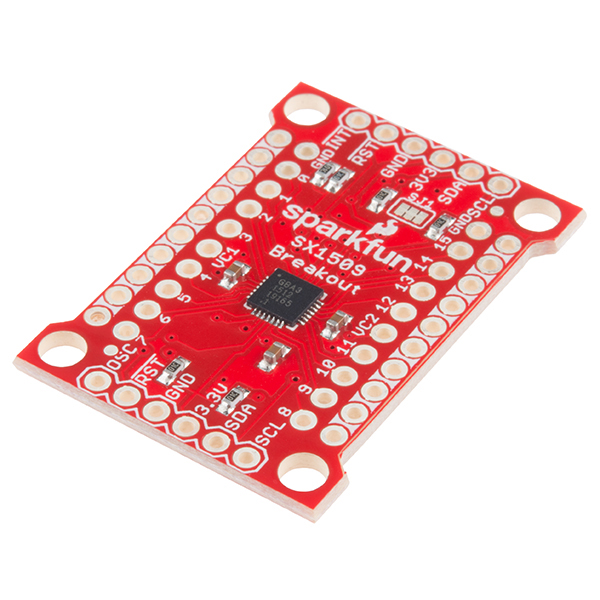](https://www.sparkfun.com/products/13601)
|
|
||||||
|
|
||||||
[*SparkFun SX1509 IO Expander Breakout (SKU)*](https://www.sparkfun.com/products/13601)
|
|
||||||
|
|
||||||
Arduino library for the SX1509 16-I/O expander. Capable of driving LEDs - with blink, and breathe functions - or monitoring up to 64 buttons in an 8x8 array.
|
|
||||||
|
|
||||||
Are you low on I/O? No problem! The SX1509 Breakout is a 16-channel GPIO expander with an I2C interface – that means with just two wires, your microcontroller can interface with 16 fully configurable digital input/output pins. But the SX1509 can do so much more than just simple digital pin control. It can produce PWM signals, so you can dim LEDs. It can be set to blink or even breathe pins at varying rates. This breakout is similar to a multiplexer or "mux," in that it allows you to get more IO from less pins. And, with a built-in keypad engine, it can interface with up to 64 buttons set up in an 8x8 matrix.
|
|
||||||
|
|
||||||
Two headers at the top and bottom of the breakout board function as the input and control headers to the board. This is where you can supply power to the SX1509, and where your I2C signals – SDA and SCL – will terminate. GPIO and power buses are broken out in every-which direction, and configurable jumpers cover most of the rest of the board.
|
|
||||||
|
|
||||||
Since the I/O banks can operate between 1.2V and 3.6V (5.5V tolerant) independent of both the core and each other, this device can also work as a level-shifter. The SX1509 breakout makes it easy to prototype so you can add more I/O onto your Arduino or I/O limited controller. We've even spun up an Arduino Library to get you started!
|
|
||||||
|
|
||||||
Please be aware that v3 of the library breaks previous version compatiblity on a few things:
|
|
||||||
|
|
||||||
* Wire.begin() must be called explicitly within the Arduino sketch before io.begin() is called. This may break code that does not have Wire.begin().
|
|
||||||
* io.begin() has been expanded to include io.begin(deviceAddress, wirePort, resetPin). This may break code where resetPin was the 2nd argument.
|
|
||||||
|
|
||||||
Repository Contents
|
|
||||||
-------------------
|
|
||||||
|
|
||||||
* **/examples** - Example sketches for the library (.ino). Run these from the Arduino IDE.
|
|
||||||
* **/extras** - Additional documentation for the user. These files are ignored by the IDE.
|
|
||||||
* **/src** - Source files for the library (.cpp, .h).
|
|
||||||
* **keywords.txt** - Keywords from this library that will be highlighted in the Arduino IDE.
|
|
||||||
* **library.properties** - General library properties for the Arduino package manager.
|
|
||||||
|
|
||||||
Documentation
|
|
||||||
--------------
|
|
||||||
|
|
||||||
* **[SparkFun SX1509 Breakout Board Hookup Guide](https://learn.sparkfun.com/tutorials/sx1509-io-expander-breakout-hookup-guide)** - SparkFun tutorial demonstrating how to hook up the SX1509 Breakout and use this library.
|
|
||||||
* **[Installing an Arduino Library Guide](https://learn.sparkfun.com/tutorials/installing-an-arduino-library)** - Basic information on how to install an Arduino library.
|
|
||||||
* **[Product Repository](https://github.com/sparkfun/SX1509_IO-Expander)** - Main repository (including hardware files) for the SX1509 IO Expander Breakout.
|
|
||||||
|
|
||||||
Products that use this Library
|
|
||||||
---------------------------------
|
|
||||||
|
|
||||||
* [BOB-13601](https://www.sparkfun.com/products/13601) - SX1509 16 I/O Breakout Board (v2.0)
|
|
||||||
* [BOB-11502](https://www.sparkfun.com/products/retired/11502)- (Retired) 16 I/O I2C port expander.
|
|
||||||
|
|
||||||
Version History
|
|
||||||
---------------
|
|
||||||
|
|
||||||
* [V_3.x] - Incorporate PRs including the ability to pass in a wire port in begin().
|
|
||||||
* [V_2.0.1](https://github.com/sparkfun/SparkFun_SX1509_Arduino_Library/tree/V_2.0.1) - Version 2.0.1. More user-friendly function calls. Increased clock functionality. More examples. Mostly backwards compatible with older versions.
|
|
||||||
* [V_1.0.0](https://github.com/sparkfun/SparkFun_SX1509_Arduino_Library/tree/V_1.0.0) - Version 1.0.0
|
|
||||||
|
|
||||||
License Information
|
|
||||||
-------------------
|
|
||||||
|
|
||||||
This product is _**open source**_!
|
|
||||||
|
|
||||||
The **code** is beerware; if you see me (or any other SparkFun employee) at the local, and you've found our code helpful, please buy us a round!
|
|
||||||
|
|
||||||
Please use, reuse, and modify these files as you see fit. Please maintain attribution to SparkFun Electronics and release anything derivative under the same license.
|
|
||||||
|
|
||||||
Distributed as-is; no warranty is given.
|
|
||||||
|
|
||||||
- Your friends at SparkFun.
|
|
||||||
@ -1,125 +0,0 @@
|
|||||||
/*************************************************************
|
|
||||||
digitalReadWriteCombined.ino
|
|
||||||
SparkFun SX1509 I/O Expander Example: digital I/O (digitalRead/digitalWrite)
|
|
||||||
Jim Lindblom @ SparkFun Electronics
|
|
||||||
Original Creation Date: September 21, 2015
|
|
||||||
https://github.com/sparkfun/SparkFun_SX1509_Arduino_Library
|
|
||||||
|
|
||||||
This example demonstrates the SX1509's digitalRead and digitalWrite
|
|
||||||
functionality. We'll attach an active-low button to an
|
|
||||||
INPUT_PULLUP input and attach an LED to a pin set as OUTPUT.
|
|
||||||
Then whenever the button read's LOW, we'll toggle the LED.
|
|
||||||
Note that the code will wait until the button is released
|
|
||||||
before reading the SX1509 pins again.
|
|
||||||
|
|
||||||
After uploading the sketch, open your serial monitor and set
|
|
||||||
it to 115200 baud.
|
|
||||||
|
|
||||||
Hardware Hookup:
|
|
||||||
SX1509 Breakout ------ Arduino -------- Breadboard
|
|
||||||
GND -------------- GND
|
|
||||||
3V3 -------------- 3.3V
|
|
||||||
SDA ------------ SDA (A4)
|
|
||||||
SCL ------------ SCL (A5)
|
|
||||||
0 ---------------------------------]BTN[----GND
|
|
||||||
15 -------------------------------- LED+
|
|
||||||
LED- -/\/\/\- GND
|
|
||||||
330
|
|
||||||
Development environment specifics:
|
|
||||||
IDE: Arduino 1.6.5
|
|
||||||
Hardware Platform: Arduino Uno
|
|
||||||
SX1509 Breakout Version: v2.0
|
|
||||||
|
|
||||||
This code is beerware; if you see me (or any other SparkFun
|
|
||||||
employee) at the local, and you've found our code helpful,
|
|
||||||
please buy us a round!
|
|
||||||
|
|
||||||
Distributed as-is; no warranty is given.
|
|
||||||
*************************************************************/
|
|
||||||
|
|
||||||
#include <Wire.h> // Include the I2C library (required)
|
|
||||||
#include <SparkFunSX1509.h> //Click here for the library: http://librarymanager/All#SparkFun_SX1509
|
|
||||||
|
|
||||||
// SX1509 I2C address (set by ADDR1 and ADDR0 (00 by default):
|
|
||||||
const byte SX1509_ADDRESS = 0x3E; // SX1509 I2C address
|
|
||||||
SX1509 io; // Create an SX1509 object to be used throughout
|
|
||||||
|
|
||||||
// SX1509 pin definitions:
|
|
||||||
// Note: these aren't Arduino pins. They're the SX1509 I/O:
|
|
||||||
const byte SX1509_LED_PIN = 15; // LED connected to 15 (source ing current)
|
|
||||||
const byte SX1509_BUTTON_PIN = 0; // Button connected to 0 (Active-low button)
|
|
||||||
|
|
||||||
bool ledState = false;
|
|
||||||
|
|
||||||
void setup()
|
|
||||||
{
|
|
||||||
// Serial is used in this example to display the input value
|
|
||||||
// of the SX1509_INPUT_PIN input:
|
|
||||||
Serial.begin(115200);
|
|
||||||
Serial.println("SX1509 Example");
|
|
||||||
|
|
||||||
Wire.begin(); //Initialize I2C bus
|
|
||||||
|
|
||||||
pinMode(13, OUTPUT); // Use pin 13 LED as debug output
|
|
||||||
digitalWrite(13, LOW); // Start it as low
|
|
||||||
|
|
||||||
|
|
||||||
// Call io.begin(<address>) to initialize the SX1509. If it
|
|
||||||
// successfully communicates, it'll return 1.
|
|
||||||
if (io.begin(SX1509_ADDRESS) == false)
|
|
||||||
{
|
|
||||||
Serial.println("Failed to communicate. Check wiring and address of SX1509.");
|
|
||||||
digitalWrite(13, HIGH); // If we failed to communicate, turn the pin 13 LED on
|
|
||||||
while (1)
|
|
||||||
; // If we fail to communicate, loop forever.
|
|
||||||
}
|
|
||||||
|
|
||||||
// Call io.pinMode(<pin>, <mode>) to set any SX1509 pin as
|
|
||||||
// either an INPUT, OUTPUT, INPUT_PULLUP, or ANALOG_OUTPUT
|
|
||||||
// Set output for LED:
|
|
||||||
io.pinMode(SX1509_LED_PIN, OUTPUT);
|
|
||||||
// Use a pull-up resistor on the button's input pin. When
|
|
||||||
// the button is pressed, the pin will be read as LOW:
|
|
||||||
io.pinMode(SX1509_BUTTON_PIN, INPUT_PULLUP);
|
|
||||||
|
|
||||||
// Blink the LED a few times before we start:
|
|
||||||
for (int i = 0; i < 5; i++)
|
|
||||||
{
|
|
||||||
// Use io.digitalWrite(<pin>, <LOW | HIGH>) to set an
|
|
||||||
// SX1509 pin either HIGH or LOW:
|
|
||||||
io.digitalWrite(SX1509_LED_PIN, HIGH);
|
|
||||||
delay(100);
|
|
||||||
io.digitalWrite(SX1509_LED_PIN, LOW);
|
|
||||||
delay(100);
|
|
||||||
}
|
|
||||||
}
|
|
||||||
|
|
||||||
void loop()
|
|
||||||
{
|
|
||||||
// Use io.digitalRead() to check if an SX1509 input I/O is
|
|
||||||
// either LOW or HIGH.
|
|
||||||
if (io.digitalRead(SX1509_BUTTON_PIN) == LOW)
|
|
||||||
{
|
|
||||||
// Print the status of the other pin:
|
|
||||||
Serial.print("SX1509_BUTTON_PIN status: ");
|
|
||||||
// Read the pin to print either 0 or 1
|
|
||||||
Serial.println(io.digitalRead(SX1509_BUTTON_PIN));
|
|
||||||
|
|
||||||
// If the button is pressed toggle the LED:
|
|
||||||
ledState = !ledState;
|
|
||||||
io.digitalWrite(SX1509_LED_PIN, ledState);
|
|
||||||
|
|
||||||
// Print the status of the other pin:
|
|
||||||
Serial.print("SX1509_LED_PIN status: ");
|
|
||||||
// Read the pin to print either 0 or 1
|
|
||||||
Serial.println(ledState);
|
|
||||||
|
|
||||||
|
|
||||||
Serial.print("Waiting for button to release...");
|
|
||||||
while (io.digitalRead(SX1509_BUTTON_PIN) == LOW)
|
|
||||||
; // Wait for button to release
|
|
||||||
Serial.println("Button released!");
|
|
||||||
|
|
||||||
//delay(200); //uncomment to add a small delay for button debouncing
|
|
||||||
}
|
|
||||||
}
|
|
||||||
@ -1,87 +0,0 @@
|
|||||||
/*************************************************************
|
|
||||||
analogWrite.ino
|
|
||||||
SparkFun SX1509 I/O Expander Example: pwm output (analogWrite)
|
|
||||||
Jim Lindblom @ SparkFun Electronics
|
|
||||||
Original Creation Date: September 21, 2015
|
|
||||||
https://github.com/sparkfun/SparkFun_SX1509_Arduino_Library
|
|
||||||
|
|
||||||
This example demonstrates the SX1509's analogWrite function.
|
|
||||||
Connect an LED to the SX1509's pin 15 (or any other pin, they
|
|
||||||
can all PWM!). The SX1509 can either sink or source current,
|
|
||||||
just don't forget your limiting resistor!
|
|
||||||
|
|
||||||
Hardware Hookup:
|
|
||||||
SX1509 Breakout ------ Arduino -------- Breadboard
|
|
||||||
GND -------------- GND
|
|
||||||
3V3 -------------- 3.3V
|
|
||||||
SDA ------------ SDA (A4)
|
|
||||||
SCL ------------ SCL (A5)
|
|
||||||
15 -------------------------------- LED+
|
|
||||||
LED- -/\/\/\- GND
|
|
||||||
330
|
|
||||||
|
|
||||||
Development environment specifics:
|
|
||||||
IDE: Arduino 1.6.5
|
|
||||||
Hardware Platform: Arduino Uno
|
|
||||||
SX1509 Breakout Version: v2.0
|
|
||||||
|
|
||||||
This code is beerware; if you see me (or any other SparkFun
|
|
||||||
employee) at the local, and you've found our code helpful,
|
|
||||||
please buy us a round!
|
|
||||||
|
|
||||||
Distributed as-is; no warranty is given.
|
|
||||||
*************************************************************/
|
|
||||||
|
|
||||||
#include <Wire.h> // Include the I2C library (required)
|
|
||||||
#include <SparkFunSX1509.h> //Click here for the library: http://librarymanager/All#SparkFun_SX1509
|
|
||||||
|
|
||||||
// SX1509 I2C address (set by ADDR1 and ADDR0 (00 by default):
|
|
||||||
const byte SX1509_ADDRESS = 0x3E; // SX1509 I2C address
|
|
||||||
SX1509 io; // Create an SX1509 object to be used throughout
|
|
||||||
|
|
||||||
// SX1509 Pin definition:
|
|
||||||
const byte SX1509_LED_PIN = 15; // LED to SX1509's pin 15
|
|
||||||
|
|
||||||
void setup()
|
|
||||||
{
|
|
||||||
Serial.begin(115200);
|
|
||||||
Serial.println("SX1509 Example");
|
|
||||||
|
|
||||||
Wire.begin();
|
|
||||||
|
|
||||||
// Call io.begin(<address>) to initialize the SX1509. If it
|
|
||||||
// successfully communicates, it'll return 1.
|
|
||||||
if (io.begin(SX1509_ADDRESS) == false)
|
|
||||||
{
|
|
||||||
Serial.println("Failed to communicate. Check wiring and address of SX1509.");
|
|
||||||
while (1)
|
|
||||||
; // If we fail to communicate, loop forever.
|
|
||||||
}
|
|
||||||
|
|
||||||
// Use the pinMode(<pin>, <mode>) function to set our led
|
|
||||||
// pin as an ANALOG_OUTPUT, which is required for PWM output
|
|
||||||
io.pinMode(SX1509_LED_PIN, ANALOG_OUTPUT);
|
|
||||||
}
|
|
||||||
|
|
||||||
void loop()
|
|
||||||
{
|
|
||||||
// Ramp brightness up, from 0-255, delay 2ms in between
|
|
||||||
// analogWrite's
|
|
||||||
for (int brightness = 0; brightness < 256; brightness++)
|
|
||||||
{
|
|
||||||
// Call io.analogWrite(<pin>, <0-255>) to configure the
|
|
||||||
// PWM duty cycle
|
|
||||||
io.analogWrite(SX1509_LED_PIN, brightness);
|
|
||||||
delay(2); // Delay 2 milliseconds
|
|
||||||
}
|
|
||||||
delay(500); // Delay half-a-second
|
|
||||||
|
|
||||||
// Ramp brightness down, from 255-0, delay 2ms in between
|
|
||||||
// analogWrite's
|
|
||||||
for (int brightness = 255; brightness >= 0; brightness--)
|
|
||||||
{
|
|
||||||
io.analogWrite(SX1509_LED_PIN, brightness);
|
|
||||||
delay(2); // Delay 2 milliseconds
|
|
||||||
}
|
|
||||||
delay(500); // Delay half-a-second
|
|
||||||
}
|
|
||||||
@ -1,81 +0,0 @@
|
|||||||
/*************************************************************
|
|
||||||
blink.ino
|
|
||||||
SparkFun SX1509 I/O Expander Example: blink output
|
|
||||||
Jim Lindblom @ SparkFun Electronics
|
|
||||||
Original Creation Date: September 21, 2015
|
|
||||||
https://github.com/sparkfun/SparkFun_SX1509_Arduino_Library
|
|
||||||
|
|
||||||
This example demonstrates the SX1509's set-it-and-forget-it
|
|
||||||
blink function. We'll set the pin up as an OUTPUT, and call
|
|
||||||
io.blink() all in setup(), then watch the LED blink by itself
|
|
||||||
in loop().
|
|
||||||
|
|
||||||
Hardware Hookup:
|
|
||||||
SX1509 Breakout ------ Arduino -------- Breadboard
|
|
||||||
GND -------------- GND
|
|
||||||
3V3 -------------- 3.3V
|
|
||||||
SDA ------------ SDA (A4)
|
|
||||||
SCL ------------ SCL (A5)
|
|
||||||
15 -------------------------------- LED+
|
|
||||||
LED- -/\/\/\- GND
|
|
||||||
330
|
|
||||||
|
|
||||||
Development environment specifics:
|
|
||||||
IDE: Arduino 1.6.5
|
|
||||||
Hardware Platform: Arduino Uno
|
|
||||||
SX1509 Breakout Version: v2.0
|
|
||||||
|
|
||||||
This code is beerware; if you see me (or any other SparkFun
|
|
||||||
employee) at the local, and you've found our code helpful,
|
|
||||||
please buy us a round!
|
|
||||||
|
|
||||||
Distributed as-is; no warranty is given.
|
|
||||||
*************************************************************/
|
|
||||||
|
|
||||||
#include <Wire.h> // Include the I2C library (required)
|
|
||||||
#include <SparkFunSX1509.h> //Click here for the library: http://librarymanager/All#SparkFun_SX1509
|
|
||||||
|
|
||||||
// SX1509 I2C address (set by ADDR1 and ADDR0 (00 by default):
|
|
||||||
const byte SX1509_ADDRESS = 0x3E; // SX1509 I2C address
|
|
||||||
SX1509 io; // Create an SX1509 object to be used throughout
|
|
||||||
|
|
||||||
// SX1509 Pin definition:
|
|
||||||
const byte SX1509_LED_PIN = 15; // LED to SX1509's pin 15
|
|
||||||
|
|
||||||
void setup()
|
|
||||||
{
|
|
||||||
Serial.begin(115200);
|
|
||||||
Serial.println("SX1509 Example");
|
|
||||||
|
|
||||||
Wire.begin();
|
|
||||||
|
|
||||||
// Call io.begin(<address>) to initialize the SX1509. If it
|
|
||||||
// successfully communicates, it'll return 1.
|
|
||||||
if (io.begin(SX1509_ADDRESS) == false)
|
|
||||||
{
|
|
||||||
Serial.println("Failed to communicate. Check wiring and address of SX1509.");
|
|
||||||
while (1)
|
|
||||||
; // If we fail to communicate, loop forever.
|
|
||||||
}
|
|
||||||
|
|
||||||
// Set up the SX1509's clock to use the internal 2MHz
|
|
||||||
// oscillator. The second parameter divides the oscillator
|
|
||||||
// clock to generate a slower LED clock. 4 divides the 2MHz
|
|
||||||
// clock by 2 ^ (4-1) (8, ie. 250kHz). The divider parameter
|
|
||||||
// can be anywhere between 1-7.
|
|
||||||
io.clock(INTERNAL_CLOCK_2MHZ, 4);
|
|
||||||
|
|
||||||
io.pinMode(SX1509_LED_PIN, OUTPUT); // Set LED pin to OUTPUT
|
|
||||||
|
|
||||||
// Blink the LED pin -- ~1000 ms LOW, ~500 ms HIGH:
|
|
||||||
io.blink(SX1509_LED_PIN, 1000, 500);
|
|
||||||
// The timing parameters are in milliseconds, but they
|
|
||||||
// aren't 100% exact. The library will estimate to try to
|
|
||||||
// get them as close as possible. Play with the clock
|
|
||||||
// divider to maybe get more accurate timing.
|
|
||||||
}
|
|
||||||
|
|
||||||
void loop()
|
|
||||||
{
|
|
||||||
// Relax! The SX1509's got this...
|
|
||||||
}
|
|
||||||
@ -1,83 +0,0 @@
|
|||||||
/*************************************************************
|
|
||||||
breathe.ino
|
|
||||||
SparkFun SX1509 I/O Expander Example: breathe output
|
|
||||||
Jim Lindblom @ SparkFun Electronics
|
|
||||||
Original Creation Date: September 21, 2015
|
|
||||||
https://github.com/sparkfun/SparkFun_SX1509_Arduino_Library
|
|
||||||
|
|
||||||
This example demonstrates the SX1509's set-it-and-forget-it
|
|
||||||
breathe function. The SX1509 will pulse an LED, smoothly
|
|
||||||
ramping its brightness up-then-down. We'll set the pin up as
|
|
||||||
an ANALOG_OUTPUT, and call io.breathe() all in setup(), then
|
|
||||||
watch the LED pulse by itself in loop().
|
|
||||||
|
|
||||||
Hardware Hookup:
|
|
||||||
SX1509 Breakout ------ Arduino -------- Breadboard
|
|
||||||
GND -------------- GND
|
|
||||||
3V3 -------------- 3.3V
|
|
||||||
SDA ------------ SDA (A4)
|
|
||||||
SCL ------------ SCL (A5)
|
|
||||||
15 --------------------------------- LED+
|
|
||||||
LED- -/\/\/\- GND
|
|
||||||
330
|
|
||||||
|
|
||||||
Development environment specifics:
|
|
||||||
IDE: Arduino 1.6.5
|
|
||||||
Hardware Platform: Arduino Uno
|
|
||||||
SX1509 Breakout Version: v2.0
|
|
||||||
|
|
||||||
This code is beerware; if you see me (or any other SparkFun
|
|
||||||
employee) at the local, and you've found our code helpful,
|
|
||||||
please buy us a round!
|
|
||||||
|
|
||||||
Distributed as-is; no warranty is given.
|
|
||||||
*************************************************************/
|
|
||||||
|
|
||||||
#include <Wire.h> // Include the I2C library (required)
|
|
||||||
#include <SparkFunSX1509.h> //Click here for the library: http://librarymanager/All#SparkFun_SX1509
|
|
||||||
|
|
||||||
// SX1509 I2C address (set by ADDR1 and ADDR0 (00 by default):
|
|
||||||
const byte SX1509_ADDRESS = 0x3E; // SX1509 I2C address
|
|
||||||
SX1509 io; // Create an SX1509 object to be used throughout
|
|
||||||
|
|
||||||
// SX1509 Pin definition:
|
|
||||||
const byte SX1509_LED_PIN = 15; // LED to SX1509's pin 15
|
|
||||||
|
|
||||||
void setup()
|
|
||||||
{
|
|
||||||
Serial.begin(115200);
|
|
||||||
Serial.println("SX1509 Example");
|
|
||||||
|
|
||||||
Wire.begin();
|
|
||||||
|
|
||||||
// Call io.begin(<address>) to initialize the SX1509. If it
|
|
||||||
// successfully communicates, it'll return 1.
|
|
||||||
if (io.begin(SX1509_ADDRESS) == false)
|
|
||||||
{
|
|
||||||
Serial.println("Failed to communicate. Check wiring and address of SX1509.");
|
|
||||||
while (1)
|
|
||||||
; // If we fail to communicate, loop forever.
|
|
||||||
}
|
|
||||||
|
|
||||||
// Use the internal 2MHz oscillator.
|
|
||||||
// Set LED clock to 500kHz (2MHz / (2^(3-1)):
|
|
||||||
io.clock(INTERNAL_CLOCK_2MHZ, 3);
|
|
||||||
|
|
||||||
// To breathe an LED, make sure you set it as an
|
|
||||||
// ANALOG_OUTPUT, so we can PWM the pin:
|
|
||||||
io.pinMode(SX1509_LED_PIN, ANALOG_OUTPUT);
|
|
||||||
|
|
||||||
// Breathe an LED: 1000ms LOW, 500ms HIGH,
|
|
||||||
// 500ms to rise from low to high
|
|
||||||
// 250ms to fall from high to low
|
|
||||||
io.breathe(SX1509_LED_PIN, 1000, 500, 500, 250);
|
|
||||||
// The timing parameters are in milliseconds, but they
|
|
||||||
// aren't 100% exact. The library will estimate to try to
|
|
||||||
// get them as close as possible. Play with the clock
|
|
||||||
// divider to maybe get more accurate timing.
|
|
||||||
}
|
|
||||||
|
|
||||||
void loop()
|
|
||||||
{
|
|
||||||
// Enjoy your hypnotically breathing LED!
|
|
||||||
}
|
|
||||||
@ -1,70 +0,0 @@
|
|||||||
/*************************************************************
|
|
||||||
clock.ino
|
|
||||||
SparkFun SX1509 I/O Expander Example: clock output
|
|
||||||
Jim Lindblom @ SparkFun Electronics
|
|
||||||
Original Creation Date: September 21, 2015
|
|
||||||
https://github.com/sparkfun/SparkFun_SX1509_Arduino_Library
|
|
||||||
|
|
||||||
This example demonstrates the SX1509's clock output
|
|
||||||
functionality. The OSC pins (OSCIO in the datasheet), can be
|
|
||||||
configured as either a clock input, clock output, or an
|
|
||||||
extra output!
|
|
||||||
|
|
||||||
Hardware Hookup:
|
|
||||||
SX1509 Breakout ------ Arduino
|
|
||||||
GND -------------- GND
|
|
||||||
3V3 -------------- 3.3V
|
|
||||||
SDA ------------ SDA (A4)
|
|
||||||
SCL ------------ SCL (A5)
|
|
||||||
OSC ------------- Check with a multimeter or o-scope
|
|
||||||
|
|
||||||
Development environment specifics:
|
|
||||||
IDE: Arduino 1.6.5
|
|
||||||
Hardware Platform: Arduino Uno
|
|
||||||
SX1509 Breakout Version: v2.0
|
|
||||||
|
|
||||||
This code is beerware; if you see me (or any other SparkFun
|
|
||||||
employee) at the local, and you've found our code helpful,
|
|
||||||
please buy us a round!
|
|
||||||
|
|
||||||
Distributed as-is; no warranty is given.
|
|
||||||
*************************************************************/
|
|
||||||
|
|
||||||
#include <Wire.h> // Include the I2C library (required)
|
|
||||||
#include <SparkFunSX1509.h> //Click here for the library: http://librarymanager/All#SparkFun_SX1509
|
|
||||||
|
|
||||||
// SX1509 I2C address (set by ADDR1 and ADDR0 (00 by default):
|
|
||||||
const byte SX1509_ADDRESS = 0x3E; // SX1509 I2C address
|
|
||||||
SX1509 io; // Create an SX1509 object to be used throughout
|
|
||||||
|
|
||||||
void setup()
|
|
||||||
{
|
|
||||||
Serial.begin(115200);
|
|
||||||
Serial.println("SX1509 Example");
|
|
||||||
|
|
||||||
Wire.begin();
|
|
||||||
|
|
||||||
// Call io.begin(<address>) to initialize the SX1509. If it
|
|
||||||
// successfully communicates, it'll return 1.
|
|
||||||
if (io.begin(SX1509_ADDRESS) == false)
|
|
||||||
{
|
|
||||||
Serial.println("Failed to communicate. Check wiring and address of SX1509.");
|
|
||||||
while (1)
|
|
||||||
; // If we fail to communicate, loop forever.
|
|
||||||
}
|
|
||||||
|
|
||||||
// Configure clock:
|
|
||||||
// - INTERNAL_CLOCK_2MHZ: Set clock to internal 2MHz
|
|
||||||
// - 2: Set LED clock to divide by 2^(2-1) (2)
|
|
||||||
// - OUTPUT: Configure OSCIO pin as a clock OUTPUT
|
|
||||||
// - outputFreq: Sets the frequncy of output
|
|
||||||
// - 0: 0Hz LOW
|
|
||||||
// - 0x1-0xE: fOSCout = Fosc / 2 ^ (outputFreq - 1) Hz
|
|
||||||
// - 0xF: 0Hz HIGH
|
|
||||||
byte outputFreq = 6; // Set output freq. to 62.5 kHz
|
|
||||||
io.clock(INTERNAL_CLOCK_2MHZ, 2, OUTPUT, outputFreq);
|
|
||||||
}
|
|
||||||
|
|
||||||
void loop()
|
|
||||||
{
|
|
||||||
}
|
|
||||||
@ -1,261 +0,0 @@
|
|||||||
/*************************************************************
|
|
||||||
demo.ino
|
|
||||||
SparkFun SX1509 I/O Expander Example: fun time demo!
|
|
||||||
Jim Lindblom @ SparkFun Electronics
|
|
||||||
Original Creation Date: September 21, 2015
|
|
||||||
https://github.com/sparkfun/SparkFun_SX1509_Arduino_Library
|
|
||||||
|
|
||||||
This is a massive demo sketch to show off what the SX1509 can
|
|
||||||
do! It combines the keypad engine, LED driving, digital
|
|
||||||
inputs, interrupt triggering, and we even emulate a simple SPI
|
|
||||||
interface with it!
|
|
||||||
|
|
||||||
All 16 of the SX1509's pins are used. Connected to a 12-button
|
|
||||||
keypad, Serial 7-Segment Display, and three buttons-with-LEDs:
|
|
||||||
|
|
||||||
- 12-Button Keypad: https://sfe.io/p8653
|
|
||||||
- Serial 7-Segment (S7S): https://sfe.io/p11441
|
|
||||||
- 3x LED Buttons: https://sfe.io/p10443
|
|
||||||
|
|
||||||
Hardware Hookup:
|
|
||||||
SX1509 Breakout ------ Arduino ------------ Component
|
|
||||||
GND -------------- GND
|
|
||||||
3V3 -------------- 3.3V
|
|
||||||
SDA ------------ SDA (A4)
|
|
||||||
SCL ------------ SCL (A5)
|
|
||||||
0 --------------------------------- Keypad 2 (row 1)
|
|
||||||
1 --------------------------------- Keypad 7 (row 2)
|
|
||||||
2 --------------------------------- Keypad 6 (row 3)
|
|
||||||
3 --------------------------------- Keypad 4 (row 4)
|
|
||||||
4 --------------------------------- S7S SS
|
|
||||||
5 --------------------------------- Button 1
|
|
||||||
6 --------------------------------- Button 2
|
|
||||||
7 --------------------------------- Button 3
|
|
||||||
8 --------------------------------- Keypad 3 (col 1)
|
|
||||||
9 --------------------------------- Keypad 1 (col 2)
|
|
||||||
10 -------------------------------- Keypad 5 (col 3)
|
|
||||||
11 -------------------------------- S7S SDI
|
|
||||||
12 -------------------------------- S7S SCK
|
|
||||||
13 -------------------------------- LED 1
|
|
||||||
14 -------------------------------- LED 2
|
|
||||||
15 -------------------------------- LED 3
|
|
||||||
|
|
||||||
Development environment specifics:
|
|
||||||
IDE: Arduino 1.6.5
|
|
||||||
Hardware Platform: Arduino Uno
|
|
||||||
SX1509 Breakout Version: v2.0
|
|
||||||
|
|
||||||
This code is beerware; if you see me (or any other SparkFun
|
|
||||||
employee) at the local, and you've found our code helpful,
|
|
||||||
please buy us a round!
|
|
||||||
|
|
||||||
Distributed as-is; no warranty is given.
|
|
||||||
*************************************************************/
|
|
||||||
|
|
||||||
#include <Wire.h> // Include the I2C library (required)
|
|
||||||
#include <SparkFunSX1509.h> //Click here for the library: http://librarymanager/All#SparkFun_SX1509
|
|
||||||
|
|
||||||
// SX1509 I2C address (set by ADDR1 and ADDR0 (00 by default):
|
|
||||||
const byte SX1509_ADDRESS = 0x3E; // SX1509 I2C address
|
|
||||||
SX1509 io; // Create an SX1509 object to be used throughout
|
|
||||||
|
|
||||||
#define KEY_ROWS 4 // Number of rows in the keypad matrix
|
|
||||||
#define KEY_COLS 3 // Number of columns in the keypad matrix
|
|
||||||
|
|
||||||
// keyMap maps row/column combinations to characters:
|
|
||||||
char keyMap[KEY_ROWS][KEY_COLS] = {
|
|
||||||
{'0', '1', '2'},
|
|
||||||
{'3', '4', '5'},
|
|
||||||
{'6', '7', '8'},
|
|
||||||
{'*', '0', '#'}};
|
|
||||||
|
|
||||||
// SX1509 Pins:
|
|
||||||
#define SX1509_RED_LED 13 // Red LED on breath-able pin
|
|
||||||
#define SX1509_GRN_LED 14 // Green LED on breath-able pin
|
|
||||||
#define SX1509_BLU_LED 15 // Blue LED on breath-able pin
|
|
||||||
|
|
||||||
#define SX1509_RED_BTN 5 // Red button, active-low
|
|
||||||
#define SX1509_GRN_BTN 6 // Green button, active-low
|
|
||||||
#define SX1509_BLU_BTN 7 // Blue button, active-low
|
|
||||||
|
|
||||||
#define SX1509_SDO_PIN 11 // S7S SDI pin (serial-data in)
|
|
||||||
#define SX1509_SCK_PIN 12 // S7S SCK pin (serial clock)
|
|
||||||
#define SX1509_SS_PIN 4 // S7S SS pin (slave-select)
|
|
||||||
|
|
||||||
// Arduino Pins:
|
|
||||||
#define ARDUINO_INT_PIN 2 // External interrupt pin
|
|
||||||
|
|
||||||
void setup()
|
|
||||||
{
|
|
||||||
// Serial is used to display the keypad presses
|
|
||||||
Serial.begin(115200);
|
|
||||||
Serial.println("SX1509 Example");
|
|
||||||
|
|
||||||
Wire.begin();
|
|
||||||
|
|
||||||
// Call io.begin(<address>) to initialize the SX1509. If it
|
|
||||||
// successfully communicates, it'll return 1.
|
|
||||||
if (io.begin(SX1509_ADDRESS) == false)
|
|
||||||
{
|
|
||||||
Serial.println("Failed to communicate. Check wiring and address of SX1509.");
|
|
||||||
while (1)
|
|
||||||
; // If we fail to communicate, loop forever.
|
|
||||||
}
|
|
||||||
|
|
||||||
// Initialize the keypad.
|
|
||||||
// Sleep time off (0). 16ms scan time, 8ms debounce:
|
|
||||||
io.keypad(KEY_ROWS, KEY_COLS, 0, 16, 8);
|
|
||||||
|
|
||||||
// Set up the LED pins as ANALOG_OUTPUTs:
|
|
||||||
io.pinMode(SX1509_RED_LED, ANALOG_OUTPUT);
|
|
||||||
io.pinMode(SX1509_GRN_LED, ANALOG_OUTPUT);
|
|
||||||
io.pinMode(SX1509_BLU_LED, ANALOG_OUTPUT);
|
|
||||||
|
|
||||||
// Then configure each of the LED pins to breathe at
|
|
||||||
// different rates. Red LED is HIGH 2000ms, LOW 2000ms, and
|
|
||||||
// takes 1000ms to rise/fall
|
|
||||||
io.breathe(SX1509_RED_LED, 2000, 2000, 1000, 1000);
|
|
||||||
// Green LED is on/off for 8s, and takes 4s to rise/fall:
|
|
||||||
// We can also set the on/off intensity. On intensity is
|
|
||||||
// 127 off is 16 out of 255.
|
|
||||||
io.breathe(SX1509_GRN_LED, 8000, 8000, 4000, 4000,
|
|
||||||
127, 16);
|
|
||||||
// You can set the breathe pulse to either LOGARITHMIC or
|
|
||||||
// LINEAR. They default to LINEAR.
|
|
||||||
// Blue LED is on/off for 500 ms, rises/falls in 500ms:
|
|
||||||
io.breathe(SX1509_BLU_LED, 500, 500, 500, 500,
|
|
||||||
255, 0, LOGARITHMIC);
|
|
||||||
|
|
||||||
// Instead of breathing the entire duration, we can write a
|
|
||||||
// breathing pin HIGH to initiate SINGLE-SHOT mode. After a
|
|
||||||
// HIGH write, each pin will do its breathe pulse once,
|
|
||||||
// then stop.
|
|
||||||
io.digitalWrite(SX1509_GRN_LED, HIGH);
|
|
||||||
io.digitalWrite(SX1509_RED_LED, HIGH);
|
|
||||||
io.digitalWrite(SX1509_BLU_LED, HIGH);
|
|
||||||
// Call io.sync() to synchronize all LED outputs.
|
|
||||||
io.sync();
|
|
||||||
|
|
||||||
// Set up the button inputs. They'll all be active-low, so
|
|
||||||
// configure them with internal pull-ups
|
|
||||||
io.pinMode(SX1509_RED_BTN, INPUT_PULLUP);
|
|
||||||
io.pinMode(SX1509_GRN_BTN, INPUT_PULLUP);
|
|
||||||
io.pinMode(SX1509_BLU_BTN, INPUT_PULLUP);
|
|
||||||
// Enable interrupts on each button pin. Generate an
|
|
||||||
// interrupt on either a rise or fall using CHANGE.
|
|
||||||
io.enableInterrupt(SX1509_RED_BTN, CHANGE);
|
|
||||||
io.enableInterrupt(SX1509_GRN_BTN, CHANGE);
|
|
||||||
io.enableInterrupt(SX1509_BLU_BTN, CHANGE);
|
|
||||||
|
|
||||||
// Set up the outputs for the serial 7-segment display's
|
|
||||||
// SPI interface.
|
|
||||||
io.pinMode(SX1509_SDO_PIN, OUTPUT); // SDO (S7S's SDI)
|
|
||||||
io.digitalWrite(SX1509_SDO_PIN, HIGH);
|
|
||||||
io.pinMode(SX1509_SCK_PIN, OUTPUT); // SCK (serial clock)
|
|
||||||
io.digitalWrite(SX1509_SCK_PIN, HIGH);
|
|
||||||
io.pinMode(SX1509_SS_PIN, OUTPUT); // SS (Slave-select)
|
|
||||||
io.digitalWrite(SX1509_SS_PIN, HIGH);
|
|
||||||
|
|
||||||
// Finally, set up our Arduino pin(s). Set the interrupt as
|
|
||||||
// an INPUT_PULLUP. SX1509's interrupt output is active-low.
|
|
||||||
pinMode(ARDUINO_INT_PIN, INPUT_PULLUP);
|
|
||||||
}
|
|
||||||
|
|
||||||
void loop()
|
|
||||||
{
|
|
||||||
// If the interrupt triggers (goes LOW):
|
|
||||||
if (!digitalRead(ARDUINO_INT_PIN))
|
|
||||||
{
|
|
||||||
// Don't know if keypad or a button triggered the int
|
|
||||||
doKeypad(); // Check the keypad first.
|
|
||||||
|
|
||||||
// Then check the buttons.
|
|
||||||
// The io.checkInterrupt(<pin>) function can check if a
|
|
||||||
// single pin triggered the interrupt. Note that this
|
|
||||||
// function will not clear the interrupt.
|
|
||||||
if (io.checkInterrupt(SX1509_RED_BTN)) // Red button
|
|
||||||
{
|
|
||||||
// If the button was pressed turn the LED of.
|
|
||||||
// If the button was released. Single-shot
|
|
||||||
// the LED's breathe mode.
|
|
||||||
io.digitalWrite(SX1509_RED_LED,
|
|
||||||
io.digitalRead(SX1509_RED_BTN));
|
|
||||||
}
|
|
||||||
if (io.checkInterrupt(SX1509_GRN_BTN)) // Green button
|
|
||||||
{
|
|
||||||
io.digitalWrite(SX1509_GRN_LED,
|
|
||||||
io.digitalRead(SX1509_GRN_BTN));
|
|
||||||
}
|
|
||||||
if (io.checkInterrupt(SX1509_BLU_BTN)) // Blue button
|
|
||||||
{
|
|
||||||
io.digitalWrite(SX1509_BLU_LED,
|
|
||||||
io.digitalRead(SX1509_BLU_BTN));
|
|
||||||
}
|
|
||||||
}
|
|
||||||
}
|
|
||||||
|
|
||||||
void doKeypad()
|
|
||||||
{
|
|
||||||
static int lastKeyPress = 255;
|
|
||||||
static unsigned long lastKeyPressTime = 0;
|
|
||||||
|
|
||||||
static int digitPos = 0;
|
|
||||||
|
|
||||||
// Use io.readKeypad() to check which (if any) row and
|
|
||||||
// columns are active.
|
|
||||||
unsigned int keyData = io.readKeypad();
|
|
||||||
// readKeypad may be 0, which means the keypad didn't
|
|
||||||
// generate the interrupt. If not, though...
|
|
||||||
if (keyData != 0)
|
|
||||||
{
|
|
||||||
// Use getRow() and getCol() to parse the row and column:
|
|
||||||
byte row = io.getRow(keyData);
|
|
||||||
byte col = io.getCol(keyData);
|
|
||||||
// Use those values to get the key pressed:
|
|
||||||
int key = keyMap[row][col];
|
|
||||||
|
|
||||||
// If it's a new key press, or enough time has passed
|
|
||||||
if ((keyData != lastKeyPress) ||
|
|
||||||
(lastKeyPressTime < millis() - 100)) //100ms
|
|
||||||
{
|
|
||||||
// Print the key press to serial for debugging:
|
|
||||||
Serial.print(String(row) + " | " + String(col) + " | ");
|
|
||||||
Serial.println(key);
|
|
||||||
lastKeyPress = keyData;
|
|
||||||
lastKeyPressTime = millis();
|
|
||||||
|
|
||||||
// Use the SX1509's I/O pins to write an "SPI" byte
|
|
||||||
// to the serial 7-segment display.
|
|
||||||
sendSPIByte(key);
|
|
||||||
}
|
|
||||||
}
|
|
||||||
}
|
|
||||||
|
|
||||||
void sendSPIByte(byte data)
|
|
||||||
{
|
|
||||||
// Mock up a simple SPI output transfer using a data
|
|
||||||
// output (SDO), clock (SCK), and slave-select (SS).
|
|
||||||
// Begin with all pins LOW.
|
|
||||||
io.digitalWrite(SX1509_SDO_PIN, LOW);
|
|
||||||
io.digitalWrite(SX1509_SCK_PIN, LOW);
|
|
||||||
// Setting SS LOW initiates the SPI transfer:
|
|
||||||
io.digitalWrite(SX1509_SS_PIN, LOW);
|
|
||||||
|
|
||||||
// Cycle through all 8-bits of the data value, from
|
|
||||||
// high to low:
|
|
||||||
for (int b = 7; b >= 0; b--)
|
|
||||||
{
|
|
||||||
if (data & 1 << b) // If the bit is 1
|
|
||||||
io.digitalWrite(SX1509_SDO_PIN, HIGH); // Set SDO HIGH
|
|
||||||
else // If the bit is 0
|
|
||||||
io.digitalWrite(SX1509_SDO_PIN, LOW); // Set SDO LOW
|
|
||||||
|
|
||||||
// Now cycle the clock HIGH, then LOW:
|
|
||||||
delay(1); // Small delay, S7S's max clock speed is 250kHz
|
|
||||||
io.digitalWrite(SX1509_SCK_PIN, HIGH); // Write SCK HIGH
|
|
||||||
delay(1); // Equivalent-ish small delay
|
|
||||||
io.digitalWrite(SX1509_SCK_PIN, LOW); // Write SCK LOW
|
|
||||||
}
|
|
||||||
// Write SS HIGH to end the transfer
|
|
||||||
io.digitalWrite(SX1509_SS_PIN, HIGH);
|
|
||||||
}
|
|
||||||
@ -1,88 +0,0 @@
|
|||||||
/*************************************************************
|
|
||||||
digitalRead.ino
|
|
||||||
SparkFun SX1509 I/O Expander Example: digital in (digitalRead)
|
|
||||||
Jim Lindblom @ SparkFun Electronics
|
|
||||||
Original Creation Date: September 21, 2015
|
|
||||||
https://github.com/sparkfun/SparkFun_SX1509_Arduino_Library
|
|
||||||
|
|
||||||
This example demonstrates the SX1509's digitalRead
|
|
||||||
functionality. A pin can either be set as an INPUT or
|
|
||||||
INPUT_PULLUP. We'll attach an active-low button to an
|
|
||||||
INPUT_PULLUP input, then whenever the button read's LOW, we'll
|
|
||||||
read the state of another INPUT pin.
|
|
||||||
|
|
||||||
After uploading the sketch, open your serial monitor and set
|
|
||||||
it to 115200 baud.
|
|
||||||
|
|
||||||
Hardware Hookup:
|
|
||||||
SX1509 Breakout ------ Arduino -------- Breadboard
|
|
||||||
GND -------------- GND
|
|
||||||
3V3 -------------- 3.3V
|
|
||||||
SDA ------------ SDA (A4)
|
|
||||||
SCL ------------ SCL (A5)
|
|
||||||
0 ---------------------------------]BTN[----GND
|
|
||||||
8 -----------------------------Jumper (GND or 3.3V)
|
|
||||||
|
|
||||||
Development environment specifics:
|
|
||||||
IDE: Arduino 1.6.5
|
|
||||||
Hardware Platform: Arduino Uno
|
|
||||||
SX1509 Breakout Version: v2.0
|
|
||||||
|
|
||||||
This code is beerware; if you see me (or any other SparkFun
|
|
||||||
employee) at the local, and you've found our code helpful,
|
|
||||||
please buy us a round!
|
|
||||||
|
|
||||||
Distributed as-is; no warranty is given.
|
|
||||||
*************************************************************/
|
|
||||||
|
|
||||||
#include <Wire.h> // Include the I2C library (required)
|
|
||||||
#include <SparkFunSX1509.h> //Click here for the library: http://librarymanager/All#SparkFun_SX1509
|
|
||||||
|
|
||||||
// SX1509 I2C address (set by ADDR1 and ADDR0 (00 by default):
|
|
||||||
const byte SX1509_ADDRESS = 0x3E; // SX1509 I2C address
|
|
||||||
SX1509 io; // Create an SX1509 object to be used throughout
|
|
||||||
|
|
||||||
// SX1509 Pins:
|
|
||||||
const byte SX1509_BUTTON_PIN = 0; // Active-low button
|
|
||||||
const byte SX1509_INPUT_PIN = 8; // Floating or jumpered input
|
|
||||||
|
|
||||||
void setup()
|
|
||||||
{
|
|
||||||
// Serial is used in this example to display the input value
|
|
||||||
// of the SX1509_INPUT_PIN input:
|
|
||||||
Serial.begin(115200);
|
|
||||||
Serial.println("SX1509 Example");
|
|
||||||
|
|
||||||
Wire.begin();
|
|
||||||
|
|
||||||
// Call io.begin(<address>) to initialize the SX1509. If it
|
|
||||||
// successfully communicates, it'll return 1.
|
|
||||||
if (io.begin(SX1509_ADDRESS) == false)
|
|
||||||
{
|
|
||||||
Serial.println("Failed to communicate. Check wiring and address of SX1509.");
|
|
||||||
while (1)
|
|
||||||
; // If we fail to communicate, loop forever.
|
|
||||||
}
|
|
||||||
|
|
||||||
// use io.pinMode(<pin>, <mode>) to set input pins as either
|
|
||||||
// INPUT or INPUT_PULLUP. Set up a floating (or jumpered to
|
|
||||||
// either GND or 3.3V) pin to an INPUT:
|
|
||||||
io.pinMode(SX1509_INPUT_PIN, INPUT);
|
|
||||||
// Use a pull-up resistor on the button's input pin. When
|
|
||||||
// the button is pressed, the pin will be read as LOW:
|
|
||||||
io.pinMode(SX1509_BUTTON_PIN, INPUT_PULLUP);
|
|
||||||
}
|
|
||||||
|
|
||||||
void loop()
|
|
||||||
{
|
|
||||||
// use io.digitalRead(<pin>) to check if an SX1509 input
|
|
||||||
// pin is either HIGH or LOW.
|
|
||||||
if (io.digitalRead(SX1509_BUTTON_PIN) == LOW)
|
|
||||||
{
|
|
||||||
// If the button is pressed (the pin reads LOW)
|
|
||||||
// Print the status of the other pin:
|
|
||||||
Serial.print("SX1509_INPUT_PIN status: ");
|
|
||||||
// Read the pin to print either 0 or 1
|
|
||||||
Serial.println(io.digitalRead(SX1509_INPUT_PIN));
|
|
||||||
}
|
|
||||||
}
|
|
||||||
@ -1,134 +0,0 @@
|
|||||||
/*************************************************************
|
|
||||||
digitalReadInterrupt.ino
|
|
||||||
SparkFun SX1509 I/O Expander Example: digital in w/ interrupt
|
|
||||||
Jim Lindblom @ SparkFun Electronics
|
|
||||||
Original Creation Date: September 21, 2015
|
|
||||||
https://github.com/sparkfun/SparkFun_SX1509_Arduino_Library
|
|
||||||
|
|
||||||
This example combines the SX1509's digitalRead and interrupt
|
|
||||||
output functionalities. When a button connected to pin 0 is
|
|
||||||
pressed, the SX1509 will generate an active-low interrupt,
|
|
||||||
signalling to the Arduino that a button has been pressed.
|
|
||||||
|
|
||||||
After uploading the sketch, open your serial monitor and
|
|
||||||
set it to 115200 baud.
|
|
||||||
|
|
||||||
Hardware Hookup:
|
|
||||||
SX1509 Breakout ------ Arduino -------- Breadboard
|
|
||||||
INT --------------- 2
|
|
||||||
GND -------------- GND
|
|
||||||
3V3 -------------- 3.3V
|
|
||||||
SDA ------------ SDA (A4)
|
|
||||||
SCL ------------ SCL (A5)
|
|
||||||
0 ---------------------------------BTN----GND
|
|
||||||
|
|
||||||
Development environment specifics:
|
|
||||||
IDE: Arduino 1.6.5
|
|
||||||
Hardware Platform: Arduino Uno
|
|
||||||
SX1509 Breakout Version: v2.0
|
|
||||||
|
|
||||||
This code is beerware; if you see me (or any other SparkFun
|
|
||||||
employee) at the local, and you've found our code helpful,
|
|
||||||
please buy us a round!
|
|
||||||
|
|
||||||
Distributed as-is; no warranty is given.
|
|
||||||
*************************************************************/
|
|
||||||
|
|
||||||
#include <Wire.h> // Include the I2C library (required)
|
|
||||||
#include <SparkFunSX1509.h> //Click here for the library: http://librarymanager/All#SparkFun_SX1509
|
|
||||||
|
|
||||||
// SX1509 I2C address (set by ADDR1 and ADDR0 (00 by default):
|
|
||||||
const byte SX1509_ADDRESS = 0x3E; // SX1509 I2C address
|
|
||||||
SX1509 io; // Create an SX1509 object to be used throughout
|
|
||||||
|
|
||||||
// SX1509 Pins:
|
|
||||||
const byte SX1509_BUTTON_PIN = 0; // IO 0 connected to button
|
|
||||||
|
|
||||||
// Arduino Pins (not SX1509!)
|
|
||||||
const byte ARDUINO_INT_PIN = 2; // SX1509 int output to D2
|
|
||||||
|
|
||||||
// Global variables:
|
|
||||||
bool buttonPressed = false; // Track button press in ISR
|
|
||||||
|
|
||||||
void setup()
|
|
||||||
{
|
|
||||||
// Serial is used in this example to display the input
|
|
||||||
// value of the SX1509_INPUT_PIN input:
|
|
||||||
Serial.begin(115200);
|
|
||||||
Serial.println("SX1509 Example");
|
|
||||||
|
|
||||||
Wire.begin();
|
|
||||||
|
|
||||||
// Call io.begin(<address>) to initialize the SX1509. If
|
|
||||||
// it successfully communicates, it'll return 1.
|
|
||||||
if (io.begin(SX1509_ADDRESS) == false)
|
|
||||||
{
|
|
||||||
Serial.println("Failed to communicate. Check wiring and address of SX1509.");
|
|
||||||
while (1)
|
|
||||||
; // If we fail to communicate, loop forever.
|
|
||||||
}
|
|
||||||
|
|
||||||
// Use io.pinMode(<pin>, <mode>) to set our button to an
|
|
||||||
// input with internal pullup resistor activated:
|
|
||||||
io.pinMode(SX1509_BUTTON_PIN, INPUT_PULLUP);
|
|
||||||
|
|
||||||
// Use io.enableInterrupt(<pin>, <signal>) to enable an
|
|
||||||
// interrupt on a pin. The <signal> variable can be either
|
|
||||||
// FALLING, RISING, or CHANGE. Set it to falling, which will
|
|
||||||
// mean the button was pressed:
|
|
||||||
io.enableInterrupt(SX1509_BUTTON_PIN, FALLING);
|
|
||||||
|
|
||||||
// The SX1509 has built-in debounce features, so a single
|
|
||||||
// button-press doesn't accidentally create multiple ints.
|
|
||||||
// Use io.debounceTime(<time_ms>) to set the GLOBAL SX1509
|
|
||||||
// debounce time.
|
|
||||||
// <time_ms> can be either 0, 1, 2, 4, 8, 16, 32, or 64 ms.
|
|
||||||
io.debounceTime(32); // Set debounce time to 32 ms.
|
|
||||||
|
|
||||||
// After configuring the debounce time, use
|
|
||||||
// debouncePin(<pin>) to enable debounce on an input pin.
|
|
||||||
io.debouncePin(SX1509_BUTTON_PIN); // Enable debounce
|
|
||||||
|
|
||||||
// Don't forget to configure your Arduino pins! Set the
|
|
||||||
// Arduino's interrupt input to INPUT_PULLUP. The SX1509's
|
|
||||||
// interrupt output is active-low.
|
|
||||||
pinMode(ARDUINO_INT_PIN, INPUT_PULLUP);
|
|
||||||
|
|
||||||
// Attach an Arduino interrupt to the interrupt pin. Call
|
|
||||||
// the button function, whenever the pin goes from HIGH to
|
|
||||||
// LOW.
|
|
||||||
attachInterrupt(digitalPinToInterrupt(ARDUINO_INT_PIN),
|
|
||||||
button, FALLING);
|
|
||||||
}
|
|
||||||
|
|
||||||
void loop()
|
|
||||||
{
|
|
||||||
if (buttonPressed) // If the button() ISR was executed
|
|
||||||
{
|
|
||||||
// read io.interruptSource() find out which pin generated
|
|
||||||
// an interrupt and clear the SX1509's interrupt output.
|
|
||||||
unsigned int intStatus = io.interruptSource();
|
|
||||||
// For debugging handiness, print the intStatus variable.
|
|
||||||
// Each bit in intStatus represents a single SX1509 IO.
|
|
||||||
Serial.println("intStatus = " + String(intStatus, BIN));
|
|
||||||
|
|
||||||
// If the bit corresponding to our button IO generated
|
|
||||||
// the input:
|
|
||||||
if (intStatus & (1 << SX1509_BUTTON_PIN))
|
|
||||||
{
|
|
||||||
Serial.println("Button pressed!"); // Print a message.
|
|
||||||
}
|
|
||||||
|
|
||||||
buttonPressed = false; // Clear the buttonPressed flag
|
|
||||||
}
|
|
||||||
}
|
|
||||||
|
|
||||||
// button() is an Arduino interrupt routine, called whenever
|
|
||||||
// the interrupt pin goes from HIGH to LOW.
|
|
||||||
void button()
|
|
||||||
{
|
|
||||||
buttonPressed = true; // Set the buttonPressed flag to true
|
|
||||||
// We can't do I2C communication in an Arduino ISR. The best
|
|
||||||
// we can do is set a flag, to tell the loop() to check next
|
|
||||||
// time through.
|
|
||||||
}
|
|
||||||
@ -1,74 +0,0 @@
|
|||||||
/*************************************************************
|
|
||||||
digitalWrite.ino
|
|
||||||
SparkFun SX1509 I/O Expander Example: digital out (digitalWrite)
|
|
||||||
Jim Lindblom @ SparkFun Electronics
|
|
||||||
Original Creation Date: September 21, 2015
|
|
||||||
https://github.com/sparkfun/SparkFun_SX1509_Arduino_Library
|
|
||||||
|
|
||||||
This simple example demonstrates the SX1509's digital output
|
|
||||||
functionality. Attach an LED to SX1509 IO 15, or just look at
|
|
||||||
it with a multimeter. We're gonna blink it!
|
|
||||||
|
|
||||||
Hardware Hookup:
|
|
||||||
SX1509 Breakout ------ Arduino -------- Breadboard
|
|
||||||
GND -------------- GND
|
|
||||||
3V3 -------------- 3.3V
|
|
||||||
SDA ------------ SDA (A4)
|
|
||||||
SCL ------------ SCL (A5)
|
|
||||||
15 -------------------------------- LED+
|
|
||||||
LED- -/\/\/\- GND
|
|
||||||
330
|
|
||||||
|
|
||||||
Development environment specifics:
|
|
||||||
IDE: Arduino 1.6.5
|
|
||||||
Hardware Platform: Arduino Uno
|
|
||||||
SX1509 Breakout Version: v2.0
|
|
||||||
|
|
||||||
This code is beerware; if you see me (or any other SparkFun
|
|
||||||
employee) at the local, and you've found our code helpful,
|
|
||||||
please buy us a round!
|
|
||||||
|
|
||||||
Distributed as-is; no warranty is given.
|
|
||||||
*************************************************************/
|
|
||||||
|
|
||||||
#include <Wire.h> // Include the I2C library (required)
|
|
||||||
#include <SparkFunSX1509.h> //Click here for the library: http://librarymanager/All#SparkFun_SX1509
|
|
||||||
|
|
||||||
// SX1509 I2C address (set by ADDR1 and ADDR0 (00 by default):
|
|
||||||
const byte SX1509_ADDRESS = 0x3E; // SX1509 I2C address
|
|
||||||
SX1509 io; // Create an SX1509 object to be used throughout
|
|
||||||
|
|
||||||
// SX1509 pin definitions:
|
|
||||||
const byte SX1509_LED_PIN = 15; // LED connected to pin 15
|
|
||||||
|
|
||||||
void setup()
|
|
||||||
{
|
|
||||||
Serial.begin(115200);
|
|
||||||
Serial.println("SX1509 Example");
|
|
||||||
|
|
||||||
Wire.begin();
|
|
||||||
|
|
||||||
// Call io.begin(<address>) to initialize the SX1509. If it
|
|
||||||
// successfully communicates, it'll return 1.
|
|
||||||
if (io.begin(SX1509_ADDRESS) == false)
|
|
||||||
{
|
|
||||||
Serial.println("Failed to communicate. Check wiring and address of SX1509.");
|
|
||||||
while (1)
|
|
||||||
; // If we fail to communicate, loop forever.
|
|
||||||
}
|
|
||||||
|
|
||||||
// Call io.pinMode(<pin>, <mode>) to set an SX1509 pin as
|
|
||||||
// an output:
|
|
||||||
io.pinMode(SX1509_LED_PIN, OUTPUT);
|
|
||||||
}
|
|
||||||
|
|
||||||
void loop()
|
|
||||||
{
|
|
||||||
// It's blinken time!
|
|
||||||
// Call io.digitalWrite(<pin>, <HIGH | LOW>) to set a SX1509
|
|
||||||
// output pin as either 3.3V or 0V.
|
|
||||||
io.digitalWrite(SX1509_LED_PIN, HIGH);
|
|
||||||
delay(500); // Delay half-a-second
|
|
||||||
io.digitalWrite(SX1509_LED_PIN, LOW); // Set the I/O low
|
|
||||||
delay(500); // Delay half-a-second
|
|
||||||
}
|
|
||||||
@ -1,123 +0,0 @@
|
|||||||
/*************************************************************
|
|
||||||
keypad.ino
|
|
||||||
SparkFun SX1509 I/O Expander Example: keypad matrix
|
|
||||||
Jim Lindblom @ SparkFun Electronics
|
|
||||||
Original Creation Date: September 21, 2015
|
|
||||||
https://github.com/sparkfun/SparkFun_SX1509_Arduino_Library
|
|
||||||
|
|
||||||
This example demonstrates how to use the SX1509's keypad engine to monitor a
|
|
||||||
matrix of button inputs.
|
|
||||||
|
|
||||||
For this example, we'll wire the SX1509 up to a 12-pad keypad
|
|
||||||
(https://www.sparkfun.com/products/8653).
|
|
||||||
|
|
||||||
After uploading the sketch, open your serial monitor and set it to 115200 baud.
|
|
||||||
|
|
||||||
Hardware Hookup:
|
|
||||||
SX1509 Breakout ------ Arduino -------- Keypad Pin
|
|
||||||
GND -------------- GND
|
|
||||||
3V3 -------------- 3.3V
|
|
||||||
SDA ------------ SDA (A4)
|
|
||||||
SCL ------------ SCL (A5)
|
|
||||||
0 ---------------------------------- 2 (row 1)
|
|
||||||
1 ---------------------------------- 7 (row 2)
|
|
||||||
2 ---------------------------------- 6 (row 3)
|
|
||||||
3 ---------------------------------- 4 (row 4)
|
|
||||||
8 ---------------------------------- 3 (col 1)
|
|
||||||
9 ---------------------------------- 1 (col 2)
|
|
||||||
10 --------------------------------- 5 (col 3)
|
|
||||||
|
|
||||||
Development environment specifics:
|
|
||||||
IDE: Arduino 1.6.5
|
|
||||||
Hardware Platform: Arduino Uno
|
|
||||||
SX1509 Breakout Version: v2.0
|
|
||||||
|
|
||||||
This code is beerware; if you see me (or any other SparkFun
|
|
||||||
employee) at the local, and you've found our code helpful,
|
|
||||||
please buy us a round!
|
|
||||||
|
|
||||||
Distributed as-is; no warranty is given.
|
|
||||||
*************************************************************/
|
|
||||||
|
|
||||||
#include <Wire.h> // Include the I2C library (required)
|
|
||||||
#include <SparkFunSX1509.h> //Click here for the library: http://librarymanager/All#SparkFun_SX1509
|
|
||||||
|
|
||||||
// SX1509 I2C address (set by ADDR1 and ADDR0 (00 by default):
|
|
||||||
const byte SX1509_ADDRESS = 0x3E; // SX1509 I2C address
|
|
||||||
SX1509 io; // Create an SX1509 object to be used throughout
|
|
||||||
|
|
||||||
#define KEY_ROWS 4 // Number of rows in the keypad matrix
|
|
||||||
#define KEY_COLS 3 // Number of columns in the keypad matrix
|
|
||||||
|
|
||||||
// keyMap maps row/column combinations to characters:
|
|
||||||
char keyMap[KEY_ROWS][KEY_COLS] = {
|
|
||||||
{'1', '2', '3'},
|
|
||||||
{'4', '5', '6'},
|
|
||||||
{'7', '8', '9'},
|
|
||||||
{'*', '0', '#'}};
|
|
||||||
|
|
||||||
void setup()
|
|
||||||
{
|
|
||||||
Serial.begin(115200);
|
|
||||||
Serial.println("SX1509 Example");
|
|
||||||
|
|
||||||
Wire.begin();
|
|
||||||
|
|
||||||
// Call io.begin(<address>) to initialize the SX1509. If it
|
|
||||||
// successfully communicates, it'll return 1.
|
|
||||||
if (io.begin(SX1509_ADDRESS) == false)
|
|
||||||
{
|
|
||||||
Serial.println("Failed to communicate. Check wiring and address of SX1509.");
|
|
||||||
while (1)
|
|
||||||
; // If we fail to communicate, loop forever.
|
|
||||||
}
|
|
||||||
|
|
||||||
// To initialize the keypad, call io.keypad(<rows>, <cols>)
|
|
||||||
// You can also define the duration of inactivity before the
|
|
||||||
// keypad engine sleeps, time spent scanning each row, and
|
|
||||||
// the debounce time per button.
|
|
||||||
|
|
||||||
// After a set number of milliseconds, the keypad engine
|
|
||||||
// will go into a low-current sleep mode.
|
|
||||||
// Sleep time range: 128 ms - 8192 ms (powers of 2) 0=OFF
|
|
||||||
unsigned int sleepTime = 256;
|
|
||||||
// Scan time defines the number of milliseconds devoted to
|
|
||||||
// each row in the matrix.
|
|
||||||
// Scan time range: 1-128 ms, powers of 2
|
|
||||||
byte scanTime = 2; // Scan time per row, in ms
|
|
||||||
// Debounce sets the minimum amount of time that must pass
|
|
||||||
// before a button can be pressed again.
|
|
||||||
// Debounce time range: 0.5 - 64 ms (powers of 2)
|
|
||||||
byte debounceTime = 1; // Debounce time
|
|
||||||
// Note: Scan time must be greater than debounce time!
|
|
||||||
// Take all of those values to set up the keypad engine:
|
|
||||||
io.keypad(KEY_ROWS, KEY_COLS, sleepTime, scanTime, debounceTime);
|
|
||||||
|
|
||||||
// Note: we don't get to pick which pins the SX1509 connects
|
|
||||||
// to each row/column. They go up sequetially on pins 0-7
|
|
||||||
// (rows), and 8-15 (cols).
|
|
||||||
}
|
|
||||||
|
|
||||||
void loop()
|
|
||||||
{
|
|
||||||
// Use io.readKeypad() to check if any keys have been pressed:
|
|
||||||
unsigned int keyData = io.readKeypad();
|
|
||||||
// If keyData is 0, then nothing has been pressed. Otherwise
|
|
||||||
// at least two bits in the 16-bit value will be set, each
|
|
||||||
// corresponding to either a row or a column.
|
|
||||||
if (keyData != 0) // If a key was pressed:
|
|
||||||
{
|
|
||||||
// Use io.getRow(<readKeypad>) and io.getCol(<readKeypad>)
|
|
||||||
// to find the active row and columns:
|
|
||||||
byte row = io.getRow(keyData);
|
|
||||||
byte col = io.getCol(keyData);
|
|
||||||
|
|
||||||
// Once you've found out the active row/col, put them in
|
|
||||||
// keyMap to get the character pressed.
|
|
||||||
char key = keyMap[row][col];
|
|
||||||
Serial.println("Row: " + String(row));
|
|
||||||
Serial.println("Col: " + String(col));
|
|
||||||
Serial.print("Key: ");
|
|
||||||
Serial.println(key);
|
|
||||||
}
|
|
||||||
}
|
|
||||||
@ -1,146 +0,0 @@
|
|||||||
/*************************************************************
|
|
||||||
keypadInterrupt.ino
|
|
||||||
SparkFun SX1509 I/O Expander Example: keypad matrix with int
|
|
||||||
Jim Lindblom @ SparkFun Electronics
|
|
||||||
Original Creation Date: September 21, 2015
|
|
||||||
https://github.com/sparkfun/SparkFun_SX1509_Arduino_Library
|
|
||||||
|
|
||||||
This example demonstrates how to use the SX1509's keypad
|
|
||||||
engine to monitor a matrix of button inputs. The SX1509's
|
|
||||||
interrupt output is monitored to check for button presses.
|
|
||||||
|
|
||||||
For this example, we use the 12-button keypad
|
|
||||||
(https://www.sparkfun.com/products/8653).
|
|
||||||
|
|
||||||
After uploading the sketch, open your serial monitor and
|
|
||||||
set it to 115200 baud.
|
|
||||||
|
|
||||||
Hardware Hookup:
|
|
||||||
SX1509 Breakout ------ Arduino -------- Keypad Pin
|
|
||||||
INT --------------- D2
|
|
||||||
GND -------------- GND
|
|
||||||
3V3 -------------- 3.3V
|
|
||||||
SDA ------------ SDA (A4)
|
|
||||||
SCL ------------ SCL (A5)
|
|
||||||
0 ---------------------------------- 2 (row 1)
|
|
||||||
1 ---------------------------------- 7 (row 2)
|
|
||||||
2 ---------------------------------- 6 (row 3)
|
|
||||||
3 ---------------------------------- 4 (row 4)
|
|
||||||
8 ---------------------------------- 3 (col 1)
|
|
||||||
9 ---------------------------------- 1 (col 2)
|
|
||||||
10 --------------------------------- 5 (col 3)
|
|
||||||
|
|
||||||
Development environment specifics:
|
|
||||||
IDE: Arduino 1.6.5
|
|
||||||
Hardware Platform: Arduino Uno
|
|
||||||
SX1509 Breakout Version: v2.0
|
|
||||||
|
|
||||||
This code is beerware; if you see me (or any other SparkFun
|
|
||||||
employee) at the local, and you've found our code helpful,
|
|
||||||
please buy us a round!
|
|
||||||
|
|
||||||
Distributed as-is; no warranty is given.
|
|
||||||
*************************************************************/
|
|
||||||
|
|
||||||
#include <Wire.h> // Include the I2C library (required)
|
|
||||||
#include <SparkFunSX1509.h> //Click here for the library: http://librarymanager/All#SparkFun_SX1509
|
|
||||||
|
|
||||||
// SX1509 I2C address (set by ADDR1 and ADDR0 (00 by default):
|
|
||||||
const byte SX1509_ADDRESS = 0x3E; // SX1509 I2C address
|
|
||||||
SX1509 io; // Create an SX1509 object to be used throughout
|
|
||||||
|
|
||||||
#define KEY_ROWS 4 // Number of rows in the keypad matrix
|
|
||||||
#define KEY_COLS 3 // Number of columns in the keypad matrix
|
|
||||||
|
|
||||||
// keyMap maps row/column combinations to characters:
|
|
||||||
char keyMap[KEY_ROWS][KEY_COLS] = {
|
|
||||||
{'1', '2', '3'},
|
|
||||||
{'4', '5', '6'},
|
|
||||||
{'7', '8', '9'},
|
|
||||||
{'*', '0', '#'}};
|
|
||||||
|
|
||||||
const byte ARDUINO_INTERRUPT_PIN = 2;
|
|
||||||
|
|
||||||
void setup()
|
|
||||||
{
|
|
||||||
Serial.begin(115200);
|
|
||||||
Serial.println("SX1509 Example");
|
|
||||||
|
|
||||||
Wire.begin();
|
|
||||||
|
|
||||||
// Call io.begin(<address>) to initialize the SX1509. If it
|
|
||||||
// successfully communicates, it'll return 1.
|
|
||||||
if (io.begin(SX1509_ADDRESS) == false)
|
|
||||||
{
|
|
||||||
Serial.println("Failed to communicate. Check wiring and address of SX1509.");
|
|
||||||
while (1)
|
|
||||||
; // If we fail to communicate, loop forever.
|
|
||||||
}
|
|
||||||
|
|
||||||
// Scan time range: 1-128 ms, powers of 2
|
|
||||||
byte scanTime = 8; // Scan time per row, in ms
|
|
||||||
// Debounce time range: 0.5 - 64 ms (powers of 2)
|
|
||||||
byte debounceTime = 1; // Debounce time
|
|
||||||
// Sleep time range: 128 ms - 8192 ms (powers of 2) 0=OFF
|
|
||||||
byte sleepTime = 0;
|
|
||||||
// Scan time must be greater than debounce time!
|
|
||||||
io.keypad(KEY_ROWS, KEY_COLS,
|
|
||||||
sleepTime, scanTime, debounceTime);
|
|
||||||
|
|
||||||
// Set up the Arduino interrupt pin as an input w/
|
|
||||||
// internal pull-up. (The SX1509 interrupt is active-low.)
|
|
||||||
pinMode(ARDUINO_INTERRUPT_PIN, INPUT_PULLUP);
|
|
||||||
}
|
|
||||||
|
|
||||||
// Compared to the keypad in keypad.ino, this keypad example
|
|
||||||
// is a bit more advanced. We'll use these varaibles to check
|
|
||||||
// if a key is being held down, or has been released. Then we
|
|
||||||
// can kind of emulate the operation of a computer keyboard.
|
|
||||||
unsigned int previousKeyData = 0; // Stores last key pressed
|
|
||||||
unsigned int holdCount, releaseCount = 0; // Count durations
|
|
||||||
const unsigned int holdCountMax = 15; // Key hold limit
|
|
||||||
const unsigned int releaseCountMax = 100; // Release limit
|
|
||||||
|
|
||||||
void loop()
|
|
||||||
{
|
|
||||||
// If the SX1509 INT pin goes low, a keypad button has
|
|
||||||
// been pressed:
|
|
||||||
if (digitalRead(ARDUINO_INTERRUPT_PIN) == LOW)
|
|
||||||
{
|
|
||||||
// Use io.readKeypad() to get the raw keypad row/column
|
|
||||||
unsigned int keyData = io.readKeypad();
|
|
||||||
// Then use io.getRow() and io.getCol() to parse that
|
|
||||||
// data into row and column values.
|
|
||||||
byte row = io.getRow(keyData);
|
|
||||||
byte col = io.getCol(keyData);
|
|
||||||
// Then plug row and column into keyMap to get which
|
|
||||||
// key was pressed.
|
|
||||||
char key = keyMap[row][col];
|
|
||||||
|
|
||||||
// If it's a new key pressed
|
|
||||||
if (keyData != previousKeyData)
|
|
||||||
{
|
|
||||||
holdCount = 0; // Reset hold-down count
|
|
||||||
Serial.println(String(key)); // Print the key
|
|
||||||
}
|
|
||||||
else // If the button's beging held down:
|
|
||||||
{
|
|
||||||
holdCount++; // Increment holdCount
|
|
||||||
if (holdCount > holdCountMax) // If it exceeds threshold
|
|
||||||
Serial.println(key); // Print the key
|
|
||||||
}
|
|
||||||
releaseCount = 0; // Clear the releaseCount variable
|
|
||||||
previousKeyData = keyData; // Update previousKeyData
|
|
||||||
}
|
|
||||||
|
|
||||||
// If no keys have been pressed we'll continuously increment
|
|
||||||
// releaseCount. Eventually creating a release, once the
|
|
||||||
// count hits the max.
|
|
||||||
releaseCount++;
|
|
||||||
if (releaseCount >= releaseCountMax)
|
|
||||||
{
|
|
||||||
releaseCount = 0;
|
|
||||||
previousKeyData = 0;
|
|
||||||
}
|
|
||||||
delay(1); // Gives releaseCountMax a more intuitive unit
|
|
||||||
}
|
|
||||||
Binary file not shown.
@ -1,57 +0,0 @@
|
|||||||
#######################################
|
|
||||||
# Syntax Coloring Map For SX1509
|
|
||||||
#######################################
|
|
||||||
|
|
||||||
#######################################
|
|
||||||
# Datatypes (KEYWORD1)
|
|
||||||
#######################################
|
|
||||||
|
|
||||||
SX1509 KEYWORD1
|
|
||||||
sx1509Class KEYWORD1
|
|
||||||
|
|
||||||
#######################################
|
|
||||||
# Methods and Functions (KEYWORD2)
|
|
||||||
#######################################
|
|
||||||
|
|
||||||
init KEYWORD2
|
|
||||||
begin KEYWORD2
|
|
||||||
reset KEYWORD2
|
|
||||||
pinDir KEYWORD2
|
|
||||||
writePin KEYWORD2
|
|
||||||
readPin KEYWORD2
|
|
||||||
ledDriverInit KEYWORD2
|
|
||||||
pwm KEYWORD2
|
|
||||||
sync KEYWORD2
|
|
||||||
blink KEYWORD2
|
|
||||||
breathe KEYWORD2
|
|
||||||
setupBlink KEYWORD2
|
|
||||||
enableInterrupt KEYWORD2
|
|
||||||
interruptSource KEYWORD2
|
|
||||||
configClock KEYWORD2
|
|
||||||
configureClock KEYWORD2
|
|
||||||
debounceEnable KEYWORD2
|
|
||||||
debounceConfig KEYWORD2
|
|
||||||
debounceTime KEYWORD2
|
|
||||||
debouncePin KEYWORD2
|
|
||||||
debounceKeypad KEYWORD2
|
|
||||||
keypad KEYWORD2
|
|
||||||
readKeypad KEYWORD2
|
|
||||||
getRow KEYWORD2
|
|
||||||
getCol KEYWORD2
|
|
||||||
checkInterrupt KEYWORD2
|
|
||||||
|
|
||||||
#######################################
|
|
||||||
# Constants (LITERAL1)
|
|
||||||
#######################################
|
|
||||||
|
|
||||||
SparkFunSX1509 LITERAL1
|
|
||||||
LINEAR LITERAL1
|
|
||||||
LOGARITHMIC LITERAL1
|
|
||||||
INTERNAL_CLOCK_2MHZ LITERAL1
|
|
||||||
SOFTWARE_RESET LITERAL1
|
|
||||||
HARDWARE_RESET LITERAL1
|
|
||||||
|
|
||||||
#######################################
|
|
||||||
# Blue Constants (LITERAL2, Constants, RESERVED_WORD_2)
|
|
||||||
#######################################
|
|
||||||
ANALOG_OUTPUT LITERAL2 Constants RESERVED_WORD_2
|
|
||||||
@ -1,9 +0,0 @@
|
|||||||
name=SX1509 IO Expander
|
|
||||||
version=3.0.6
|
|
||||||
author=SparkFun Electronics
|
|
||||||
maintainer=SparkFun Electronics
|
|
||||||
sentence=Arduino library and hardware files for the SparkFun SX1509 IO Expander Breakout board.
|
|
||||||
paragraph=The SX1509 Breakout is a 16-channel GPIO expander with an I2C interface – that means with just two wires, your microcontroller can interface with 16 fully configurable digital input/output pins. The SX1509 can also produce PWM signals, dim LEDs. It can be set to blink or even breathe pins at varying rates. And, with a built-in keypad engine, it can interface with up to 64 buttons set up in an 8x8 matrix.
|
|
||||||
category=Signal Input/Output
|
|
||||||
url=https://github.com/sparkfun/SX1509_IO-Expander
|
|
||||||
architectures=*
|
|
||||||
@ -1,860 +0,0 @@
|
|||||||
/******************************************************************************
|
|
||||||
SparkFunSX1509.cpp
|
|
||||||
SparkFun SX1509 I/O Expander Library Source File
|
|
||||||
Jim Lindblom @ SparkFun Electronics
|
|
||||||
Original Creation Date: September 21, 2015
|
|
||||||
https://github.com/sparkfun/SparkFun_SX1509_Arduino_Library
|
|
||||||
|
|
||||||
Here you'll find the Arduino code used to interface with the SX1509 I2C
|
|
||||||
16 I/O expander. There are functions to take advantage of everything the
|
|
||||||
SX1509 provides - input/output setting, writing pins high/low, reading
|
|
||||||
the input value of pins, LED driver utilities (blink, breath, pwm), and
|
|
||||||
keypad engine utilites.
|
|
||||||
|
|
||||||
Development environment specifics:
|
|
||||||
IDE: Arduino 1.6.5
|
|
||||||
Hardware Platform: Arduino Uno
|
|
||||||
SX1509 Breakout Version: v2.0
|
|
||||||
|
|
||||||
This code is beerware; if you see me (or any other SparkFun employee) at the
|
|
||||||
local, and you've found our code helpful, please buy us a round!
|
|
||||||
|
|
||||||
Distributed as-is; no warranty is given.
|
|
||||||
******************************************************************************/
|
|
||||||
|
|
||||||
#include <Wire.h>
|
|
||||||
#include "Arduino.h"
|
|
||||||
#include "SparkFunSX1509.h"
|
|
||||||
#include "util/sx1509_registers.h"
|
|
||||||
|
|
||||||
SX1509::SX1509()
|
|
||||||
{
|
|
||||||
_clkX = 0;
|
|
||||||
}
|
|
||||||
|
|
||||||
SX1509::SX1509(uint8_t address, uint8_t resetPin, uint8_t interruptPin, uint8_t oscillatorPin)
|
|
||||||
{
|
|
||||||
// Store the received parameters into member variables
|
|
||||||
deviceAddress = address;
|
|
||||||
pinInterrupt = interruptPin;
|
|
||||||
pinOscillator = oscillatorPin;
|
|
||||||
pinReset = resetPin;
|
|
||||||
}
|
|
||||||
|
|
||||||
uint8_t SX1509::begin(uint8_t address, TwoWire &wirePort, uint8_t resetPin)
|
|
||||||
{
|
|
||||||
// Store the received parameters into member variables
|
|
||||||
_i2cPort = &wirePort;
|
|
||||||
deviceAddress = address;
|
|
||||||
pinReset = resetPin;
|
|
||||||
|
|
||||||
return init();
|
|
||||||
}
|
|
||||||
|
|
||||||
uint8_t SX1509::init(void)
|
|
||||||
{
|
|
||||||
// Begin I2C should be done externally, before beginning SX1509
|
|
||||||
//Wire.begin();
|
|
||||||
|
|
||||||
// If the reset pin is connected
|
|
||||||
if (pinReset != 255)
|
|
||||||
reset(1);
|
|
||||||
else
|
|
||||||
reset(0);
|
|
||||||
|
|
||||||
// Communication test. We'll read from two registers with different
|
|
||||||
// default values to verify communication.
|
|
||||||
uint16_t testRegisters = 0;
|
|
||||||
testRegisters = readWord(REG_INTERRUPT_MASK_A); // This should return 0xFF00
|
|
||||||
|
|
||||||
// Then read a byte that should be 0x00
|
|
||||||
if (testRegisters == 0xFF00)
|
|
||||||
{
|
|
||||||
// Set the clock to a default of 2MHz using internal
|
|
||||||
clock(INTERNAL_CLOCK_2MHZ);
|
|
||||||
|
|
||||||
return 1;
|
|
||||||
}
|
|
||||||
|
|
||||||
return 0;
|
|
||||||
}
|
|
||||||
|
|
||||||
void SX1509::reset(bool hardware)
|
|
||||||
{
|
|
||||||
// if hardware bool is set
|
|
||||||
if (hardware)
|
|
||||||
{
|
|
||||||
// Check if bit 2 of REG_MISC is set
|
|
||||||
// if so nReset will not issue a POR, we'll need to clear that bit first
|
|
||||||
uint8_t regMisc = readByte(REG_MISC);
|
|
||||||
if (regMisc & (1 << 2))
|
|
||||||
{
|
|
||||||
regMisc &= ~(1 << 2);
|
|
||||||
writeByte(REG_MISC, regMisc);
|
|
||||||
}
|
|
||||||
// Reset the SX1509, the pin is active low
|
|
||||||
::pinMode(pinReset, OUTPUT); // set reset pin as output
|
|
||||||
::digitalWrite(pinReset, LOW); // pull reset pin low
|
|
||||||
delay(1); // Wait for the pin to settle
|
|
||||||
::digitalWrite(pinReset, HIGH); // pull reset pin back high
|
|
||||||
}
|
|
||||||
else
|
|
||||||
{
|
|
||||||
// Software reset command sequence:
|
|
||||||
writeByte(REG_RESET, 0x12);
|
|
||||||
writeByte(REG_RESET, 0x34);
|
|
||||||
}
|
|
||||||
}
|
|
||||||
|
|
||||||
void SX1509::pinDir(uint8_t pin, uint8_t inOut, uint8_t initialLevel)
|
|
||||||
{
|
|
||||||
// The SX1509 RegDir registers: REG_DIR_B, REG_DIR_A
|
|
||||||
// 0: IO is configured as an output
|
|
||||||
// 1: IO is configured as an input
|
|
||||||
uint8_t modeBit;
|
|
||||||
if ((inOut == OUTPUT) || (inOut == ANALOG_OUTPUT))
|
|
||||||
{
|
|
||||||
uint16_t tempRegData = readWord(REG_DATA_B);
|
|
||||||
if (initialLevel == LOW)
|
|
||||||
{
|
|
||||||
tempRegData &= ~(1 << pin);
|
|
||||||
writeWord(REG_DATA_B, tempRegData);
|
|
||||||
}
|
|
||||||
modeBit = 0;
|
|
||||||
}
|
|
||||||
else
|
|
||||||
{
|
|
||||||
modeBit = 1;
|
|
||||||
}
|
|
||||||
|
|
||||||
uint16_t tempRegDir = readWord(REG_DIR_B);
|
|
||||||
if (modeBit)
|
|
||||||
tempRegDir |= (1 << pin);
|
|
||||||
else
|
|
||||||
tempRegDir &= ~(1 << pin);
|
|
||||||
|
|
||||||
writeWord(REG_DIR_B, tempRegDir);
|
|
||||||
|
|
||||||
// If INPUT_PULLUP was called, set up the pullup too:
|
|
||||||
if (inOut == INPUT_PULLUP)
|
|
||||||
writePin(pin, HIGH);
|
|
||||||
|
|
||||||
if (inOut == ANALOG_OUTPUT)
|
|
||||||
{
|
|
||||||
ledDriverInit(pin);
|
|
||||||
}
|
|
||||||
}
|
|
||||||
|
|
||||||
void SX1509::pinMode(uint8_t pin, uint8_t inOut, uint8_t initialLevel)
|
|
||||||
{
|
|
||||||
pinDir(pin, inOut, initialLevel);
|
|
||||||
}
|
|
||||||
|
|
||||||
bool SX1509::writePin(uint8_t pin, uint8_t highLow)
|
|
||||||
{
|
|
||||||
|
|
||||||
uint16_t tempRegDir = readWord(REG_DIR_B);
|
|
||||||
|
|
||||||
if ((0xFFFF ^ tempRegDir) & (1 << pin)) // If the pin is an output, write high/low
|
|
||||||
{
|
|
||||||
uint16_t tempRegData = readWord(REG_DATA_B);
|
|
||||||
if (highLow)
|
|
||||||
tempRegData |= (1 << pin);
|
|
||||||
else
|
|
||||||
tempRegData &= ~(1 << pin);
|
|
||||||
return writeWord(REG_DATA_B, tempRegData);
|
|
||||||
}
|
|
||||||
else // Otherwise the pin is an input, pull-up/down
|
|
||||||
{
|
|
||||||
uint16_t tempPullUp = readWord(REG_PULL_UP_B);
|
|
||||||
uint16_t tempPullDown = readWord(REG_PULL_DOWN_B);
|
|
||||||
|
|
||||||
if (highLow) // if HIGH, do pull-up, disable pull-down
|
|
||||||
{
|
|
||||||
tempPullUp |= (1 << pin);
|
|
||||||
tempPullDown &= ~(1 << pin);
|
|
||||||
return writeWord(REG_PULL_UP_B, tempPullUp) && writeWord(REG_PULL_DOWN_B, tempPullDown);
|
|
||||||
}
|
|
||||||
else // If LOW do pull-down, disable pull-up
|
|
||||||
{
|
|
||||||
tempPullDown |= (1 << pin);
|
|
||||||
tempPullUp &= ~(1 << pin);
|
|
||||||
return writeWord(REG_PULL_UP_B, tempPullUp) && writeWord(REG_PULL_DOWN_B, tempPullDown);
|
|
||||||
}
|
|
||||||
}
|
|
||||||
}
|
|
||||||
|
|
||||||
bool SX1509::digitalWrite(uint8_t pin, uint8_t highLow)
|
|
||||||
{
|
|
||||||
return writePin(pin, highLow);
|
|
||||||
}
|
|
||||||
|
|
||||||
uint8_t SX1509::readPin(uint8_t pin)
|
|
||||||
{
|
|
||||||
uint16_t tempRegDir = readWord(REG_DIR_B);
|
|
||||||
|
|
||||||
if (tempRegDir & (1 << pin)) // If the pin is an input
|
|
||||||
{
|
|
||||||
uint16_t tempRegData = readWord(REG_DATA_B);
|
|
||||||
if (tempRegData & (1 << pin))
|
|
||||||
return 1;
|
|
||||||
}
|
|
||||||
else
|
|
||||||
{
|
|
||||||
// log_d("Pin %d not INPUT, REG_DIR_B: %d", pin, tempRegDir);
|
|
||||||
}
|
|
||||||
|
|
||||||
return 0;
|
|
||||||
}
|
|
||||||
|
|
||||||
bool SX1509::readPin(const uint8_t pin, bool *value)
|
|
||||||
{
|
|
||||||
uint16_t tempRegDir;
|
|
||||||
if (readWord(REG_DIR_B, &tempRegDir))
|
|
||||||
{
|
|
||||||
if (tempRegDir & (1 << pin))
|
|
||||||
{ // If the pin is an input
|
|
||||||
uint16_t tempRegData;
|
|
||||||
if (readWord(REG_DATA_B, &tempRegData))
|
|
||||||
{
|
|
||||||
*value = (tempRegData & (1 << pin)) != 0;
|
|
||||||
return true;
|
|
||||||
};
|
|
||||||
}
|
|
||||||
else
|
|
||||||
{
|
|
||||||
*value = false;
|
|
||||||
return true;
|
|
||||||
}
|
|
||||||
}
|
|
||||||
return false;
|
|
||||||
}
|
|
||||||
|
|
||||||
uint8_t SX1509::digitalRead(uint8_t pin)
|
|
||||||
{
|
|
||||||
return readPin(pin);
|
|
||||||
}
|
|
||||||
|
|
||||||
bool SX1509::digitalRead(uint8_t pin, bool *value)
|
|
||||||
{
|
|
||||||
return readPin(pin, value);
|
|
||||||
}
|
|
||||||
|
|
||||||
void SX1509::ledDriverInit(uint8_t pin, uint8_t freq /*= 1*/, bool log /*= false*/)
|
|
||||||
{
|
|
||||||
uint16_t tempWord;
|
|
||||||
uint8_t tempByte;
|
|
||||||
|
|
||||||
// Disable input buffer
|
|
||||||
// Writing a 1 to the pin bit will disable that pins input buffer
|
|
||||||
tempWord = readWord(REG_INPUT_DISABLE_B);
|
|
||||||
tempWord |= (1 << pin);
|
|
||||||
writeWord(REG_INPUT_DISABLE_B, tempWord);
|
|
||||||
|
|
||||||
// Disable pull-up
|
|
||||||
// Writing a 0 to the pin bit will disable that pull-up resistor
|
|
||||||
tempWord = readWord(REG_PULL_UP_B);
|
|
||||||
tempWord &= ~(1 << pin);
|
|
||||||
writeWord(REG_PULL_UP_B, tempWord);
|
|
||||||
|
|
||||||
// Set direction to output (REG_DIR_B)
|
|
||||||
tempWord = readWord(REG_DIR_B);
|
|
||||||
tempWord &= ~(1 << pin); // 0=output
|
|
||||||
writeWord(REG_DIR_B, tempWord);
|
|
||||||
|
|
||||||
// Enable oscillator (REG_CLOCK)
|
|
||||||
tempByte = readByte(REG_CLOCK);
|
|
||||||
tempByte |= (1 << 6); // Internal 2MHz oscillator part 1 (set bit 6)
|
|
||||||
tempByte &= ~(1 << 5); // Internal 2MHz oscillator part 2 (clear bit 5)
|
|
||||||
writeByte(REG_CLOCK, tempByte);
|
|
||||||
|
|
||||||
// Configure LED driver clock and mode (REG_MISC)
|
|
||||||
tempByte = readByte(REG_MISC);
|
|
||||||
if (log)
|
|
||||||
{
|
|
||||||
tempByte |= (1 << 7); // set logarithmic mode bank B
|
|
||||||
tempByte |= (1 << 3); // set logarithmic mode bank A
|
|
||||||
}
|
|
||||||
else
|
|
||||||
{
|
|
||||||
tempByte &= ~(1 << 7); // set linear mode bank B
|
|
||||||
tempByte &= ~(1 << 3); // set linear mode bank A
|
|
||||||
}
|
|
||||||
|
|
||||||
// Use configClock to setup the clock divder
|
|
||||||
if (_clkX == 0) // Make clckX non-zero
|
|
||||||
{
|
|
||||||
// _clkX = 2000000.0 / (1 << (1 - 1)); // Update private clock variable
|
|
||||||
_clkX = 2000000.0;
|
|
||||||
|
|
||||||
// uint8_t freq = (1 & 0x07) << 4; // freq should only be 3 bits from 6:4
|
|
||||||
// tempByte |= freq;
|
|
||||||
}
|
|
||||||
|
|
||||||
freq = (freq & 0x7) << 4; // mask only 3 bits and shift to bit position 6:4
|
|
||||||
tempByte |= freq;
|
|
||||||
|
|
||||||
writeByte(REG_MISC, tempByte);
|
|
||||||
|
|
||||||
// Enable LED driver operation (REG_LED_DRIVER_ENABLE)
|
|
||||||
tempWord = readWord(REG_LED_DRIVER_ENABLE_B);
|
|
||||||
tempWord |= (1 << pin);
|
|
||||||
writeWord(REG_LED_DRIVER_ENABLE_B, tempWord);
|
|
||||||
|
|
||||||
// Set REG_DATA bit low ~ LED driver started
|
|
||||||
tempWord = readWord(REG_DATA_B);
|
|
||||||
tempWord &= ~(1 << pin);
|
|
||||||
writeWord(REG_DATA_B, tempWord);
|
|
||||||
}
|
|
||||||
|
|
||||||
void SX1509::pwm(uint8_t pin, uint8_t iOn)
|
|
||||||
{
|
|
||||||
// Write the on intensity of pin
|
|
||||||
// Linear mode: Ion = iOn
|
|
||||||
// Log mode: Ion = f(iOn)
|
|
||||||
writeByte(REG_I_ON[pin], iOn);
|
|
||||||
}
|
|
||||||
|
|
||||||
void SX1509::analogWrite(uint8_t pin, uint8_t iOn)
|
|
||||||
{
|
|
||||||
pwm(pin, iOn);
|
|
||||||
}
|
|
||||||
|
|
||||||
void SX1509::blink(uint8_t pin, unsigned long tOn, unsigned long tOff, uint8_t onIntensity, uint8_t offIntensity)
|
|
||||||
{
|
|
||||||
uint8_t onReg = calculateLEDTRegister(tOn);
|
|
||||||
uint8_t offReg = calculateLEDTRegister(tOff);
|
|
||||||
|
|
||||||
setupBlink(pin, onReg, offReg, onIntensity, offIntensity, 0, 0);
|
|
||||||
}
|
|
||||||
|
|
||||||
void SX1509::breathe(uint8_t pin, unsigned long tOn, unsigned long tOff, unsigned long rise, unsigned long fall, uint8_t onInt, uint8_t offInt, bool log)
|
|
||||||
{
|
|
||||||
offInt = constrain(offInt, 0, 7);
|
|
||||||
|
|
||||||
uint8_t onReg = calculateLEDTRegister(tOn);
|
|
||||||
uint8_t offReg = calculateLEDTRegister(tOff);
|
|
||||||
|
|
||||||
uint8_t riseTime = calculateSlopeRegister(rise, onInt, offInt);
|
|
||||||
uint8_t fallTime = calculateSlopeRegister(fall, onInt, offInt);
|
|
||||||
|
|
||||||
setupBlink(pin, onReg, offReg, onInt, offInt, riseTime, fallTime, log);
|
|
||||||
}
|
|
||||||
|
|
||||||
void SX1509::setupBlink(uint8_t pin, uint8_t tOn, uint8_t tOff, uint8_t onIntensity, uint8_t offIntensity, uint8_t tRise, uint8_t tFall, bool log)
|
|
||||||
{
|
|
||||||
ledDriverInit(pin, log);
|
|
||||||
|
|
||||||
// Keep parameters within their limits:
|
|
||||||
tOn &= 0x1F; // tOn should be a 5-bit value
|
|
||||||
tOff &= 0x1F; // tOff should be a 5-bit value
|
|
||||||
offIntensity &= 0x07;
|
|
||||||
// Write the time on
|
|
||||||
// 1-15: TON = 64 * tOn * (255/ClkX)
|
|
||||||
// 16-31: TON = 512 * tOn * (255/ClkX)
|
|
||||||
writeByte(REG_T_ON[pin], tOn);
|
|
||||||
|
|
||||||
// Write the time/intensity off register
|
|
||||||
// 1-15: TOFF = 64 * tOff * (255/ClkX)
|
|
||||||
// 16-31: TOFF = 512 * tOff * (255/ClkX)
|
|
||||||
// linear Mode - IOff = 4 * offIntensity
|
|
||||||
// log mode - Ioff = f(4 * offIntensity)
|
|
||||||
writeByte(REG_OFF[pin], (tOff << 3) | offIntensity);
|
|
||||||
|
|
||||||
// Write the on intensity:
|
|
||||||
writeByte(REG_I_ON[pin], onIntensity);
|
|
||||||
|
|
||||||
// Prepare tRise and tFall
|
|
||||||
tRise &= 0x1F; // tRise is a 5-bit value
|
|
||||||
tFall &= 0x1F; // tFall is a 5-bit value
|
|
||||||
|
|
||||||
// Write regTRise
|
|
||||||
// 0: Off
|
|
||||||
// 1-15: TRise = (regIOn - (4 * offIntensity)) * tRise * (255/ClkX)
|
|
||||||
// 16-31: TRise = 16 * (regIOn - (4 * offIntensity)) * tRise * (255/ClkX)
|
|
||||||
if (REG_T_RISE[pin] != 0xFF)
|
|
||||||
writeByte(REG_T_RISE[pin], tRise);
|
|
||||||
// Write regTFall
|
|
||||||
// 0: off
|
|
||||||
// 1-15: TFall = (regIOn - (4 * offIntensity)) * tFall * (255/ClkX)
|
|
||||||
// 16-31: TFall = 16 * (regIOn - (4 * offIntensity)) * tFall * (255/ClkX)
|
|
||||||
if (REG_T_FALL[pin] != 0xFF)
|
|
||||||
writeByte(REG_T_FALL[pin], tFall);
|
|
||||||
}
|
|
||||||
|
|
||||||
void SX1509::keypad(uint8_t rows, uint8_t columns, uint16_t sleepTime, uint8_t scanTime, uint8_t debounceTime)
|
|
||||||
{
|
|
||||||
uint16_t tempWord;
|
|
||||||
uint8_t tempByte;
|
|
||||||
|
|
||||||
// If clock hasn't been set up, set it to internal 2MHz
|
|
||||||
if (_clkX == 0)
|
|
||||||
clock(INTERNAL_CLOCK_2MHZ);
|
|
||||||
|
|
||||||
// Set regDir 0:7 outputs, 8:15 inputs:
|
|
||||||
tempWord = readWord(REG_DIR_B);
|
|
||||||
for (uint8_t i = 0; i < rows; i++)
|
|
||||||
tempWord &= ~(1 << i);
|
|
||||||
for (uint8_t i = 8; i < (columns * 2); i++)
|
|
||||||
tempWord |= (1 << i);
|
|
||||||
writeWord(REG_DIR_B, tempWord);
|
|
||||||
|
|
||||||
// Set regOpenDrain on 0:7:
|
|
||||||
tempByte = readByte(REG_OPEN_DRAIN_A);
|
|
||||||
for (uint8_t i = 0; i < rows; i++)
|
|
||||||
tempByte |= (1 << i);
|
|
||||||
writeByte(REG_OPEN_DRAIN_A, tempByte);
|
|
||||||
|
|
||||||
// Set regPullUp on 8:15:
|
|
||||||
tempByte = readByte(REG_PULL_UP_B);
|
|
||||||
for (uint8_t i = 0; i < columns; i++)
|
|
||||||
tempByte |= (1 << i);
|
|
||||||
writeByte(REG_PULL_UP_B, tempByte);
|
|
||||||
|
|
||||||
// Debounce Time must be less than scan time
|
|
||||||
debounceTime = constrain(debounceTime, 1, 64);
|
|
||||||
scanTime = constrain(scanTime, 1, 128);
|
|
||||||
if (debounceTime >= scanTime)
|
|
||||||
{
|
|
||||||
debounceTime = scanTime >> 1; // Force debounceTime to be less than scanTime
|
|
||||||
}
|
|
||||||
debounceKeypad(debounceTime, rows, columns);
|
|
||||||
|
|
||||||
// Calculate scanTimeBits, based on scanTime
|
|
||||||
uint8_t scanTimeBits = 0;
|
|
||||||
for (uint8_t i = 7; i > 0; i--)
|
|
||||||
{
|
|
||||||
if (scanTime & (1 << i))
|
|
||||||
{
|
|
||||||
scanTimeBits = i;
|
|
||||||
break;
|
|
||||||
}
|
|
||||||
}
|
|
||||||
|
|
||||||
// Calculate sleepTimeBits, based on sleepTime
|
|
||||||
uint8_t sleepTimeBits = 0;
|
|
||||||
if (sleepTime != 0)
|
|
||||||
{
|
|
||||||
for (uint8_t i = 7; i > 0; i--)
|
|
||||||
{
|
|
||||||
if (sleepTime & ((uint16_t)1 << (i + 6)))
|
|
||||||
{
|
|
||||||
sleepTimeBits = i;
|
|
||||||
break;
|
|
||||||
}
|
|
||||||
}
|
|
||||||
// If sleepTime was non-zero, but less than 128,
|
|
||||||
// assume we wanted to turn sleep on, set it to minimum:
|
|
||||||
if (sleepTimeBits == 0)
|
|
||||||
sleepTimeBits = 1;
|
|
||||||
}
|
|
||||||
|
|
||||||
// RegKeyConfig1 sets the auto sleep time and scan time per row
|
|
||||||
sleepTimeBits = (sleepTimeBits & 0b111) << 4;
|
|
||||||
scanTimeBits &= 0b111; // Scan time is bits 2:0
|
|
||||||
tempByte = sleepTime | scanTimeBits;
|
|
||||||
writeByte(REG_KEY_CONFIG_1, tempByte);
|
|
||||||
|
|
||||||
// RegKeyConfig2 tells the SX1509 how many rows and columns we've got going
|
|
||||||
rows = (rows - 1) & 0b111; // 0 = off, 0b001 = 2 rows, 0b111 = 8 rows, etc.
|
|
||||||
columns = (columns - 1) & 0b111; // 0b000 = 1 column, ob111 = 8 columns, etc.
|
|
||||||
writeByte(REG_KEY_CONFIG_2, (rows << 3) | columns);
|
|
||||||
}
|
|
||||||
|
|
||||||
uint16_t SX1509::readKeypad()
|
|
||||||
{
|
|
||||||
return readKeyData();
|
|
||||||
}
|
|
||||||
|
|
||||||
uint16_t SX1509::readKeyData()
|
|
||||||
{
|
|
||||||
return (0xFFFF ^ readWord(REG_KEY_DATA_1));
|
|
||||||
}
|
|
||||||
|
|
||||||
uint8_t SX1509::getRow(uint16_t keyData)
|
|
||||||
{
|
|
||||||
uint8_t rowData = uint8_t(keyData & 0x00FF);
|
|
||||||
|
|
||||||
for (uint8_t i = 0; i < 8; i++)
|
|
||||||
{
|
|
||||||
if (rowData & (1 << i))
|
|
||||||
return i;
|
|
||||||
}
|
|
||||||
return 0;
|
|
||||||
}
|
|
||||||
|
|
||||||
uint8_t SX1509::getCol(uint16_t keyData)
|
|
||||||
{
|
|
||||||
uint8_t colData = uint8_t((keyData & 0xFF00) >> 8);
|
|
||||||
|
|
||||||
for (uint8_t i = 0; i < 8; i++)
|
|
||||||
{
|
|
||||||
if (colData & (1 << i))
|
|
||||||
return i;
|
|
||||||
}
|
|
||||||
return 0;
|
|
||||||
}
|
|
||||||
|
|
||||||
void SX1509::sync(void)
|
|
||||||
{
|
|
||||||
// First check if nReset functionality is set
|
|
||||||
uint8_t regMisc = readByte(REG_MISC);
|
|
||||||
if (!(regMisc & 0x04))
|
|
||||||
{
|
|
||||||
regMisc |= (1 << 2);
|
|
||||||
writeByte(REG_MISC, regMisc);
|
|
||||||
}
|
|
||||||
|
|
||||||
// Toggle nReset pin to sync LED timers
|
|
||||||
::pinMode(pinReset, OUTPUT); // set reset pin as output
|
|
||||||
::digitalWrite(pinReset, LOW); // pull reset pin low
|
|
||||||
delay(1); // Wait for the pin to settle
|
|
||||||
::digitalWrite(pinReset, HIGH); // pull reset pin back high
|
|
||||||
|
|
||||||
// Return nReset to POR functionality
|
|
||||||
writeByte(REG_MISC, (regMisc & ~(1 << 2)));
|
|
||||||
}
|
|
||||||
|
|
||||||
void SX1509::debounceConfig(uint8_t configValue)
|
|
||||||
{
|
|
||||||
// First make sure clock is configured
|
|
||||||
uint8_t tempByte = readByte(REG_MISC);
|
|
||||||
if ((tempByte & 0x70) == 0)
|
|
||||||
{
|
|
||||||
tempByte |= (1 << 4); // Just default to no divider if not set
|
|
||||||
writeByte(REG_MISC, tempByte);
|
|
||||||
}
|
|
||||||
tempByte = readByte(REG_CLOCK);
|
|
||||||
if ((tempByte & 0x60) == 0)
|
|
||||||
{
|
|
||||||
tempByte |= (1 << 6); // default to internal osc.
|
|
||||||
writeByte(REG_CLOCK, tempByte);
|
|
||||||
}
|
|
||||||
|
|
||||||
configValue &= 0b111; // 3-bit value
|
|
||||||
writeByte(REG_DEBOUNCE_CONFIG, configValue);
|
|
||||||
}
|
|
||||||
|
|
||||||
void SX1509::debounceTime(uint8_t time)
|
|
||||||
{
|
|
||||||
if (_clkX == 0) // If clock hasn't been set up.
|
|
||||||
clock(INTERNAL_CLOCK_2MHZ, 1); // Set clock to 2MHz.
|
|
||||||
|
|
||||||
// Debounce time-to-byte map: (assuming fOsc = 2MHz)
|
|
||||||
// 0: 0.5ms 1: 1ms
|
|
||||||
// 2: 2ms 3: 4ms
|
|
||||||
// 4: 8ms 5: 16ms
|
|
||||||
// 6: 32ms 7: 64ms
|
|
||||||
// 2^(n-1)
|
|
||||||
uint8_t configValue = 0;
|
|
||||||
// We'll check for the highest set bit position,
|
|
||||||
// and use that for debounceConfig
|
|
||||||
for (int8_t i = 7; i >= 0; i--)
|
|
||||||
{
|
|
||||||
if (time & (1 << i))
|
|
||||||
{
|
|
||||||
configValue = i + 1;
|
|
||||||
break;
|
|
||||||
}
|
|
||||||
}
|
|
||||||
configValue = constrain(configValue, 0, 7);
|
|
||||||
|
|
||||||
debounceConfig(configValue);
|
|
||||||
}
|
|
||||||
|
|
||||||
void SX1509::debounceEnable(uint8_t pin)
|
|
||||||
{
|
|
||||||
uint16_t debounceEnable = readWord(REG_DEBOUNCE_ENABLE_B);
|
|
||||||
debounceEnable |= (1 << pin);
|
|
||||||
writeWord(REG_DEBOUNCE_ENABLE_B, debounceEnable);
|
|
||||||
}
|
|
||||||
|
|
||||||
void SX1509::debouncePin(uint8_t pin)
|
|
||||||
{
|
|
||||||
debounceEnable(pin);
|
|
||||||
}
|
|
||||||
|
|
||||||
void SX1509::debounceKeypad(uint8_t time, uint8_t numRows, uint8_t numCols)
|
|
||||||
{
|
|
||||||
// Set up debounce time:
|
|
||||||
debounceTime(time);
|
|
||||||
|
|
||||||
// Set up debounce pins:
|
|
||||||
for (uint8_t i = 0; i < numRows; i++)
|
|
||||||
debouncePin(i);
|
|
||||||
for (uint8_t i = 0; i < (8 + numCols); i++)
|
|
||||||
debouncePin(i);
|
|
||||||
}
|
|
||||||
|
|
||||||
void SX1509::enableInterrupt(uint8_t pin, uint8_t riseFall)
|
|
||||||
{
|
|
||||||
// Set REG_INTERRUPT_MASK
|
|
||||||
uint16_t tempWord = readWord(REG_INTERRUPT_MASK_B);
|
|
||||||
tempWord &= ~(1 << pin); // 0 = event on IO will trigger interrupt
|
|
||||||
writeWord(REG_INTERRUPT_MASK_B, tempWord);
|
|
||||||
|
|
||||||
uint8_t sensitivity = 0;
|
|
||||||
switch (riseFall)
|
|
||||||
{
|
|
||||||
case CHANGE:
|
|
||||||
sensitivity = 0b11;
|
|
||||||
break;
|
|
||||||
case FALLING:
|
|
||||||
sensitivity = 0b10;
|
|
||||||
break;
|
|
||||||
case RISING:
|
|
||||||
sensitivity = 0b01;
|
|
||||||
break;
|
|
||||||
}
|
|
||||||
|
|
||||||
// Set REG_SENSE_XXX
|
|
||||||
// Sensitivity is set as follows:
|
|
||||||
// 00: None
|
|
||||||
// 01: Rising
|
|
||||||
// 10: Falling
|
|
||||||
// 11: Both
|
|
||||||
uint8_t pinMask = (pin & 0x07) * 2;
|
|
||||||
uint8_t senseRegister;
|
|
||||||
|
|
||||||
// Need to select between two words. One for bank A, one for B.
|
|
||||||
if (pin >= 8)
|
|
||||||
senseRegister = REG_SENSE_HIGH_B;
|
|
||||||
else
|
|
||||||
senseRegister = REG_SENSE_HIGH_A;
|
|
||||||
|
|
||||||
tempWord = readWord(senseRegister);
|
|
||||||
tempWord &= ~(0b11 << pinMask); // Mask out the bits we want to write
|
|
||||||
tempWord |= (sensitivity << pinMask); // Add our new bits
|
|
||||||
writeWord(senseRegister, tempWord);
|
|
||||||
}
|
|
||||||
|
|
||||||
uint16_t SX1509::interruptSource(bool clear /* =true*/)
|
|
||||||
{
|
|
||||||
uint16_t intSource = readWord(REG_INTERRUPT_SOURCE_B);
|
|
||||||
if (clear)
|
|
||||||
writeWord(REG_INTERRUPT_SOURCE_B, 0xFFFF); // Clear interrupts
|
|
||||||
return intSource;
|
|
||||||
}
|
|
||||||
|
|
||||||
bool SX1509::checkInterrupt(uint8_t pin)
|
|
||||||
{
|
|
||||||
if (interruptSource(false) & (1 << pin))
|
|
||||||
return true;
|
|
||||||
|
|
||||||
return false;
|
|
||||||
}
|
|
||||||
|
|
||||||
void SX1509::clock(uint8_t oscSource, uint8_t oscDivider, uint8_t oscPinFunction, uint8_t oscFreqOut)
|
|
||||||
{
|
|
||||||
configClock(oscSource, oscPinFunction, oscFreqOut, oscDivider);
|
|
||||||
}
|
|
||||||
|
|
||||||
void SX1509::configClock(uint8_t oscSource /*= 2*/, uint8_t oscPinFunction /*= 0*/, uint8_t oscFreqOut /*= 0*/, uint8_t oscDivider /*= 1*/)
|
|
||||||
{
|
|
||||||
// RegClock constructed as follows:
|
|
||||||
// 6:5 - Oscillator frequency souce
|
|
||||||
// 00: off, 01: external input, 10: internal 2MHz, 1: reserved
|
|
||||||
// 4 - OSCIO pin function
|
|
||||||
// 0: input, 1 ouptut
|
|
||||||
// 3:0 - Frequency of oscout pin
|
|
||||||
// 0: LOW, 0xF: high, else fOSCOUT = FoSC/(2^(RegClock[3:0]-1))
|
|
||||||
oscSource = (oscSource & 0b11) << 5; // 2-bit value, bits 6:5
|
|
||||||
oscPinFunction = (oscPinFunction & 1) << 4; // 1-bit value bit 4
|
|
||||||
oscFreqOut = (oscFreqOut & 0b1111); // 4-bit value, bits 3:0
|
|
||||||
uint8_t regClock = oscSource | oscPinFunction | oscFreqOut;
|
|
||||||
writeByte(REG_CLOCK, regClock);
|
|
||||||
|
|
||||||
// Config RegMisc[6:4] with oscDivider
|
|
||||||
// 0: off, else ClkX = fOSC / (2^(RegMisc[6:4] -1))
|
|
||||||
oscDivider = constrain(oscDivider, 1, 7);
|
|
||||||
_clkX = 2000000.0 / (1 << (oscDivider - 1)); // Update private clock variable
|
|
||||||
oscDivider = (oscDivider & 0b111) << 4; // 3-bit value, bits 6:4
|
|
||||||
|
|
||||||
uint8_t regMisc = readByte(REG_MISC);
|
|
||||||
regMisc &= ~(0b111 << 4);
|
|
||||||
regMisc |= oscDivider;
|
|
||||||
writeByte(REG_MISC, regMisc);
|
|
||||||
}
|
|
||||||
|
|
||||||
uint8_t SX1509::calculateLEDTRegister(unsigned long ms)
|
|
||||||
{
|
|
||||||
uint8_t regOn1, regOn2;
|
|
||||||
float timeOn1, timeOn2;
|
|
||||||
|
|
||||||
if (_clkX == 0)
|
|
||||||
return 0;
|
|
||||||
|
|
||||||
regOn1 = (float)(ms / 1000.0) / (64.0 * 255.0 / (float)_clkX);
|
|
||||||
regOn2 = regOn1 / 8;
|
|
||||||
regOn1 = constrain(regOn1, 1, 15);
|
|
||||||
regOn2 = constrain(regOn2, 16, 31);
|
|
||||||
|
|
||||||
timeOn1 = 64.0 * regOn1 * 255.0 / _clkX * 1000.0;
|
|
||||||
timeOn2 = 512.0 * regOn2 * 255.0 / _clkX * 1000.0;
|
|
||||||
|
|
||||||
if (abs(timeOn1 - ms) < abs(timeOn2 - ms))
|
|
||||||
return regOn1;
|
|
||||||
else
|
|
||||||
return regOn2;
|
|
||||||
}
|
|
||||||
|
|
||||||
uint8_t SX1509::calculateSlopeRegister(unsigned long ms, uint8_t onIntensity, uint8_t offIntensity)
|
|
||||||
{
|
|
||||||
uint16_t regSlope1, regSlope2;
|
|
||||||
float regTime1, regTime2;
|
|
||||||
|
|
||||||
if (_clkX == 0)
|
|
||||||
return 0;
|
|
||||||
|
|
||||||
float tFactor = ((float)onIntensity - (4.0 * (float)offIntensity)) * 255.0 / (float)_clkX;
|
|
||||||
float timeS = float(ms) / 1000.0;
|
|
||||||
|
|
||||||
regSlope1 = timeS / tFactor;
|
|
||||||
regSlope2 = regSlope1 / 16;
|
|
||||||
|
|
||||||
regSlope1 = constrain(regSlope1, 1, 15);
|
|
||||||
regSlope2 = constrain(regSlope2, 16, 31);
|
|
||||||
|
|
||||||
regTime1 = regSlope1 * tFactor * 1000.0;
|
|
||||||
regTime2 = 16 * regTime1;
|
|
||||||
|
|
||||||
if (abs(regTime1 - ms) < abs(regTime2 - ms))
|
|
||||||
return regSlope1;
|
|
||||||
else
|
|
||||||
return regSlope2;
|
|
||||||
}
|
|
||||||
|
|
||||||
// readByte(uint8_t registerAddress)
|
|
||||||
// This function reads a single byte located at the registerAddress register.
|
|
||||||
// - deviceAddress should already be set by the constructor.
|
|
||||||
// - Return value is the byte read from registerAddress
|
|
||||||
// - Currently returns 0 if communication has timed out
|
|
||||||
uint8_t SX1509::readByte(uint8_t registerAddress)
|
|
||||||
{
|
|
||||||
uint8_t readValue;
|
|
||||||
// Commented the line as variable seems unused;
|
|
||||||
//uint16_t timeout = RECEIVE_TIMEOUT_VALUE;
|
|
||||||
|
|
||||||
_i2cPort->beginTransmission(deviceAddress);
|
|
||||||
_i2cPort->write(registerAddress);
|
|
||||||
_i2cPort->endTransmission();
|
|
||||||
_i2cPort->requestFrom(deviceAddress, (uint8_t)1);
|
|
||||||
|
|
||||||
readValue = _i2cPort->read();
|
|
||||||
|
|
||||||
return readValue;
|
|
||||||
}
|
|
||||||
|
|
||||||
// readWord(uint8_t registerAddress)
|
|
||||||
// This function will read a two-byte word beginning at registerAddress
|
|
||||||
// - A 16-bit uint16_t will be returned.
|
|
||||||
// - The msb of the return value will contain the value read from registerAddress
|
|
||||||
// - The lsb of the return value will contain the value read from registerAddress + 1
|
|
||||||
uint16_t SX1509::readWord(uint8_t registerAddress)
|
|
||||||
{
|
|
||||||
uint16_t readValue;
|
|
||||||
uint16_t msb, lsb;
|
|
||||||
// Commented the line as variable seems unused;
|
|
||||||
//uint16_t timeout = RECEIVE_TIMEOUT_VALUE * 2;
|
|
||||||
|
|
||||||
_i2cPort->beginTransmission(deviceAddress);
|
|
||||||
_i2cPort->write(registerAddress);
|
|
||||||
_i2cPort->endTransmission();
|
|
||||||
_i2cPort->requestFrom(deviceAddress, (uint8_t)2);
|
|
||||||
|
|
||||||
msb = (_i2cPort->read() & 0x00FF) << 8;
|
|
||||||
lsb = (_i2cPort->read() & 0x00FF);
|
|
||||||
readValue = msb | lsb;
|
|
||||||
|
|
||||||
return readValue;
|
|
||||||
}
|
|
||||||
|
|
||||||
bool SX1509::readByte(uint8_t registerAddress, uint8_t *value)
|
|
||||||
{
|
|
||||||
return readBytes(registerAddress, value, 1);
|
|
||||||
}
|
|
||||||
|
|
||||||
// readWord(uint8_t registerAddress)
|
|
||||||
// This function will read a two-byte word beginning at registerAddress
|
|
||||||
// - A 16-bit uint16_t will be set in value.
|
|
||||||
// - The msb of the return value will contain the value read from registerAddress
|
|
||||||
// - The lsb of the return value will contain the value read from registerAddress + 1
|
|
||||||
// - Return boolean true if succesfull
|
|
||||||
bool SX1509::readWord(uint8_t registerAddress, uint16_t *value)
|
|
||||||
{
|
|
||||||
uint8_t dest[2];
|
|
||||||
if (readBytes(registerAddress, dest, 2))
|
|
||||||
{
|
|
||||||
*value = dest[1] | dest[0] << 8;
|
|
||||||
return true;
|
|
||||||
}
|
|
||||||
return false;
|
|
||||||
}
|
|
||||||
|
|
||||||
// readBytes(uint8_t firstRegisterAddress, uint8_t * destination, uint8_t length)
|
|
||||||
// This function reads a series of bytes incrementing from a given address
|
|
||||||
// - firstRegisterAddress is the first address to be read
|
|
||||||
// - destination is an array of bytes where the read values will be stored into
|
|
||||||
// - length is the number of bytes to be read
|
|
||||||
// - Return boolean true if succesfull
|
|
||||||
bool SX1509::readBytes(uint8_t firstRegisterAddress, uint8_t *destination, uint8_t length)
|
|
||||||
{
|
|
||||||
_i2cPort->beginTransmission(deviceAddress);
|
|
||||||
_i2cPort->write(firstRegisterAddress);
|
|
||||||
uint8_t endResult = _i2cPort->endTransmission();
|
|
||||||
bool result = (endResult == I2C_ERROR_OK) && (_i2cPort->requestFrom(deviceAddress, length) == length);
|
|
||||||
|
|
||||||
if (result)
|
|
||||||
{
|
|
||||||
for (uint8_t i = 0; i < length; i++)
|
|
||||||
{
|
|
||||||
destination[i] = _i2cPort->read();
|
|
||||||
}
|
|
||||||
}
|
|
||||||
return result;
|
|
||||||
}
|
|
||||||
|
|
||||||
// writeByte(uint8_t registerAddress, uint8_t writeValue)
|
|
||||||
// This function writes a single byte to a single register on the SX509.
|
|
||||||
// - writeValue is written to registerAddress
|
|
||||||
// - deviceAddres should already be set from the constructor
|
|
||||||
// - Return value: true if succeeded, false if failed
|
|
||||||
bool SX1509::writeByte(uint8_t registerAddress, uint8_t writeValue)
|
|
||||||
{
|
|
||||||
_i2cPort->beginTransmission(deviceAddress);
|
|
||||||
bool result = _i2cPort->write(registerAddress) && _i2cPort->write(writeValue);
|
|
||||||
uint8_t endResult = _i2cPort->endTransmission();
|
|
||||||
return result && (endResult == I2C_ERROR_OK);
|
|
||||||
}
|
|
||||||
|
|
||||||
// writeWord(uint8_t registerAddress, uint16_t writeValue)
|
|
||||||
// This function writes a two-byte word to registerAddress and registerAddress + 1
|
|
||||||
// - the upper byte of writeValue is written to registerAddress
|
|
||||||
// - the lower byte of writeValue is written to registerAddress + 1
|
|
||||||
// - Return value: true if succeeded, false if failed
|
|
||||||
bool SX1509::writeWord(uint8_t registerAddress, uint16_t writeValue)
|
|
||||||
{
|
|
||||||
uint8_t msb, lsb;
|
|
||||||
msb = ((writeValue & 0xFF00) >> 8);
|
|
||||||
lsb = (writeValue & 0x00FF);
|
|
||||||
_i2cPort->beginTransmission(deviceAddress);
|
|
||||||
bool result = _i2cPort->write(registerAddress) && _i2cPort->write(msb) && _i2cPort->write(lsb);
|
|
||||||
uint8_t endResult = _i2cPort->endTransmission();
|
|
||||||
return result && (endResult == I2C_ERROR_OK);
|
|
||||||
}
|
|
||||||
|
|
||||||
// writeBytes(uint8_t firstRegisterAddress, uint8_t * writeArray, uint8_t length)
|
|
||||||
// This function writes an array of bytes, beggining at a specific adddress
|
|
||||||
// - firstRegisterAddress is the initial register to be written.
|
|
||||||
// - All writes following will be at incremental register addresses.
|
|
||||||
// - writeArray should be an array of byte values to be written.
|
|
||||||
// - length should be the number of bytes to be written.
|
|
||||||
// - Return value: true if succeeded, false if failed
|
|
||||||
bool SX1509::writeBytes(uint8_t firstRegisterAddress, uint8_t *writeArray, uint8_t length)
|
|
||||||
{
|
|
||||||
_i2cPort->beginTransmission(deviceAddress);
|
|
||||||
bool result = _i2cPort->write(firstRegisterAddress);
|
|
||||||
result = _i2cPort->write(writeArray, length);
|
|
||||||
uint8_t endResult = _i2cPort->endTransmission();
|
|
||||||
return result && (endResult == I2C_ERROR_OK);
|
|
||||||
}
|
|
||||||
@ -1,458 +0,0 @@
|
|||||||
/******************************************************************************
|
|
||||||
SparkFunSX1509.h
|
|
||||||
SparkFun SX1509 I/O Expander Library Header File
|
|
||||||
Jim Lindblom @ SparkFun Electronics
|
|
||||||
Original Creation Date: September 21, 2015
|
|
||||||
https://github.com/sparkfun/SparkFun_SX1509_Arduino_Library
|
|
||||||
|
|
||||||
Here you'll find the Arduino code used to interface with the SX1509 I2C
|
|
||||||
16 I/O expander. There are functions to take advantage of everything the
|
|
||||||
SX1509 provides - input/output setting, writing pins high/low, reading
|
|
||||||
the input value of pins, LED driver utilities (blink, breath, pwm), and
|
|
||||||
keypad engine utilites.
|
|
||||||
|
|
||||||
Development environment specifics:
|
|
||||||
IDE: Arduino 1.6.5
|
|
||||||
Hardware Platform: Arduino Uno
|
|
||||||
SX1509 Breakout Version: v2.0
|
|
||||||
|
|
||||||
This code is beerware; if you see me (or any other SparkFun employee) at the
|
|
||||||
local, and you've found our code helpful, please buy us a round!
|
|
||||||
|
|
||||||
Distributed as-is; no warranty is given.
|
|
||||||
******************************************************************************/
|
|
||||||
|
|
||||||
#include "Arduino.h"
|
|
||||||
|
|
||||||
#ifndef SparkFunSX1509_H
|
|
||||||
#define SparkFunSX1509_H
|
|
||||||
|
|
||||||
#ifndef I2C_ERROR_OK
|
|
||||||
#define I2C_ERROR_OK 0
|
|
||||||
#endif
|
|
||||||
|
|
||||||
#define RECEIVE_TIMEOUT_VALUE 1000 // Timeout for I2C receive
|
|
||||||
|
|
||||||
// These are used for setting LED driver to linear or log mode:
|
|
||||||
#define LINEAR 0
|
|
||||||
#define LOGARITHMIC 1
|
|
||||||
|
|
||||||
// These are used for clock config:
|
|
||||||
#define INTERNAL_CLOCK_2MHZ 2
|
|
||||||
#define EXTERNAL_CLOCK 1
|
|
||||||
|
|
||||||
#define SOFTWARE_RESET 0
|
|
||||||
#define HARDWARE_RESET 1
|
|
||||||
|
|
||||||
#define ANALOG_OUTPUT 0x3 // To set a pin mode for PWM output
|
|
||||||
|
|
||||||
class SX1509
|
|
||||||
{
|
|
||||||
private: // These private functions are not available to Arduino sketches.
|
|
||||||
// If you need to read or write directly to registers, consider
|
|
||||||
// putting the writeByte, readByte functions in the public section
|
|
||||||
TwoWire *_i2cPort;
|
|
||||||
uint8_t deviceAddress; // I2C Address of SX1509
|
|
||||||
// Pin definitions:
|
|
||||||
uint8_t pinInterrupt;
|
|
||||||
uint8_t pinOscillator;
|
|
||||||
uint8_t pinReset;
|
|
||||||
// Misc variables:
|
|
||||||
unsigned long _clkX;
|
|
||||||
// Read Functions:
|
|
||||||
uint8_t readByte(uint8_t registerAddress);
|
|
||||||
uint16_t readWord(uint8_t registerAddress);
|
|
||||||
|
|
||||||
// Read Functions returning success or failure:
|
|
||||||
bool readBytes(uint8_t firstRegisterAddress, uint8_t *destination, uint8_t length);
|
|
||||||
|
|
||||||
bool readByte(uint8_t registerAddress, uint8_t *value);
|
|
||||||
bool readWord(uint8_t registerAddress, uint16_t *value);
|
|
||||||
// Write functions, returning success or failure:
|
|
||||||
bool writeByte(uint8_t registerAddress, uint8_t writeValue);
|
|
||||||
bool writeWord(uint8_t registerAddress, uint16_t writeValue);
|
|
||||||
bool writeBytes(uint8_t firstRegisterAddress, uint8_t *writeArray, uint8_t length);
|
|
||||||
// Helper functions:
|
|
||||||
// calculateLEDTRegister - Try to estimate an LED on/off duration register,
|
|
||||||
// given the number of milliseconds and LED clock frequency.
|
|
||||||
uint8_t calculateLEDTRegister(unsigned long ms);
|
|
||||||
// calculateSlopeRegister - Try to estimate an LED rise/fall duration
|
|
||||||
// register, given the number of milliseconds and LED clock frequency.
|
|
||||||
uint8_t calculateSlopeRegister(unsigned long ms, uint8_t onIntensity, uint8_t offIntensity);
|
|
||||||
|
|
||||||
public:
|
|
||||||
// -----------------------------------------------------------------------------
|
|
||||||
// Constructor - SX1509: This function sets up the pins connected to the
|
|
||||||
// SX1509, and sets up the private deviceAddress variable.
|
|
||||||
// -----------------------------------------------------------------------------
|
|
||||||
SX1509();
|
|
||||||
// Legacy below. Use 0-parameter constructor, and set these parameters in the
|
|
||||||
// begin function:
|
|
||||||
SX1509(uint8_t address, uint8_t resetPin = 255, uint8_t interruptPin = 255, uint8_t oscillatorPin = 255);
|
|
||||||
|
|
||||||
// -----------------------------------------------------------------------------
|
|
||||||
// begin(uint8_t address, uint8_t resetPin): This function initializes the SX1509.
|
|
||||||
// It requires wire to already be begun (previous versions did not do this), resets the IC, and tries to read some
|
|
||||||
// registers to prove it's connected.
|
|
||||||
// Inputs:
|
|
||||||
// - address: should be the 7-bit address of the SX1509. This should be
|
|
||||||
// one of four values - 0x3E, 0x3F, 0x70, 0x71 - all depending on what the
|
|
||||||
// ADDR0 and ADDR1 pins ar se to. This variable is required.
|
|
||||||
// - resetPin: This is the Arduino pin tied to the SX1509 RST pin. This
|
|
||||||
// pin is optional. If not declared, the library will attempt to
|
|
||||||
// software reset the SX1509.
|
|
||||||
// Output: Returns a 1 if communication is successful, 0 on error.
|
|
||||||
// -----------------------------------------------------------------------------
|
|
||||||
uint8_t begin(uint8_t address = 0x3E, TwoWire &wirePort = Wire, uint8_t resetPin = 0xFF);
|
|
||||||
uint8_t init(void); // Legacy -- use begin now
|
|
||||||
|
|
||||||
// -----------------------------------------------------------------------------
|
|
||||||
// reset(bool hardware): This function resets the SX1509 - either a hardware
|
|
||||||
// reset or software. A hardware reset (hardware parameter = 1) pulls the
|
|
||||||
// reset line low, pausing, then pulling the reset line high. A software
|
|
||||||
// reset writes a 0x12 then 0x34 to the REG_RESET as outlined in the
|
|
||||||
// datasheet.
|
|
||||||
//
|
|
||||||
// Input:
|
|
||||||
// - hardware: 0 executes a software reset, 1 executes a hardware reset
|
|
||||||
// -----------------------------------------------------------------------------
|
|
||||||
void reset(bool hardware);
|
|
||||||
|
|
||||||
// -----------------------------------------------------------------------------
|
|
||||||
// pinMode(uint8_t pin, uint8_t inOut): This function sets one of the SX1509's 16
|
|
||||||
// outputs to either an INPUT or OUTPUT.
|
|
||||||
//
|
|
||||||
// Inputs:
|
|
||||||
// - pin: should be a value between 0 and 15
|
|
||||||
// - inOut: The Arduino INPUT and OUTPUT constants should be used for the
|
|
||||||
// inOut parameter. They do what they say!
|
|
||||||
// -----------------------------------------------------------------------------
|
|
||||||
void pinMode(uint8_t pin, uint8_t inOut, uint8_t initialLevel = HIGH);
|
|
||||||
void pinDir(uint8_t pin, uint8_t inOut, uint8_t initialLevel = HIGH); // Legacy - use pinMode
|
|
||||||
|
|
||||||
// -----------------------------------------------------------------------------
|
|
||||||
// digitalWrite(uint8_t pin, uint8_t highLow): This function writes a pin to either high
|
|
||||||
// or low if it's configured as an OUTPUT. If the pin is configured as an
|
|
||||||
// INPUT, this method will activate either the PULL-UP or PULL-DOWN
|
|
||||||
// resistor (HIGH or LOW respectively).
|
|
||||||
//
|
|
||||||
// Inputs:
|
|
||||||
// - pin: The SX1509 pin number. Should be a value between 0 and 15.
|
|
||||||
// - highLow: should be Arduino's defined HIGH or LOW constants.
|
|
||||||
// -----------------------------------------------------------------------------
|
|
||||||
bool digitalWrite(uint8_t pin, uint8_t highLow);
|
|
||||||
bool writePin(uint8_t pin, uint8_t highLow); // Legacy - use digitalWrite
|
|
||||||
|
|
||||||
// -----------------------------------------------------------------------------
|
|
||||||
// digitalRead(uint8_t pin): This function reads the HIGH/LOW status of a pin.
|
|
||||||
// The pin should be configured as an INPUT, using the pinDir function.
|
|
||||||
//
|
|
||||||
// Inputs:
|
|
||||||
// - pin: The SX1509 pin to be read. should be a value between 0 and 15.
|
|
||||||
// Outputs:
|
|
||||||
// This function returns a 1 if HIGH, 0 if LOW
|
|
||||||
// -----------------------------------------------------------------------------
|
|
||||||
uint8_t digitalRead(uint8_t pin);
|
|
||||||
bool digitalRead(uint8_t pin, bool *value);
|
|
||||||
uint8_t readPin(uint8_t pin); // Legacy - use digitalRead
|
|
||||||
bool readPin(const uint8_t pin, bool *value);
|
|
||||||
|
|
||||||
// -----------------------------------------------------------------------------
|
|
||||||
// ledDriverInit(uint8_t pin, uint8_t freq, bool log): This function initializes LED
|
|
||||||
// driving on a pin. It must be called if you want to use the pwm or blink
|
|
||||||
// functions on that pin.
|
|
||||||
//
|
|
||||||
// Inputs:
|
|
||||||
// - pin: The SX1509 pin connected to an LED. Should be 0-15.
|
|
||||||
// - freq: Sets LED clock frequency divider.
|
|
||||||
// - log: selects either linear or logarithmic mode on the LED drivers
|
|
||||||
// - log defaults to 0, linear mode
|
|
||||||
// - currently log sets both bank A and B to the same mode
|
|
||||||
// Note: this function automatically decides to use the internal 2MHz osc.
|
|
||||||
// -----------------------------------------------------------------------------
|
|
||||||
void ledDriverInit(uint8_t pin, uint8_t freq = 1, bool log = false);
|
|
||||||
|
|
||||||
// -----------------------------------------------------------------------------
|
|
||||||
// analogWrite(uint8_t pin, uint8_t iOn): This function can be used to control the intensity
|
|
||||||
// of an output pin connected to an LED.
|
|
||||||
//
|
|
||||||
// Inputs:
|
|
||||||
// - pin: The SX1509 pin connecte to an LED.Should be 0-15.
|
|
||||||
// - iOn: should be a 0-255 value setting the intensity of the LED
|
|
||||||
// - 0 is completely off, 255 is 100% on.
|
|
||||||
//
|
|
||||||
// Note: ledDriverInit should be called on the pin before calling this.
|
|
||||||
// -----------------------------------------------------------------------------
|
|
||||||
void analogWrite(uint8_t pin, uint8_t iOn);
|
|
||||||
void pwm(uint8_t pin, uint8_t iOn); // Legacy - use analogWrite
|
|
||||||
|
|
||||||
// -----------------------------------------------------------------------------
|
|
||||||
// setupBlink(uint8_t pin, uint8_t tOn, uint8_t tOff, uint8_t offIntensity, uint8_t tRise, uint8_t
|
|
||||||
// tFall): blink performs both the blink and breath LED driver functions.
|
|
||||||
//
|
|
||||||
// Inputs:
|
|
||||||
// - pin: the SX1509 pin (0-15) you want to set blinking/breathing.
|
|
||||||
// - tOn: the amount of time the pin is HIGH
|
|
||||||
// - This value should be between 1 and 31. 0 is off.
|
|
||||||
// - tOff: the amount of time the pin is at offIntensity
|
|
||||||
// - This value should be between 1 and 31. 0 is off.
|
|
||||||
// - offIntensity: How dim the LED is during the off period.
|
|
||||||
// - This value should be between 0 and 7. 0 is completely off.
|
|
||||||
// - onIntensity: How bright the LED will be when completely on.
|
|
||||||
// - This value can be between 0 (0%) and 255 (100%).
|
|
||||||
// - tRise: This sets the time the LED takes to fade in.
|
|
||||||
// - This value should be between 1 and 31. 0 is off.
|
|
||||||
// - This value is used with tFall to make the LED breath.
|
|
||||||
// - tFall: This sets the time the LED takes to fade out.
|
|
||||||
// - This value should be between 1 and 31. 0 is off.
|
|
||||||
// Notes:
|
|
||||||
// - The breathable pins are 4, 5, 6, 7, 12, 13, 14, 15 only. If tRise and
|
|
||||||
// tFall are set on 0-3 or 8-11 those pins will still only blink.
|
|
||||||
// - ledDriverInit should be called on the pin to be blinked before this.
|
|
||||||
// -----------------------------------------------------------------------------
|
|
||||||
void setupBlink(uint8_t pin, uint8_t tOn, uint8_t toff, uint8_t onIntensity = 255, uint8_t offIntensity = 0, uint8_t tRise = 0, uint8_t tFall = 0, bool log = false);
|
|
||||||
|
|
||||||
// -----------------------------------------------------------------------------
|
|
||||||
// blink(uint8_t pin, unsigned long tOn, unsigned long tOff, uint8_t onIntensity, uint8_t offIntensity);
|
|
||||||
// Set a pin to blink output for estimated on/off millisecond durations.
|
|
||||||
//
|
|
||||||
// Inputs:
|
|
||||||
// - pin: the SX1509 pin (0-15) you want to set blinking
|
|
||||||
// - tOn: estimated number of milliseconds the pin is LOW (LED sinking current will be on)
|
|
||||||
// - tOff: estimated number of milliseconds the pin is HIGH (LED sinking current will be off)
|
|
||||||
// - onIntensity: 0-255 value determining LED on brightness
|
|
||||||
// - offIntensity: 0-255 value determining LED off brightness
|
|
||||||
// Notes:
|
|
||||||
// - The breathable pins are 4, 5, 6, 7, 12, 13, 14, 15 only. If tRise and
|
|
||||||
// tFall are set on 0-3 or 8-11 those pins will still only blink.
|
|
||||||
// - ledDriverInit should be called on the pin to be blinked before this.
|
|
||||||
// -----------------------------------------------------------------------------
|
|
||||||
void blink(uint8_t pin, unsigned long tOn, unsigned long tOff, uint8_t onIntensity = 255, uint8_t offIntensity = 0);
|
|
||||||
|
|
||||||
// -----------------------------------------------------------------------------
|
|
||||||
// breathe(uint8_t pin, unsigned long tOn, unsigned long tOff, unsigned long rise, unsigned long fall, uint8_t onInt, uint8_t offInt, bool log);
|
|
||||||
// Set a pin to breathe output for estimated on/off millisecond durations, with
|
|
||||||
// estimated rise and fall durations.
|
|
||||||
//
|
|
||||||
// Inputs:
|
|
||||||
// - pin: the SX1509 pin (0-15) you want to set blinking
|
|
||||||
// - tOn: estimated number of milliseconds the pin is LOW (LED sinking current will be on)
|
|
||||||
// - tOff: estimated number of milliseconds the pin is HIGH (LED sinking current will be off)
|
|
||||||
// - rise: estimated number of milliseconds the pin rises from LOW to HIGH
|
|
||||||
// - falll: estimated number of milliseconds the pin falls from HIGH to LOW
|
|
||||||
// - onIntensity: 0-255 value determining LED on brightness
|
|
||||||
// - offIntensity: 0-255 value determining LED off brightness
|
|
||||||
// Notes:
|
|
||||||
// - The breathable pins are 4, 5, 6, 7, 12, 13, 14, 15 only. If tRise and
|
|
||||||
// tFall are set on 0-3 or 8-11 those pins will still only blink.
|
|
||||||
// - ledDriverInit should be called on the pin to be blinked before this,
|
|
||||||
// Or call pinMode(<pin>, ANALOG_OUTPUT);
|
|
||||||
// -----------------------------------------------------------------------------
|
|
||||||
void breathe(uint8_t pin, unsigned long tOn, unsigned long tOff, unsigned long rise, unsigned long fall, uint8_t onInt = 255, uint8_t offInt = 0, bool log = LINEAR);
|
|
||||||
|
|
||||||
// -----------------------------------------------------------------------------
|
|
||||||
// keypad(uint8_t rows, uint8_t columns, uint8_t sleepTime, uint8_t scanTime, uint8_t debounceTime)
|
|
||||||
// Initializes the keypad function on the SX1509. Millisecond durations for sleep,
|
|
||||||
// scan, and debounce can be set.
|
|
||||||
//
|
|
||||||
// Inputs:
|
|
||||||
// - rows: The number of rows in the button matrix.
|
|
||||||
// - This value must be between 1 and 7. 0 will turn it off.
|
|
||||||
// - eg: 1 = 2 rows, 2 = 3 rows, 7 = 8 rows, etc.
|
|
||||||
// - columns: The number of columns in the button matrix
|
|
||||||
// - This value should be between 0 and 7.
|
|
||||||
// - 0 = 1 column, 7 = 8 columns, etc.
|
|
||||||
// - sleepTime: Sets the auto-sleep time of the keypad engine.
|
|
||||||
// Should be a millisecond duration between 0 (OFF) and 8000 (8 seconds).
|
|
||||||
// Possible values are 0, 128, 256, 512, 1000, 2000, 4000, 8000
|
|
||||||
// - scanTime: Sets the scan time per row. Must be set above debounce.
|
|
||||||
// Should be a millisecond duration between 1 and 128.
|
|
||||||
// Possible values are 1, 2, 4, 8, 16, 32, 64, 128.
|
|
||||||
// - debounceTime: Sets the debounc time per button. Must be set below scan.
|
|
||||||
// Should be a millisecond duration between 0 and 64.
|
|
||||||
// Possible values are 0 (0.5), 1, 2, 4, 8, 16, 32, 64.
|
|
||||||
// -----------------------------------------------------------------------------
|
|
||||||
void keypad(uint8_t rows, uint8_t columns, uint16_t sleepTime = 0, uint8_t scanTime = 1, uint8_t debounceTime = 0);
|
|
||||||
|
|
||||||
// -----------------------------------------------------------------------------
|
|
||||||
// readKeypad(): This function returns a 16-bit value containing the status of
|
|
||||||
// keypad engine.
|
|
||||||
//
|
|
||||||
// Output:
|
|
||||||
// A 16-bit value is returned. The lower 8 bits represent the up-to 8 rows,
|
|
||||||
// while the MSB represents the up-to 8 columns. Bit-values of 1 indicate a
|
|
||||||
// button in that row or column is being pressed. As such, at least two
|
|
||||||
// bits should be set.
|
|
||||||
// -----------------------------------------------------------------------------
|
|
||||||
uint16_t readKeypad();
|
|
||||||
uint16_t readKeyData(); // Legacy: use readKeypad();
|
|
||||||
|
|
||||||
// -----------------------------------------------------------------------------
|
|
||||||
// getRow(): This function returns the first active row from the return value of
|
|
||||||
// readKeypad().
|
|
||||||
//
|
|
||||||
// Input:
|
|
||||||
// - keyData: Should be the uint16_t value returned from readKeypad().
|
|
||||||
// Output:
|
|
||||||
// A 16-bit value is returned. The lower 8 bits represent the up-to 8 rows,
|
|
||||||
// while the MSB represents the up-to 8 columns. Bit-values of 1 indicate a
|
|
||||||
// button in that row or column is being pressed. As such, at least two
|
|
||||||
// bits should be set.
|
|
||||||
// -----------------------------------------------------------------------------
|
|
||||||
uint8_t getRow(uint16_t keyData);
|
|
||||||
|
|
||||||
// -----------------------------------------------------------------------------
|
|
||||||
// getCol(): This function returns the first active column from the return value of
|
|
||||||
// readKeypad().
|
|
||||||
//
|
|
||||||
// Input:
|
|
||||||
// - keyData: Should be the uint16_t value returned from readKeypad().
|
|
||||||
// Output:
|
|
||||||
// A 16-bit value is returned. The lower 8 bits represent the up-to 8 rows,
|
|
||||||
// while the MSB represents the up-to 8 columns. Bit-values of 1 indicate a
|
|
||||||
// button in that row or column is being pressed. As such, at least two
|
|
||||||
// bits should be set.
|
|
||||||
// -----------------------------------------------------------------------------
|
|
||||||
uint8_t getCol(uint16_t keyData);
|
|
||||||
|
|
||||||
// -----------------------------------------------------------------------------
|
|
||||||
// sync(void): this function resets the PWM/Blink/Fade counters, syncing any
|
|
||||||
// blinking LEDs. Bit 2 of REG_MISC is set, which alters the functionality
|
|
||||||
// of the nReset pin. The nReset pin is toggled low->high, which should
|
|
||||||
// reset all LED counters. Bit 2 of REG_MISC is again cleared, returning
|
|
||||||
// nReset pin to POR functionality
|
|
||||||
// -----------------------------------------------------------------------------
|
|
||||||
void sync(void);
|
|
||||||
|
|
||||||
// -----------------------------------------------------------------------------
|
|
||||||
// debounceConfig(uint8_t configValue): This method configures the debounce time of
|
|
||||||
// every input.
|
|
||||||
//
|
|
||||||
// Input:
|
|
||||||
// - configValue: A 3-bit value configuring the debounce time.
|
|
||||||
// 000: 0.5ms * 2MHz/fOSC
|
|
||||||
// 001: 1ms * 2MHz/fOSC
|
|
||||||
// 010: 2ms * 2MHz/fOSC
|
|
||||||
// 011: 4ms * 2MHz/fOSC
|
|
||||||
// 100: 8ms * 2MHz/fOSC
|
|
||||||
// 101: 16ms * 2MHz/fOSC
|
|
||||||
// 110: 32ms * 2MHz/fOSC
|
|
||||||
// 111: 64ms * 2MHz/fOSC
|
|
||||||
//
|
|
||||||
// Note: fOSC is set with the configClock function. It defaults to 2MHz.
|
|
||||||
// -----------------------------------------------------------------------------
|
|
||||||
void debounceConfig(uint8_t configVaule);
|
|
||||||
|
|
||||||
// -----------------------------------------------------------------------------
|
|
||||||
// debounceTime(uint8_t configValue): This method configures the debounce time of
|
|
||||||
// every input to an estimated millisecond time duration.
|
|
||||||
//
|
|
||||||
// Input:
|
|
||||||
// - time: A millisecond duration estimating the debounce time. Actual
|
|
||||||
// debounce time will depend on fOSC. Assuming it's 2MHz, debounce will
|
|
||||||
// be set to the 0.5, 1, 2, 4, 8, 16, 32, or 64 ms (whatever's closest)
|
|
||||||
//
|
|
||||||
// Note: fOSC is set with the configClock function. It defaults to 2MHz.
|
|
||||||
// -----------------------------------------------------------------------------
|
|
||||||
void debounceTime(uint8_t time);
|
|
||||||
|
|
||||||
// -----------------------------------------------------------------------------
|
|
||||||
// debouncePin(uint8_t pin): This method enables debounce on SX1509 input pin.
|
|
||||||
//
|
|
||||||
// Input:
|
|
||||||
// - pin: The SX1509 pin to be debounced. Should be between 0 and 15.
|
|
||||||
// -----------------------------------------------------------------------------
|
|
||||||
void debouncePin(uint8_t pin);
|
|
||||||
void debounceEnable(uint8_t pin); // Legacy, use debouncePin
|
|
||||||
|
|
||||||
// -----------------------------------------------------------------------------
|
|
||||||
// debounceKeypad(uint8_t pin): This method enables debounce on all pins connected
|
|
||||||
// to a row/column keypad matrix.
|
|
||||||
//
|
|
||||||
// Input:
|
|
||||||
// - time: Millisecond time estimate for debounce (see debounceTime()).
|
|
||||||
// - numRows: The number of rows in the keypad matrix.
|
|
||||||
// - numCols: The number of columns in the keypad matrix.
|
|
||||||
// -----------------------------------------------------------------------------
|
|
||||||
void debounceKeypad(uint8_t time, uint8_t numRows, uint8_t numCols);
|
|
||||||
|
|
||||||
// -----------------------------------------------------------------------------
|
|
||||||
// enableInterrupt(uint8_t pin, uint8_t riseFall): This function sets up an interrupt
|
|
||||||
// on a pin. Interrupts can occur on all SX1509 pins, and can be generated
|
|
||||||
// on rising, falling, or both.
|
|
||||||
//
|
|
||||||
// Inputs:
|
|
||||||
// -pin: SX1509 input pin that will generate an input. Should be 0-15.
|
|
||||||
// -riseFall: Configures if you want an interrupt generated on rise fall or
|
|
||||||
// both. For this param, send the pin-change values previously defined
|
|
||||||
// by Arduino:
|
|
||||||
// #define CHANGE 1 <-Both
|
|
||||||
// #define FALLING 2 <- Falling
|
|
||||||
// #define RISING 3 <- Rising
|
|
||||||
//
|
|
||||||
// Note: This function does not set up a pin as an input, or configure its
|
|
||||||
// pull-up/down resistors! Do that before (or after).
|
|
||||||
// -----------------------------------------------------------------------------
|
|
||||||
void enableInterrupt(uint8_t pin, uint8_t riseFall);
|
|
||||||
|
|
||||||
// -----------------------------------------------------------------------------
|
|
||||||
// interruptSource(void): Returns an uint16_t representing which pin caused
|
|
||||||
// an interrupt.
|
|
||||||
//
|
|
||||||
// Output: 16-bit value, with a single bit set representing the pin(s) that
|
|
||||||
// generated an interrupt. E.g. a return value of 0x0104 would mean pins 8
|
|
||||||
// and 3 (bits 8 and 3) have generated an interrupt.
|
|
||||||
// Input:
|
|
||||||
// - clear: boolean commanding whether the interrupt should be cleared
|
|
||||||
// after reading or not.
|
|
||||||
// -----------------------------------------------------------------------------
|
|
||||||
uint16_t interruptSource(bool clear = true);
|
|
||||||
|
|
||||||
// -----------------------------------------------------------------------------
|
|
||||||
// checkInterrupt(void): Checks if a single pin generated an interrupt.
|
|
||||||
//
|
|
||||||
// Output: Boolean value. True if the requested pin has triggered an interrupt/
|
|
||||||
// Input:
|
|
||||||
// - pin: Pin to be checked for generating an input.
|
|
||||||
// -----------------------------------------------------------------------------
|
|
||||||
bool checkInterrupt(uint8_t pin);
|
|
||||||
|
|
||||||
// -----------------------------------------------------------------------------
|
|
||||||
// configClock(uint8_t oscSource, uint8_t oscPinFunction, uint8_t oscFreqOut, uint8_t oscDivider)
|
|
||||||
// This function configures the oscillator source/speed
|
|
||||||
// and the clock, which is used to drive LEDs and time debounces.
|
|
||||||
//
|
|
||||||
// Inputs:
|
|
||||||
// - oscSource: Choose either internal 2MHz oscillator or an external signal
|
|
||||||
// applied to the OSCIO pin.
|
|
||||||
// - INTERNAL_CLOCK and EXTERNAL_CLOCK are defined in the header file.
|
|
||||||
// Use those.
|
|
||||||
// - This value defaults to internal.
|
|
||||||
// - oscDivider: Sets the clock divider in REG_MISC.
|
|
||||||
// - ClkX = fOSC / (2^(RegMisc[6:4] -1))
|
|
||||||
// - This value defaults to 1.
|
|
||||||
// - oscPinFunction: Allows you to set OSCIO as an input or output.
|
|
||||||
// - You can use Arduino's INPUT, OUTPUT defines for this value
|
|
||||||
// - This value defaults to input
|
|
||||||
// - oscFreqOut: If oscio is configured as an output, this will set the output
|
|
||||||
// frequency
|
|
||||||
// - This should be a 4-bit value. 0=0%, 0xF=100%, else
|
|
||||||
// fOSCOut = FOSC / (2^(RegClock[3:0]-1))
|
|
||||||
// - This value defaults to 0.
|
|
||||||
// -----------------------------------------------------------------------------
|
|
||||||
void configClock(uint8_t oscSource = 2, uint8_t oscPinFunction = 0, uint8_t oscFreqOut = 0, uint8_t oscDivider = 1); // Legacy, use clock();
|
|
||||||
|
|
||||||
// -----------------------------------------------------------------------------
|
|
||||||
// clock(uint8_t oscSource, uint8_t oscDivider, uint8_t oscPinFunction, uint8_t oscFreqOut)
|
|
||||||
// This function configures the oscillator source/speed
|
|
||||||
// and the clock, which is used to drive LEDs and time debounces.
|
|
||||||
// This is just configClock in a bit more sane order.
|
|
||||||
//
|
|
||||||
// -----------------------------------------------------------------------------
|
|
||||||
void clock(uint8_t oscSource = 2, uint8_t oscDivider = 1, uint8_t oscPinFunction = 0, uint8_t oscFreqOut = 0);
|
|
||||||
};
|
|
||||||
|
|
||||||
// Add backwards compatibility for the old class name: sx1509Class
|
|
||||||
typedef SX1509 sx1509Class;
|
|
||||||
|
|
||||||
#endif // SX1509_library_H
|
|
||||||
@ -1,163 +0,0 @@
|
|||||||
/******************************************************************************
|
|
||||||
sx1509_registers.h
|
|
||||||
Register definitions for SX1509.
|
|
||||||
Jim Lindblom @ SparkFun Electronics
|
|
||||||
Original Creation Date: September 21, 2015
|
|
||||||
https://github.com/sparkfun/SparkFun_SX1509_Arduino_Library
|
|
||||||
|
|
||||||
Here you'll find the Arduino code used to interface with the SX1509 I2C
|
|
||||||
16 I/O expander. There are functions to take advantage of everything the
|
|
||||||
SX1509 provides - input/output setting, writing pins high/low, reading
|
|
||||||
the input value of pins, LED driver utilities (blink, breath, pwm), and
|
|
||||||
keypad engine utilites.
|
|
||||||
|
|
||||||
Development environment specifics:
|
|
||||||
IDE: Arduino 1.6.5
|
|
||||||
Hardware Platform: Arduino Uno
|
|
||||||
SX1509 Breakout Version: v2.0
|
|
||||||
|
|
||||||
This code is beerware; if you see me (or any other SparkFun employee) at the
|
|
||||||
local, and you've found our code helpful, please buy us a round!
|
|
||||||
|
|
||||||
Distributed as-is; no warranty is given.
|
|
||||||
******************************************************************************/
|
|
||||||
|
|
||||||
#define REG_INPUT_DISABLE_B 0x00 // RegInputDisableB Input buffer disable register _ I/O[15_8] (Bank B) 0000 0000
|
|
||||||
#define REG_INPUT_DISABLE_A 0x01 // RegInputDisableA Input buffer disable register _ I/O[7_0] (Bank A) 0000 0000
|
|
||||||
#define REG_LONG_SLEW_B 0x02 // RegLongSlewB Output buffer long slew register _ I/O[15_8] (Bank B) 0000 0000
|
|
||||||
#define REG_LONG_SLEW_A 0x03 // RegLongSlewA Output buffer long slew register _ I/O[7_0] (Bank A) 0000 0000
|
|
||||||
#define REG_LOW_DRIVE_B 0x04 // RegLowDriveB Output buffer low drive register _ I/O[15_8] (Bank B) 0000 0000
|
|
||||||
#define REG_LOW_DRIVE_A 0x05 // RegLowDriveA Output buffer low drive register _ I/O[7_0] (Bank A) 0000 0000
|
|
||||||
#define REG_PULL_UP_B 0x06 // RegPullUpB Pull_up register _ I/O[15_8] (Bank B) 0000 0000
|
|
||||||
#define REG_PULL_UP_A 0x07 // RegPullUpA Pull_up register _ I/O[7_0] (Bank A) 0000 0000
|
|
||||||
#define REG_PULL_DOWN_B 0x08 // RegPullDownB Pull_down register _ I/O[15_8] (Bank B) 0000 0000
|
|
||||||
#define REG_PULL_DOWN_A 0x09 // RegPullDownA Pull_down register _ I/O[7_0] (Bank A) 0000 0000
|
|
||||||
#define REG_OPEN_DRAIN_B 0x0A // RegOpenDrainB Open drain register _ I/O[15_8] (Bank B) 0000 0000
|
|
||||||
#define REG_OPEN_DRAIN_A 0x0B // RegOpenDrainA Open drain register _ I/O[7_0] (Bank A) 0000 0000
|
|
||||||
#define REG_POLARITY_B 0x0C // RegPolarityB Polarity register _ I/O[15_8] (Bank B) 0000 0000
|
|
||||||
#define REG_POLARITY_A 0x0D // RegPolarityA Polarity register _ I/O[7_0] (Bank A) 0000 0000
|
|
||||||
#define REG_DIR_B 0x0E // RegDirB Direction register _ I/O[15_8] (Bank B) 1111 1111
|
|
||||||
#define REG_DIR_A 0x0F // RegDirA Direction register _ I/O[7_0] (Bank A) 1111 1111
|
|
||||||
#define REG_DATA_B 0x10 // RegDataB Data register _ I/O[15_8] (Bank B) 1111 1111*
|
|
||||||
#define REG_DATA_A 0x11 // RegDataA Data register _ I/O[7_0] (Bank A) 1111 1111*
|
|
||||||
#define REG_INTERRUPT_MASK_B 0x12 // RegInterruptMaskB Interrupt mask register _ I/O[15_8] (Bank B) 1111 1111
|
|
||||||
#define REG_INTERRUPT_MASK_A 0x13 // RegInterruptMaskA Interrupt mask register _ I/O[7_0] (Bank A) 1111 1111
|
|
||||||
#define REG_SENSE_HIGH_B 0x14 // RegSenseHighB Sense register for I/O[15:12] 0000 0000
|
|
||||||
#define REG_SENSE_LOW_B 0x15 // RegSenseLowB Sense register for I/O[11:8] 0000 0000
|
|
||||||
#define REG_SENSE_HIGH_A 0x16 // RegSenseHighA Sense register for I/O[7:4] 0000 0000
|
|
||||||
#define REG_SENSE_LOW_A 0x17 // RegSenseLowA Sense register for I/O[3:0] 0000 0000
|
|
||||||
#define REG_INTERRUPT_SOURCE_B 0x18 // RegInterruptSourceB Interrupt source register _ I/O[15_8] (Bank B) 0000 0000
|
|
||||||
#define REG_INTERRUPT_SOURCE_A 0x19 // RegInterruptSourceA Interrupt source register _ I/O[7_0] (Bank A) 0000 0000
|
|
||||||
#define REG_EVENT_STATUS_B 0x1A // RegEventStatusB Event status register _ I/O[15_8] (Bank B) 0000 0000
|
|
||||||
#define REG_EVENT_STATUS_A 0x1B // RegEventStatusA Event status register _ I/O[7_0] (Bank A) 0000 0000
|
|
||||||
#define REG_LEVEL_SHIFTER_1 0x1C // RegLevelShifter1 Level shifter register 0000 0000
|
|
||||||
#define REG_LEVEL_SHIFTER_2 0x1D // RegLevelShifter2 Level shifter register 0000 0000
|
|
||||||
#define REG_CLOCK 0x1E // RegClock Clock management register 0000 0000
|
|
||||||
#define REG_MISC 0x1F // RegMisc Miscellaneous device settings register 0000 0000
|
|
||||||
#define REG_LED_DRIVER_ENABLE_B 0x20 // RegLEDDriverEnableB LED driver enable register _ I/O[15_8] (Bank B) 0000 0000
|
|
||||||
#define REG_LED_DRIVER_ENABLE_A 0x21 // RegLEDDriverEnableA LED driver enable register _ I/O[7_0] (Bank A) 0000 0000
|
|
||||||
// Debounce and Keypad Engine
|
|
||||||
#define REG_DEBOUNCE_CONFIG 0x22 // RegDebounceConfig Debounce configuration register 0000 0000
|
|
||||||
#define REG_DEBOUNCE_ENABLE_B 0x23 // RegDebounceEnableB Debounce enable register _ I/O[15_8] (Bank B) 0000 0000
|
|
||||||
#define REG_DEBOUNCE_ENABLE_A 0x24 // RegDebounceEnableA Debounce enable register _ I/O[7_0] (Bank A) 0000 0000
|
|
||||||
#define REG_KEY_CONFIG_1 0x25 // RegKeyConfig1 Key scan configuration register 0000 0000
|
|
||||||
#define REG_KEY_CONFIG_2 0x26 // RegKeyConfig2 Key scan configuration register 0000 0000
|
|
||||||
#define REG_KEY_DATA_1 0x27 // RegKeyData1 Key value (column) 1111 1111
|
|
||||||
#define REG_KEY_DATA_2 0x28 // RegKeyData2 Key value (row) 1111 1111
|
|
||||||
// LED Driver (PWM, blinking, breathing)
|
|
||||||
#define REG_T_ON_0 0x29 // RegTOn0 ON time register for I/O[0] 0000 0000
|
|
||||||
#define REG_I_ON_0 0x2A // RegIOn0 ON intensity register for I/O[0] 1111 1111
|
|
||||||
#define REG_OFF_0 0x2B // RegOff0 OFF time/intensity register for I/O[0] 0000 0000
|
|
||||||
#define REG_T_ON_1 0x2C // RegTOn1 ON time register for I/O[1] 0000 0000
|
|
||||||
#define REG_I_ON_1 0x2D // RegIOn1 ON intensity register for I/O[1] 1111 1111
|
|
||||||
#define REG_OFF_1 0x2E // RegOff1 OFF time/intensity register for I/O[1] 0000 0000
|
|
||||||
#define REG_T_ON_2 0x2F // RegTOn2 ON time register for I/O[2] 0000 0000
|
|
||||||
#define REG_I_ON_2 0x30 // RegIOn2 ON intensity register for I/O[2] 1111 1111
|
|
||||||
#define REG_OFF_2 0x31 // RegOff2 OFF time/intensity register for I/O[2] 0000 0000
|
|
||||||
#define REG_T_ON_3 0x32 // RegTOn3 ON time register for I/O[3] 0000 0000
|
|
||||||
#define REG_I_ON_3 0x33 // RegIOn3 ON intensity register for I/O[3] 1111 1111
|
|
||||||
#define REG_OFF_3 0x34 // RegOff3 OFF time/intensity register for I/O[3] 0000 0000
|
|
||||||
#define REG_T_ON_4 0x35 // RegTOn4 ON time register for I/O[4] 0000 0000
|
|
||||||
#define REG_I_ON_4 0x36 // RegIOn4 ON intensity register for I/O[4] 1111 1111
|
|
||||||
#define REG_OFF_4 0x37 // RegOff4 OFF time/intensity register for I/O[4] 0000 0000
|
|
||||||
#define REG_T_RISE_4 0x38 // RegTRise4 Fade in register for I/O[4] 0000 0000
|
|
||||||
#define REG_T_FALL_4 0x39 // RegTFall4 Fade out register for I/O[4] 0000 0000
|
|
||||||
#define REG_T_ON_5 0x3A // RegTOn5 ON time register for I/O[5] 0000 0000
|
|
||||||
#define REG_I_ON_5 0x3B // RegIOn5 ON intensity register for I/O[5] 1111 1111
|
|
||||||
#define REG_OFF_5 0x3C // RegOff5 OFF time/intensity register for I/O[5] 0000 0000
|
|
||||||
#define REG_T_RISE_5 0x3D // RegTRise5 Fade in register for I/O[5] 0000 0000
|
|
||||||
#define REG_T_FALL_5 0x3E // RegTFall5 Fade out register for I/O[5] 0000 0000
|
|
||||||
#define REG_T_ON_6 0x3F // RegTOn6 ON time register for I/O[6] 0000 0000
|
|
||||||
#define REG_I_ON_6 0x40 // RegIOn6 ON intensity register for I/O[6] 1111 1111
|
|
||||||
#define REG_OFF_6 0x41 // RegOff6 OFF time/intensity register for I/O[6] 0000 0000
|
|
||||||
#define REG_T_RISE_6 0x42 // RegTRise6 Fade in register for I/O[6] 0000 0000
|
|
||||||
#define REG_T_FALL_6 0x43 // RegTFall6 Fade out register for I/O[6] 0000 0000
|
|
||||||
#define REG_T_ON_7 0x44 // RegTOn7 ON time register for I/O[7] 0000 0000
|
|
||||||
#define REG_I_ON_7 0x45 // RegIOn7 ON intensity register for I/O[7] 1111 1111
|
|
||||||
#define REG_OFF_7 0x46 // RegOff7 OFF time/intensity register for I/O[7] 0000 0000
|
|
||||||
#define REG_T_RISE_7 0x47 // RegTRise7 Fade in register for I/O[7] 0000 0000
|
|
||||||
#define REG_T_FALL_7 0x48 // RegTFall7 Fade out register for I/O[7] 0000 0000
|
|
||||||
#define REG_T_ON_8 0x49 // RegTOn8 ON time register for I/O[8] 0000 0000
|
|
||||||
#define REG_I_ON_8 0x4A // RegIOn8 ON intensity register for I/O[8] 1111 1111
|
|
||||||
#define REG_OFF_8 0x4B // RegOff8 OFF time/intensity register for I/O[8] 0000 0000
|
|
||||||
#define REG_T_ON_9 0x4C // RegTOn9 ON time register for I/O[9] 0000 0000
|
|
||||||
#define REG_I_ON_9 0x4D // RegIOn9 ON intensity register for I/O[9] 1111 1111
|
|
||||||
#define REG_OFF_9 0x4E // RegOff9 OFF time/intensity register for I/O[9] 0000 0000
|
|
||||||
#define REG_T_ON_10 0x4F // RegTOn10 ON time register for I/O[10] 0000 0000
|
|
||||||
#define REG_I_ON_10 0x50 // RegIOn10 ON intensity register for I/O[10] 1111 1111
|
|
||||||
#define REG_OFF_10 0x51 // RegOff10 OFF time/intensity register for I/O[10] 0000 0000
|
|
||||||
#define REG_T_ON_11 0x52 // RegTOn11 ON time register for I/O[11] 0000 0000
|
|
||||||
#define REG_I_ON_11 0x53 // RegIOn11 ON intensity register for I/O[11] 1111 1111
|
|
||||||
#define REG_OFF_11 0x54 // RegOff11 OFF time/intensity register for I/O[11] 0000 0000
|
|
||||||
#define REG_T_ON_12 0x55 // RegTOn12 ON time register for I/O[12] 0000 0000
|
|
||||||
#define REG_I_ON_12 0x56 // RegIOn12 ON intensity register for I/O[12] 1111 1111
|
|
||||||
#define REG_OFF_12 0x57 // RegOff12 OFF time/intensity register for I/O[12] 0000 0000
|
|
||||||
#define REG_T_RISE_12 0x58 // RegTRise12 Fade in register for I/O[12] 0000 0000
|
|
||||||
#define REG_T_FALL_12 0x59 // RegTFall12 Fade out register for I/O[12] 0000 0000
|
|
||||||
#define REG_T_ON_13 0x5A // RegTOn13 ON time register for I/O[13] 0000 0000
|
|
||||||
#define REG_I_ON_13 0x5B // RegIOn13 ON intensity register for I/O[13] 1111 1111
|
|
||||||
#define REG_OFF_13 0x5C // RegOff13 OFF time/intensity register for I/O[13] 0000 0000
|
|
||||||
#define REG_T_RISE_13 0x5D // RegTRise13 Fade in register for I/O[13] 0000 0000
|
|
||||||
#define REG_T_FALL_13 0x5E // RegTFall13 Fade out register for I/O[13] 0000 0000
|
|
||||||
#define REG_T_ON_14 0x5F // RegTOn14 ON time register for I/O[14] 0000 0000
|
|
||||||
#define REG_I_ON_14 0x60 // RegIOn14 ON intensity register for I/O[14] 1111 1111
|
|
||||||
#define REG_OFF_14 0x61 // RegOff14 OFF time/intensity register for I/O[14] 0000 0000
|
|
||||||
#define REG_T_RISE_14 0x62 // RegTRise14 Fade in register for I/O[14] 0000 0000
|
|
||||||
#define REG_T_FALL_14 0x63 // RegTFall14 Fade out register for I/O[14] 0000 0000
|
|
||||||
#define REG_T_ON_15 0x64 // RegTOn15 ON time register for I/O[15] 0000 0000
|
|
||||||
#define REG_I_ON_15 0x65 // RegIOn15 ON intensity register for I/O[15] 1111 1111
|
|
||||||
#define REG_OFF_15 0x66 // RegOff15 OFF time/intensity register for I/O[15] 0000 0000
|
|
||||||
#define REG_T_RISE_15 0x67 // RegTRise15 Fade in register for I/O[15] 0000 0000
|
|
||||||
#define REG_T_FALL_15 0x68 // RegTFall15 Fade out register for I/O[15] 0000 0000
|
|
||||||
// Miscellaneous
|
|
||||||
#define REG_HIGH_INPUT_B 0x69 // RegHighInputB High input enable register _ I/O[15_8] (Bank B) 0000 0000
|
|
||||||
#define REG_HIGH_INPUT_A 0x6A // RegHighInputA High input enable register _ I/O[7_0] (Bank A) 0000 0000
|
|
||||||
// Software Reset
|
|
||||||
#define REG_RESET 0x7D // RegReset Software reset register 0000 0000
|
|
||||||
#define REG_TEST_1 0x7E // RegTest1 Test register 0000 0000
|
|
||||||
#define REG_TEST_2 0x7F // RegTest2 Test register 0000 0000
|
|
||||||
|
|
||||||
byte REG_I_ON[16] = {REG_I_ON_0, REG_I_ON_1, REG_I_ON_2, REG_I_ON_3,
|
|
||||||
REG_I_ON_4, REG_I_ON_5, REG_I_ON_6, REG_I_ON_7,
|
|
||||||
REG_I_ON_8, REG_I_ON_9, REG_I_ON_10, REG_I_ON_11,
|
|
||||||
REG_I_ON_12, REG_I_ON_13, REG_I_ON_14, REG_I_ON_15};
|
|
||||||
|
|
||||||
byte REG_T_ON[16] = {REG_T_ON_0, REG_T_ON_1, REG_T_ON_2, REG_T_ON_3,
|
|
||||||
REG_T_ON_4, REG_T_ON_5, REG_T_ON_6, REG_T_ON_7,
|
|
||||||
REG_T_ON_8, REG_T_ON_9, REG_T_ON_10, REG_T_ON_11,
|
|
||||||
REG_T_ON_12, REG_T_ON_13, REG_T_ON_14, REG_T_ON_15};
|
|
||||||
|
|
||||||
byte REG_OFF[16] = {REG_OFF_0, REG_OFF_1, REG_OFF_2, REG_OFF_3,
|
|
||||||
REG_OFF_4, REG_OFF_5, REG_OFF_6, REG_OFF_7,
|
|
||||||
REG_OFF_8, REG_OFF_9, REG_OFF_10, REG_OFF_11,
|
|
||||||
REG_OFF_12, REG_OFF_13, REG_OFF_14, REG_OFF_15};
|
|
||||||
|
|
||||||
byte REG_T_RISE[16] = {0xFF, 0xFF, 0xFF, 0xFF,
|
|
||||||
REG_T_RISE_4, REG_T_RISE_5, REG_T_RISE_6, REG_T_RISE_7,
|
|
||||||
0xFF, 0xFF, 0xFF, 0xFF,
|
|
||||||
REG_T_RISE_12, REG_T_RISE_13, REG_T_RISE_14, REG_T_RISE_15};
|
|
||||||
|
|
||||||
byte REG_T_FALL[16] = {0xFF, 0xFF, 0xFF, 0xFF,
|
|
||||||
REG_T_FALL_4, REG_T_FALL_5, REG_T_FALL_6, REG_T_FALL_7,
|
|
||||||
0xFF, 0xFF, 0xFF, 0xFF,
|
|
||||||
REG_T_FALL_12, REG_T_FALL_13, REG_T_FALL_14, REG_T_FALL_15};
|
|
||||||
@ -11,13 +11,13 @@
|
|||||||
[env:esp32doit-devkit-v1]
|
[env:esp32doit-devkit-v1]
|
||||||
platform = espressif32@6.10.0
|
platform = espressif32@6.10.0
|
||||||
board = seeed_xiao_esp32c3
|
board = seeed_xiao_esp32c3
|
||||||
upload_protocol = espota
|
|
||||||
upload_port = 192.168.179.71
|
|
||||||
framework = arduino
|
framework = arduino
|
||||||
monitor_speed = 115200
|
monitor_speed = 115200
|
||||||
lib_deps =
|
lib_deps =
|
||||||
ESP32Async/AsyncTCP
|
ESP32Async/AsyncTCP
|
||||||
ESP32Async/ESPAsyncWebServer
|
ESP32Async/ESPAsyncWebServer
|
||||||
|
ayushsharma82/ElegantOTA
|
||||||
knolleary/PubSubClient@^2.8
|
knolleary/PubSubClient@^2.8
|
||||||
adafruit/Adafruit Fingerprint Sensor Library@^2.1.0
|
adafruit/Adafruit Fingerprint Sensor Library@^2.1.0
|
||||||
intrbiz/Crypto@^1.0.0
|
intrbiz/Crypto@^1.0.0
|
||||||
|
|||||||
@ -50,7 +50,7 @@ bool FingerprintManager::connect() {
|
|||||||
|
|
||||||
void FingerprintManager::updateTouchState(bool touched)
|
void FingerprintManager::updateTouchState(bool touched)
|
||||||
{
|
{
|
||||||
if ((touched != lastTouchState) || (ignoreTouchRing != lastIgnoreTouchRing) || (night != lastNightMode)) {
|
if ((touched != lastTouchState) || (ignoreTouchRing != lastIgnoreTouchRing)) {
|
||||||
// check if sensor or ring is touched
|
// check if sensor or ring is touched
|
||||||
if (touched) {
|
if (touched) {
|
||||||
// turn touch indicator on:
|
// turn touch indicator on:
|
||||||
@ -62,18 +62,10 @@ void FingerprintManager::updateTouchState(bool touched)
|
|||||||
}
|
}
|
||||||
lastTouchState = touched;
|
lastTouchState = touched;
|
||||||
lastIgnoreTouchRing = ignoreTouchRing;
|
lastIgnoreTouchRing = ignoreTouchRing;
|
||||||
lastNightMode = night;
|
|
||||||
}
|
}
|
||||||
|
|
||||||
|
|
||||||
void FingerprintManager::setNightMode(bool state){
|
|
||||||
night = state;
|
|
||||||
}
|
|
||||||
|
|
||||||
bool FingerprintManager::isNightMode(void){
|
|
||||||
return night;
|
|
||||||
}
|
|
||||||
|
|
||||||
Match FingerprintManager::scanFingerprint() {
|
Match FingerprintManager::scanFingerprint() {
|
||||||
|
|
||||||
Match match;
|
Match match;
|
||||||
@ -197,7 +189,7 @@ Match FingerprintManager::scanFingerprint() {
|
|||||||
match.returnCode = finger.fingerSearch();
|
match.returnCode = finger.fingerSearch();
|
||||||
if (match.returnCode == FINGERPRINT_OK) {
|
if (match.returnCode == FINGERPRINT_OK) {
|
||||||
// found a match!
|
// found a match!
|
||||||
//setLedRingOk();
|
finger.LEDcontrol(FINGERPRINT_LED_ON, 0, FINGERPRINT_LED_PURPLE);
|
||||||
|
|
||||||
match.scanResult = ScanResult::matchFound;
|
match.scanResult = ScanResult::matchFound;
|
||||||
match.matchId = finger.fingerID;
|
match.matchId = finger.fingerID;
|
||||||
@ -462,17 +454,10 @@ void FingerprintManager::setLedRingWifiConfig() {
|
|||||||
}
|
}
|
||||||
|
|
||||||
void FingerprintManager::setLedRingReady() {
|
void FingerprintManager::setLedRingReady() {
|
||||||
if(night){
|
|
||||||
if (!ignoreTouchRing)
|
if (!ignoreTouchRing)
|
||||||
finger.LEDcontrol(FINGERPRINT_LED_OFF, 250, FINGERPRINT_LED_BLUE);
|
finger.LEDcontrol(FINGERPRINT_LED_BREATHING, 250, FINGERPRINT_LED_BLUE);
|
||||||
else
|
else
|
||||||
finger.LEDcontrol(FINGERPRINT_LED_ON, 55, FINGERPRINT_LED_BLUE); // just an indicator for me to see if touch ring is active or not
|
finger.LEDcontrol(FINGERPRINT_LED_ON, 0, FINGERPRINT_LED_BLUE); // just an indicator for me to see if touch ring is active or not
|
||||||
}else{
|
|
||||||
finger.LEDcontrol(FINGERPRINT_LED_OFF, 250, FINGERPRINT_LED_BLUE);
|
|
||||||
}
|
|
||||||
}
|
|
||||||
void FingerprintManager::setLedRingOk() {
|
|
||||||
finger.LEDcontrol(FINGERPRINT_LED_BREATHING, 250, 0x04);
|
|
||||||
}
|
}
|
||||||
|
|
||||||
bool FingerprintManager::deleteAll() {
|
bool FingerprintManager::deleteAll() {
|
||||||
|
|||||||
@ -39,9 +39,8 @@ class FingerprintManager {
|
|||||||
bool lastTouchState = false;
|
bool lastTouchState = false;
|
||||||
String fingerList[201];
|
String fingerList[201];
|
||||||
int fingerCountOnSensor = 0;
|
int fingerCountOnSensor = 0;
|
||||||
bool ignoreTouchRing = true; // set to true when the sensor is usually exposed to rain to avoid false ring events. Can also be set conditional by a rain sensor over MQTT
|
bool ignoreTouchRing = false; // set to true when the sensor is usually exposed to rain to avoid false ring events. Can also be set conditional by a rain sensor over MQTT
|
||||||
bool lastIgnoreTouchRing = false;
|
bool lastIgnoreTouchRing = false;
|
||||||
bool lastNightMode = true;
|
|
||||||
|
|
||||||
void updateTouchState(bool touched);
|
void updateTouchState(bool touched);
|
||||||
bool isRingTouched();
|
bool isRingTouched();
|
||||||
@ -49,7 +48,7 @@ class FingerprintManager {
|
|||||||
void disconnect();
|
void disconnect();
|
||||||
uint8_t writeNotepad(uint8_t pageNumber, const char *text, uint8_t length);
|
uint8_t writeNotepad(uint8_t pageNumber, const char *text, uint8_t length);
|
||||||
uint8_t readNotepad(uint8_t pageNumber, char *text, uint8_t length);
|
uint8_t readNotepad(uint8_t pageNumber, char *text, uint8_t length);
|
||||||
bool night = true;
|
|
||||||
|
|
||||||
|
|
||||||
public:
|
public:
|
||||||
@ -65,11 +64,9 @@ class FingerprintManager {
|
|||||||
void setLedRingError();
|
void setLedRingError();
|
||||||
void setLedRingWifiConfig();
|
void setLedRingWifiConfig();
|
||||||
void setLedRingReady();
|
void setLedRingReady();
|
||||||
void setLedRingOk();
|
|
||||||
String getPairingCode();
|
String getPairingCode();
|
||||||
bool setPairingCode(String pairingCode);
|
bool setPairingCode(String pairingCode);
|
||||||
void setNightMode(bool state);
|
|
||||||
bool isNightMode();
|
|
||||||
bool deleteAll();
|
bool deleteAll();
|
||||||
|
|
||||||
|
|
||||||
|
|||||||
@ -25,7 +25,7 @@ bool SettingsManager::loadAppSettings() {
|
|||||||
appSettings.sensorPin = preferences.getString("sensorPin", "00000000");
|
appSettings.sensorPin = preferences.getString("sensorPin", "00000000");
|
||||||
appSettings.sensorPairingCode = preferences.getString("pairingCode", "");
|
appSettings.sensorPairingCode = preferences.getString("pairingCode", "");
|
||||||
appSettings.sensorPairingValid = preferences.getBool("pairingValid", false);
|
appSettings.sensorPairingValid = preferences.getBool("pairingValid", false);
|
||||||
appSettings.chosenPin = preferences.getString("chosenPin", "12345");
|
appSettings.chosenPin = preferences.getString("chosenPin", "123456");
|
||||||
preferences.end();
|
preferences.end();
|
||||||
return true;
|
return true;
|
||||||
} else {
|
} else {
|
||||||
|
|||||||
@ -18,7 +18,7 @@ struct AppSettings {
|
|||||||
String ntpServer = "pool.ntp.org";
|
String ntpServer = "pool.ntp.org";
|
||||||
String sensorPin = "00000000";
|
String sensorPin = "00000000";
|
||||||
String sensorPairingCode = "";
|
String sensorPairingCode = "";
|
||||||
String chosenPin = "12345";
|
String chosenPin = "123456";
|
||||||
bool sensorPairingValid = false;
|
bool sensorPairingValid = false;
|
||||||
};
|
};
|
||||||
|
|
||||||
|
|||||||
@ -1,46 +1,22 @@
|
|||||||
/***************************************************
|
/***************************************************
|
||||||
Main of FingerprintDoorbell
|
Main of FingerprintDoorbell
|
||||||
****************************************************/
|
****************************************************/
|
||||||
#define MQTT_SOCKET_TIMEOUT 1
|
#define MQTT_SOCKET_TIMEOUT 2
|
||||||
#include <WiFi.h>
|
#include <WiFi.h>
|
||||||
#include <DNSServer.h>
|
#include <DNSServer.h>
|
||||||
#include <espmDns.h>
|
|
||||||
#include <time.h>
|
#include <time.h>
|
||||||
#include <ESPAsyncWebServer.h>
|
#include <ESPAsyncWebServer.h>
|
||||||
|
#include <ElegantOTA.h>
|
||||||
#include <SPIFFS.h>
|
#include <SPIFFS.h>
|
||||||
#include <PubSubClient.h>
|
#include <PubSubClient.h>
|
||||||
#include "FingerprintManager.h"
|
#include "FingerprintManager.h"
|
||||||
#include "SettingsManager.h"
|
#include "SettingsManager.h"
|
||||||
#include "global.h"
|
#include "global.h"
|
||||||
#include "Ticker.h"
|
#include "Ticker.h"
|
||||||
#include "Keypad.h"
|
|
||||||
#include <Wire.h>
|
|
||||||
#include <SparkFunSX1509.h>
|
|
||||||
#include <ArduinoOTA.h>
|
|
||||||
#include <sunrise.hpp>
|
|
||||||
|
|
||||||
// SX1509 I2C address (set by ADDR1 and ADDR0 (00 by default):
|
|
||||||
const byte SX1509_ADDRESS = 0x3E; // SX1509 I2C address
|
|
||||||
SX1509 io; // Create an SX1509 object to be used throughout
|
|
||||||
|
|
||||||
const byte ROWS = 4; //four rows
|
|
||||||
const byte COLS = 3; //three columns
|
|
||||||
bool openingDoor = false;
|
|
||||||
bool ringingBell = false;
|
|
||||||
char keys[ROWS][COLS] = {
|
|
||||||
{'1','2','3'},
|
|
||||||
{'4','5','6'},
|
|
||||||
{'7','8','9'},
|
|
||||||
{'*','0','#'}
|
|
||||||
};
|
|
||||||
byte rowPins[ROWS] = {1, 6, 5, 3}; //connect to the row pinouts of the kpd
|
|
||||||
byte colPins[COLS] = {2, 0, 4}; //connect to the column pinouts of the kpd
|
|
||||||
|
|
||||||
Keypad keypad = Keypad( makeKeymap(keys), rowPins, colPins, ROWS, COLS );
|
|
||||||
|
|
||||||
enum class Mode { scan, enroll, wificonfig, maintenance, cooldown };
|
enum class Mode { scan, enroll, wificonfig, maintenance, cooldown };
|
||||||
|
|
||||||
const char* VersionInfo = "0.5";
|
const char* VersionInfo = "0.4";
|
||||||
|
|
||||||
// ===================================================================================================================
|
// ===================================================================================================================
|
||||||
// Caution: below are not the credentials for connecting to your home network, they are for the Access Point mode!!!
|
// Caution: below are not the credentials for connecting to your home network, they are for the Access Point mode!!!
|
||||||
@ -48,13 +24,14 @@ const char* VersionInfo = "0.5";
|
|||||||
const char* WifiConfigSsid = "FingerprintDoorbell-Config"; // SSID used for WiFi when in Access Point mode for configuration
|
const char* WifiConfigSsid = "FingerprintDoorbell-Config"; // SSID used for WiFi when in Access Point mode for configuration
|
||||||
const char* WifiConfigPassword = "12345678"; // password used for WiFi when in Access Point mode for configuration. Min. 8 chars needed!
|
const char* WifiConfigPassword = "12345678"; // password used for WiFi when in Access Point mode for configuration. Min. 8 chars needed!
|
||||||
IPAddress WifiConfigIp(192, 168, 4, 1); // IP of access point in wifi config mode
|
IPAddress WifiConfigIp(192, 168, 4, 1); // IP of access point in wifi config mode
|
||||||
#define TZ_INFO "WEST-1DWEST-2,M3.5.0/02:00:00,M10.5.0/03:00:00" // Western European Time
|
|
||||||
const int buzzerOutputPin = 8; // pin connected to the buzzer (when using hardware connection instead of mqtt to ring the bell)
|
const long gmtOffset_sec = 0; // UTC Time
|
||||||
const int doorOpenerOutputPin = 9; //USE 6 HERE pin connected to the door opener (when using hardware connection instead of mqtt to open the door)
|
const int daylightOffset_sec = 0; // UTC Time
|
||||||
const int doorbellOutputPin = 10; // pin connected to the doorbell (when using hardware connection instead of mqtt to ring the bell)
|
const int doorbellOutputPin = 5; // pin connected to the doorbell (when using hardware connection instead of mqtt to ring the bell)
|
||||||
|
const int doorOpenerOutputPin = 8; //USE 6 HERE pin connected to the door opener (when using hardware connection instead of mqtt to open the door)
|
||||||
const int KeyboardPin = 4; //pin connected to an analog keyboard (see voltage ranges for the nubers in seperate array)
|
const int KeyboardPin = 4; //pin connected to an analog keyboard (see voltage ranges for the nubers in seperate array)
|
||||||
const int KEY_POLLING_MS = 25;
|
const int KEY_POLLING_MS = 25;
|
||||||
const uint8_t NUM_PIN_MAX_DIGITS = {10};
|
const uint8_t NUM_PIN_DIGITS = {6};
|
||||||
#ifdef CUSTOM_GPIOS
|
#ifdef CUSTOM_GPIOS
|
||||||
const int customOutput1 = 18; // not used internally, but can be set over MQTT
|
const int customOutput1 = 18; // not used internally, but can be set over MQTT
|
||||||
const int customOutput2 = 26; // not used internally, but can be set over MQTT
|
const int customOutput2 = 26; // not used internally, but can be set over MQTT
|
||||||
@ -69,8 +46,6 @@ String logMessages[logMessagesCount]; // log messages, 0=most recent log message
|
|||||||
bool shouldReboot = false;
|
bool shouldReboot = false;
|
||||||
unsigned long wifiReconnectPreviousMillis = 0;
|
unsigned long wifiReconnectPreviousMillis = 0;
|
||||||
unsigned long mqttReconnectPreviousMillis = 0;
|
unsigned long mqttReconnectPreviousMillis = 0;
|
||||||
uint32_t sunrise = 0;
|
|
||||||
uint32_t sunset = 0;
|
|
||||||
|
|
||||||
String enrollId;
|
String enrollId;
|
||||||
String enrollName;
|
String enrollName;
|
||||||
@ -127,7 +102,7 @@ String getTimestampString(){
|
|||||||
}
|
}
|
||||||
|
|
||||||
char buffer[25];
|
char buffer[25];
|
||||||
strftime(buffer,sizeof(buffer),"%Y-%m-%d %H:%M:%S", &timeinfo);
|
strftime(buffer,sizeof(buffer),"%Y-%m-%d %H:%M:%S %Z", &timeinfo);
|
||||||
String datetime = String(buffer);
|
String datetime = String(buffer);
|
||||||
return datetime;
|
return datetime;
|
||||||
}
|
}
|
||||||
@ -164,8 +139,6 @@ String processor(const String& var){
|
|||||||
return "";
|
return "";
|
||||||
else
|
else
|
||||||
return "********"; // for security reasons the wifi password will not left the device once configured
|
return "********"; // for security reasons the wifi password will not left the device once configured
|
||||||
} else if (var == "PIN_CODE") {
|
|
||||||
return settingsManager.getAppSettings().chosenPin;
|
|
||||||
} else if (var == "MQTT_SERVER") {
|
} else if (var == "MQTT_SERVER") {
|
||||||
return settingsManager.getAppSettings().mqttServer;
|
return settingsManager.getAppSettings().mqttServer;
|
||||||
} else if (var == "MQTT_USERNAME") {
|
} else if (var == "MQTT_USERNAME") {
|
||||||
@ -190,10 +163,8 @@ void notifyClients(String message) {
|
|||||||
events.send(getLogMessagesAsHtml().c_str(),"message",millis(),1000);
|
events.send(getLogMessagesAsHtml().c_str(),"message",millis(),1000);
|
||||||
|
|
||||||
String mqttRootTopic = settingsManager.getAppSettings().mqttRootTopic;
|
String mqttRootTopic = settingsManager.getAppSettings().mqttRootTopic;
|
||||||
if(mqttClient.connected()) {
|
|
||||||
mqttClient.publish((String(mqttRootTopic) + "/lastLogMessage").c_str(), message.c_str());
|
mqttClient.publish((String(mqttRootTopic) + "/lastLogMessage").c_str(), message.c_str());
|
||||||
}
|
}
|
||||||
}
|
|
||||||
|
|
||||||
void updateClientsFingerlist(String fingerlist) {
|
void updateClientsFingerlist(String fingerlist) {
|
||||||
Serial.println("New fingerlist was sent to clients");
|
Serial.println("New fingerlist was sent to clients");
|
||||||
@ -268,9 +239,7 @@ bool initWifi() {
|
|||||||
return false;
|
return false;
|
||||||
}
|
}
|
||||||
Serial.println("Connected!");
|
Serial.println("Connected!");
|
||||||
setenv("TZ", TZ_INFO, 1); // Zeitzone muss nach dem reset neu eingestellt werden
|
|
||||||
tzset();
|
|
||||||
configTzTime(TZ_INFO, settingsManager.getAppSettings().ntpServer.c_str(), "pool.ntp.org"); // ESP32 Systemzeit mit NTP Synchronisieren
|
|
||||||
// Print ESP32 Local IP Address
|
// Print ESP32 Local IP Address
|
||||||
Serial.println(WiFi.localIP());
|
Serial.println(WiFi.localIP());
|
||||||
|
|
||||||
@ -420,7 +389,6 @@ void startWebserver(){
|
|||||||
{
|
{
|
||||||
Serial.println("Save settings");
|
Serial.println("Save settings");
|
||||||
AppSettings settings = settingsManager.getAppSettings();
|
AppSettings settings = settingsManager.getAppSettings();
|
||||||
settings.chosenPin = request->arg("pincode");
|
|
||||||
settings.mqttServer = request->arg("mqtt_server");
|
settings.mqttServer = request->arg("mqtt_server");
|
||||||
settings.mqttUsername = request->arg("mqtt_username");
|
settings.mqttUsername = request->arg("mqtt_username");
|
||||||
settings.mqttPassword = request->arg("mqtt_password");
|
settings.mqttPassword = request->arg("mqtt_password");
|
||||||
@ -506,10 +474,14 @@ void startWebserver(){
|
|||||||
|
|
||||||
|
|
||||||
// Enable Over-the-air updates at http://<IPAddress>/update
|
// Enable Over-the-air updates at http://<IPAddress>/update
|
||||||
|
ElegantOTA.begin(&webServer);
|
||||||
|
ElegantOTA.onStart(onOTAStart);
|
||||||
|
ElegantOTA.onProgress(onOTAProgress);
|
||||||
|
ElegantOTA.onEnd(onOTAEnd);
|
||||||
// Start server
|
// Start server
|
||||||
webServer.begin();
|
webServer.begin();
|
||||||
// Init time by NTP Client
|
// Init time by NTP Client
|
||||||
|
configTime(gmtOffset_sec, daylightOffset_sec, "pool.ntp.org");
|
||||||
notifyClients("System booted successfully!");
|
notifyClients("System booted successfully!");
|
||||||
|
|
||||||
}
|
}
|
||||||
@ -576,18 +548,14 @@ void connectMqttClient() {
|
|||||||
// success
|
// success
|
||||||
Serial.println("connected");
|
Serial.println("connected");
|
||||||
// Subscribe
|
// Subscribe
|
||||||
String mqttRootTopic = settingsManager.getAppSettings().mqttRootTopic;
|
mqttClient.subscribe((settingsManager.getAppSettings().mqttRootTopic + "/ignoreTouchRing").c_str(), 1); // QoS = 1 (at least once)
|
||||||
mqttClient.subscribe((String(mqttRootTopic) + "/ignoreTouchRing").c_str(), 1); // QoS = 1 (at least once)
|
|
||||||
#ifdef CUSTOM_GPIOS
|
#ifdef CUSTOM_GPIOS
|
||||||
mqttClient.subscribe((settingsManager.getAppSettings().mqttRootTopic + "/customOutput1").c_str(), 1); // QoS = 1 (at least once)
|
mqttClient.subscribe((settingsManager.getAppSettings().mqttRootTopic + "/customOutput1").c_str(), 1); // QoS = 1 (at least once)
|
||||||
mqttClient.subscribe((settingsManager.getAppSettings().mqttRootTopic + "/customOutput2").c_str(), 1); // QoS = 1 (at least once)
|
mqttClient.subscribe((settingsManager.getAppSettings().mqttRootTopic + "/customOutput2").c_str(), 1); // QoS = 1 (at least once)
|
||||||
#endif
|
#endif
|
||||||
mqttClient.publish((String(mqttRootTopic) + "/hostname").c_str(), settingsManager.getWifiSettings().hostname.c_str(), true);
|
|
||||||
mqttClient.publish((String(mqttRootTopic) + "/IP").c_str(), WiFi.localIP().toString().c_str(), true);
|
|
||||||
mqttClient.publish((String(mqttRootTopic) + "/NTP-Server").c_str(), settingsManager.getAppSettings().ntpServer.c_str(), true);
|
|
||||||
char buffer[35];
|
|
||||||
snprintf(buffer, sizeof buffer, "%d", WiFi.RSSI());
|
|
||||||
mqttClient.publish((String(mqttRootTopic) + "/RSSI [dBm]").c_str(),buffer,true);
|
|
||||||
} else {
|
} else {
|
||||||
if (mqttClient.state() == 4 || mqttClient.state() == 5) {
|
if (mqttClient.state() == 4 || mqttClient.state() == 5) {
|
||||||
mqttConfigValid = false;
|
mqttConfigValid = false;
|
||||||
@ -600,44 +568,37 @@ void connectMqttClient() {
|
|||||||
}
|
}
|
||||||
|
|
||||||
void timeDoorOpener(uint8_t _state){
|
void timeDoorOpener(uint8_t _state){
|
||||||
if(_state){
|
digitalWrite(doorOpenerOutputPin, _state);
|
||||||
openingDoor = true;
|
openDoorTick.once(1,timeDoorOpener,(uint8_t) LOW); //switch back off after one second
|
||||||
} else {
|
|
||||||
openingDoor = false;
|
|
||||||
}
|
|
||||||
io.digitalWrite(doorOpenerOutputPin, _state);
|
|
||||||
openDoorTick.once(2,timeDoorOpener,(uint8_t) LOW); //switch back off after one second
|
|
||||||
}
|
}
|
||||||
|
|
||||||
void timeBellRing(uint8_t _state){
|
void timeBellRing(uint8_t _state){
|
||||||
switch(_state){
|
digitalWrite(doorbellOutputPin, _state);
|
||||||
case 1:
|
ringBellTick.once(1,timeBellRing,(uint8_t) LOW); //switch back off after one second
|
||||||
io.digitalWrite(doorbellOutputPin, HIGH);
|
|
||||||
io.digitalWrite(buzzerOutputPin, HIGH);
|
|
||||||
ringBellTick.once(0.2,timeBellRing,(uint8_t) 2); //switch back off after one second
|
|
||||||
break;
|
|
||||||
case 2:
|
|
||||||
io.digitalWrite(doorbellOutputPin, LOW);
|
|
||||||
io.digitalWrite(buzzerOutputPin, LOW);
|
|
||||||
ringBellTick.once(0.5,timeBellRing,(uint8_t) 3); //switch back off after one second
|
|
||||||
break;
|
|
||||||
case 3:
|
|
||||||
io.digitalWrite(doorbellOutputPin, HIGH);
|
|
||||||
io.digitalWrite(buzzerOutputPin, HIGH);
|
|
||||||
ringBellTick.once(0.2,timeBellRing,(uint8_t) 4); //switch back off after one second
|
|
||||||
break;
|
|
||||||
case 4:
|
|
||||||
io.digitalWrite(doorbellOutputPin, LOW);
|
|
||||||
io.digitalWrite(buzzerOutputPin, LOW);
|
|
||||||
break;
|
|
||||||
}
|
}
|
||||||
|
|
||||||
|
void openDoor(Match _match){
|
||||||
|
String mqttRootTopic = settingsManager.getAppSettings().mqttRootTopic;
|
||||||
|
timeDoorOpener();
|
||||||
|
mqttClient.publish((String(mqttRootTopic) + "/ring").c_str(), "off");
|
||||||
|
mqttClient.publish((String(mqttRootTopic) + "/matchId").c_str(), String(_match.matchId).c_str());
|
||||||
|
mqttClient.publish((String(mqttRootTopic) + "/matchName").c_str(), _match.matchName.c_str());
|
||||||
|
mqttClient.publish((String(mqttRootTopic) + "/matchConfidence").c_str(), String(_match.matchConfidence).c_str());
|
||||||
|
Serial.println("MQTT message sent: Open the door!");
|
||||||
|
}
|
||||||
|
|
||||||
|
void ringBell(void){
|
||||||
|
String mqttRootTopic = settingsManager.getAppSettings().mqttRootTopic;
|
||||||
|
timeBellRing();
|
||||||
|
mqttClient.publish((String(mqttRootTopic) + "/ring").c_str(), "on");
|
||||||
|
mqttClient.publish((String(mqttRootTopic) + "/matchId").c_str(), "-1");
|
||||||
|
mqttClient.publish((String(mqttRootTopic) + "/matchName").c_str(), "");
|
||||||
|
mqttClient.publish((String(mqttRootTopic) + "/matchConfidence").c_str(), "-1");
|
||||||
|
Serial.println("MQTT message sent: ring the bell!");
|
||||||
}
|
}
|
||||||
|
|
||||||
void continueScanMode(void){
|
void continueScanMode(void){
|
||||||
currentMode = Mode::scan;
|
currentMode = Mode::scan;
|
||||||
fingerManager.setLedRingReady();
|
|
||||||
}
|
}
|
||||||
|
|
||||||
void setCooldown(uint16_t time){
|
void setCooldown(uint16_t time){
|
||||||
@ -645,58 +606,6 @@ void setCooldown(uint16_t time){
|
|||||||
cooldownTick.once_ms(time,continueScanMode);
|
cooldownTick.once_ms(time,continueScanMode);
|
||||||
}
|
}
|
||||||
|
|
||||||
void openDoor(Match _match){
|
|
||||||
String mqttRootTopic = settingsManager.getAppSettings().mqttRootTopic;
|
|
||||||
timeDoorOpener();
|
|
||||||
if(mqttClient.connected()){
|
|
||||||
tm timeinfo;
|
|
||||||
char buffer[35];
|
|
||||||
if(!getLocalTime(&timeinfo)){
|
|
||||||
strcpy(buffer, "00-00-0000T00:00:00+0000");
|
|
||||||
}else{
|
|
||||||
strftime(buffer, sizeof(buffer), "%FT%T%z", &timeinfo);
|
|
||||||
}
|
|
||||||
mqttClient.publish((String(mqttRootTopic) + "/timestamp").c_str(),buffer,true);
|
|
||||||
mqttClient.publish((String(mqttRootTopic) + "/ring").c_str(), "off",true);
|
|
||||||
mqttClient.publish((String(mqttRootTopic) + "/matchId").c_str(), String(_match.matchId).c_str(),true);
|
|
||||||
mqttClient.publish((String(mqttRootTopic) + "/matchName").c_str(), _match.matchName.c_str(),true);
|
|
||||||
mqttClient.publish((String(mqttRootTopic) + "/matchConfidence").c_str(), String(_match.matchConfidence).c_str(),true);
|
|
||||||
}
|
|
||||||
setCooldown(2000); // wait some time before next scan to let the LED blink
|
|
||||||
Serial.println("MQTT message sent: Open the door!");
|
|
||||||
}
|
|
||||||
|
|
||||||
void ringBell(void){
|
|
||||||
String mqttRootTopic = settingsManager.getAppSettings().mqttRootTopic;
|
|
||||||
tm timeinfo;
|
|
||||||
char buffer[35];
|
|
||||||
if(!getLocalTime(&timeinfo)){
|
|
||||||
strcpy(buffer, "00-00-0000T00:00:00+0000");
|
|
||||||
}else{
|
|
||||||
strftime(buffer, sizeof(buffer), "%FT%T%z", &timeinfo);
|
|
||||||
}
|
|
||||||
if(timeinfo.tm_hour > 7 && timeinfo.tm_hour < 20){ //only ring the bell from 8:00 to 20:00
|
|
||||||
timeBellRing();
|
|
||||||
if(mqttClient.connected()){
|
|
||||||
mqttClient.publish((String(mqttRootTopic) + "/ring").c_str(), "off",true);
|
|
||||||
mqttClient.publish((String(mqttRootTopic) + "/matchName").c_str(), "No ring at night",true);
|
|
||||||
}
|
|
||||||
return;
|
|
||||||
}else{
|
|
||||||
if(mqttClient.connected()){
|
|
||||||
mqttClient.publish((String(mqttRootTopic) + "/ring").c_str(), "on",true);
|
|
||||||
mqttClient.publish((String(mqttRootTopic) + "/matchName").c_str(), "Ring The Bell",true);
|
|
||||||
}
|
|
||||||
}
|
|
||||||
if(mqttClient.connected()){
|
|
||||||
mqttClient.publish((String(mqttRootTopic) + "/timestamp").c_str(),buffer,true);
|
|
||||||
mqttClient.publish((String(mqttRootTopic) + "/matchId").c_str(), "-1",true);
|
|
||||||
mqttClient.publish((String(mqttRootTopic) + "/matchConfidence").c_str(), "-1",true);
|
|
||||||
}
|
|
||||||
}
|
|
||||||
|
|
||||||
|
|
||||||
|
|
||||||
|
|
||||||
void doScan()
|
void doScan()
|
||||||
{
|
{
|
||||||
@ -705,17 +614,15 @@ void doScan()
|
|||||||
switch(match.scanResult)
|
switch(match.scanResult)
|
||||||
{
|
{
|
||||||
case ScanResult::noFinger:
|
case ScanResult::noFinger:
|
||||||
delay(50); // wait some time before next scan to let ESP rest)
|
|
||||||
// standard case, occurs every iteration when no finger touchs the sensor
|
// standard case, occurs every iteration when no finger touchs the sensor
|
||||||
if (match.scanResult != lastMatch.scanResult) {
|
if (match.scanResult != lastMatch.scanResult) {
|
||||||
Serial.println("no finger");
|
Serial.println("no finger");
|
||||||
/*if(mqttClient.connected()){ //uncomment this to clear message after 2 secs (cooldown)
|
if(mqttClient.connected()){
|
||||||
mqttClient.publish((String(mqttRootTopic) + "/timestamp").c_str(),"");
|
|
||||||
mqttClient.publish((String(mqttRootTopic) + "/ring").c_str(), "off");
|
mqttClient.publish((String(mqttRootTopic) + "/ring").c_str(), "off");
|
||||||
mqttClient.publish((String(mqttRootTopic) + "/matchId").c_str(), "-1");
|
mqttClient.publish((String(mqttRootTopic) + "/matchId").c_str(), "-1");
|
||||||
mqttClient.publish((String(mqttRootTopic) + "/matchName").c_str(), "");
|
mqttClient.publish((String(mqttRootTopic) + "/matchName").c_str(), "");
|
||||||
mqttClient.publish((String(mqttRootTopic) + "/matchConfidence").c_str(), "-1");
|
mqttClient.publish((String(mqttRootTopic) + "/matchConfidence").c_str(), "-1");
|
||||||
}*/
|
}
|
||||||
}
|
}
|
||||||
break;
|
break;
|
||||||
case ScanResult::matchFound:
|
case ScanResult::matchFound:
|
||||||
@ -727,13 +634,14 @@ void doScan()
|
|||||||
notifyClients("Security issue! Match was not sent by MQTT because of invalid sensor pairing! This could potentially be an attack! If the sensor is new or has been replaced by you do a (re)pairing in settings page.");
|
notifyClients("Security issue! Match was not sent by MQTT because of invalid sensor pairing! This could potentially be an attack! If the sensor is new or has been replaced by you do a (re)pairing in settings page.");
|
||||||
}
|
}
|
||||||
}
|
}
|
||||||
|
setCooldown(4000);
|
||||||
break;
|
break;
|
||||||
case ScanResult::noMatchFound:
|
case ScanResult::noMatchFound:
|
||||||
notifyClients(String("No Match Found (Code ") + match.returnCode + ")");
|
notifyClients(String("No Match Found (Code ") + match.returnCode + ")");
|
||||||
if (match.scanResult != lastMatch.scanResult) {
|
if (match.scanResult != lastMatch.scanResult) {
|
||||||
ringBell();
|
ringBell();
|
||||||
} else {
|
} else {
|
||||||
setCooldown(5000); // wait some time before next scan to let the LED blink
|
setCooldown(4000); // wait some time before next scan to let the LED blink
|
||||||
}
|
}
|
||||||
break;
|
break;
|
||||||
case ScanResult::error:
|
case ScanResult::error:
|
||||||
@ -765,7 +673,7 @@ void doEnroll()
|
|||||||
|
|
||||||
void reboot()
|
void reboot()
|
||||||
{
|
{
|
||||||
io.digitalWrite(doorOpenerOutputPin, LOW);
|
digitalWrite(doorOpenerOutputPin, LOW);
|
||||||
notifyClients("System is rebooting now...");
|
notifyClients("System is rebooting now...");
|
||||||
delay(1000);
|
delay(1000);
|
||||||
|
|
||||||
@ -778,17 +686,41 @@ void reboot()
|
|||||||
}
|
}
|
||||||
|
|
||||||
void keyboardPoller(void){
|
void keyboardPoller(void){
|
||||||
static uint8_t pinpos = 0;
|
uint8_t key = 99;
|
||||||
static int32_t resetTimer = 0;
|
static uint8_t lastKey = 99, lastlastKey = 99, pinpos = 0, resetTimer = 0;
|
||||||
static uint8_t pin[NUM_PIN_MAX_DIGITS] = {0};
|
static uint8_t pin[NUM_PIN_DIGITS] = {0};
|
||||||
uint8_t key = keypad.getKey();
|
bool pinOK = true;
|
||||||
if(key){
|
uint16_t keyVal = analogRead(KeyboardPin);
|
||||||
Serial.printf("KeyVal: %c\n", key);
|
if(keyVal < 15)
|
||||||
pin[pinpos++] = key;
|
key = 3;
|
||||||
|
else if(keyVal < 55)
|
||||||
|
key = 6;
|
||||||
|
else if(keyVal < 110)
|
||||||
|
key = 9;
|
||||||
|
else if(keyVal < 200)
|
||||||
|
key = 10;
|
||||||
|
else if(keyVal < 300)
|
||||||
|
key = 2;
|
||||||
|
else if(keyVal < 400)
|
||||||
|
key = 5;
|
||||||
|
else if(keyVal < 500)
|
||||||
|
key = 8;
|
||||||
|
else if(keyVal < 700)
|
||||||
|
key = 0;
|
||||||
|
else if(keyVal < 900)
|
||||||
|
key = 1;
|
||||||
|
else if(keyVal < 1300)
|
||||||
|
key = 4;
|
||||||
|
else if(keyVal < 1800)
|
||||||
|
key = 7;
|
||||||
|
else if(keyVal < 2600)
|
||||||
|
key = 11;
|
||||||
|
|
||||||
|
if(key == 99 && lastKey != key && lastlastKey == lastKey){ //take the second last pressed value that was read before keyboard was released.
|
||||||
|
Serial.print("Keyboard: ");
|
||||||
|
Serial.println(lastKey);
|
||||||
resetTimer = 0;
|
resetTimer = 0;
|
||||||
io.digitalWrite(buzzerOutputPin, HIGH);
|
pin[pinpos++] = lastKey;
|
||||||
delay(50);
|
|
||||||
io.digitalWrite(buzzerOutputPin, LOW);
|
|
||||||
}
|
}
|
||||||
if(pinpos){
|
if(pinpos){
|
||||||
resetTimer++;
|
resetTimer++;
|
||||||
@ -797,17 +729,18 @@ void keyboardPoller(void){
|
|||||||
pinpos = 0;
|
pinpos = 0;
|
||||||
Serial.println("RESET");
|
Serial.println("RESET");
|
||||||
}
|
}
|
||||||
if(pinpos == settingsManager.getAppSettings().chosenPin.length()){
|
if(pinpos == NUM_PIN_DIGITS){
|
||||||
bool pinOK = true;
|
pinpos = 0;
|
||||||
resetTimer = 0;
|
resetTimer = 0;
|
||||||
String PinStr = settingsManager.getAppSettings().chosenPin;
|
String PinStr = settingsManager.getAppSettings().chosenPin;
|
||||||
for(uint8_t i=0;i<pinpos;i++){
|
uint8_t chosenPin[NUM_PIN_DIGITS];
|
||||||
uint8_t coosenPinDigit = PinStr.charAt(i);
|
|
||||||
|
for(uint8_t i=0;i< NUM_PIN_DIGITS;i++){
|
||||||
|
uint8_t coosenPinDigit = PinStr.charAt(i)-0x30;
|
||||||
if(pin[i] != coosenPinDigit){
|
if(pin[i] != coosenPinDigit){
|
||||||
pinOK= false;
|
pinOK= false;
|
||||||
}
|
}
|
||||||
}
|
}
|
||||||
pinpos = 0;
|
|
||||||
if(pinOK){
|
if(pinOK){
|
||||||
Serial.println("OPEN!!");
|
Serial.println("OPEN!!");
|
||||||
Match match;
|
Match match;
|
||||||
@ -818,24 +751,8 @@ void keyboardPoller(void){
|
|||||||
}
|
}
|
||||||
}
|
}
|
||||||
}
|
}
|
||||||
}
|
lastlastKey = lastKey;
|
||||||
|
lastKey = key;
|
||||||
void checkForNight(void){
|
|
||||||
bool night = true;
|
|
||||||
tm timeinfo;
|
|
||||||
if(getLocalTime(&timeinfo)){
|
|
||||||
if(timeinfo.tm_min + timeinfo.tm_hour*60 > sunrise && timeinfo.tm_min + timeinfo.tm_hour*60 < sunset){
|
|
||||||
night = false;
|
|
||||||
mqttClient.publish((String(settingsManager.getAppSettings().mqttRootTopic) + "/night").c_str(), "false",true);
|
|
||||||
}else{
|
|
||||||
night = true;
|
|
||||||
mqttClient.publish((String(settingsManager.getAppSettings().mqttRootTopic) + "/night").c_str(), "true",true);
|
|
||||||
}
|
|
||||||
fingerManager.setNightMode(night);
|
|
||||||
}else{
|
|
||||||
mqttClient.publish((String(settingsManager.getAppSettings().mqttRootTopic) + "/night").c_str(), "N/A",true);
|
|
||||||
fingerManager.setNightMode(true);
|
|
||||||
}
|
|
||||||
}
|
}
|
||||||
|
|
||||||
|
|
||||||
@ -843,35 +760,20 @@ void setup()
|
|||||||
{
|
{
|
||||||
keyboardTick.attach_ms(KEY_POLLING_MS,keyboardPoller);
|
keyboardTick.attach_ms(KEY_POLLING_MS,keyboardPoller);
|
||||||
// open serial monitor for debug infos
|
// open serial monitor for debug infos
|
||||||
|
pinMode(4,ANALOG);
|
||||||
|
pinMode(doorOpenerOutputPin,OUTPUT);
|
||||||
Serial.begin(115200);
|
Serial.begin(115200);
|
||||||
//while (!Serial); // For Yun/Leo/Micro/Zero/...
|
//while (!Serial); // For Yun/Leo/Micro/Zero/...
|
||||||
//delay(2000);
|
//delay(2000);
|
||||||
Serial.println("Hello");
|
Serial.println("Hello");
|
||||||
|
// initialize GPIOs
|
||||||
|
pinMode(doorbellOutputPin, OUTPUT);
|
||||||
#ifdef CUSTOM_GPIOS
|
#ifdef CUSTOM_GPIOS
|
||||||
pinMode(customOutput1, OUTPUT);
|
pinMode(customOutput1, OUTPUT);
|
||||||
pinMode(customOutput2, OUTPUT);
|
pinMode(customOutput2, OUTPUT);
|
||||||
pinMode(customInput1, INPUT_PULLDOWN);
|
pinMode(customInput1, INPUT_PULLDOWN);
|
||||||
pinMode(customInput2, INPUT_PULLDOWN);
|
pinMode(customInput2, INPUT_PULLDOWN);
|
||||||
#endif
|
#endif
|
||||||
Wire.begin(8, 9); // SDA, SCL);
|
|
||||||
// Call io.begin(<address>) to initialize the SX1509. If it
|
|
||||||
// successfully communicates, it'll return 1.
|
|
||||||
if (io.begin(SX1509_ADDRESS) == false)
|
|
||||||
{
|
|
||||||
Serial.println("Failed to communicate. Check wiring and address of SX1509.");
|
|
||||||
//while (1); // If we fail to communicate, loop forever.
|
|
||||||
}
|
|
||||||
|
|
||||||
// Call io.pinMode(<pin>, <mode>) to set an SX1509 pin as
|
|
||||||
// an output:
|
|
||||||
io.pinMode(doorbellOutputPin, OUTPUT);
|
|
||||||
io.pinMode(doorOpenerOutputPin, OUTPUT);
|
|
||||||
io.pinMode(buzzerOutputPin, OUTPUT);
|
|
||||||
io.digitalWrite(doorbellOutputPin, LOW);
|
|
||||||
io.digitalWrite(doorOpenerOutputPin, LOW);
|
|
||||||
io.digitalWrite(buzzerOutputPin, HIGH);
|
|
||||||
delay(300);
|
|
||||||
io.digitalWrite(buzzerOutputPin, LOW);
|
|
||||||
Serial.println("Hello2");
|
Serial.println("Hello2");
|
||||||
settingsManager.loadWifiSettings();
|
settingsManager.loadWifiSettings();
|
||||||
settingsManager.loadAppSettings();
|
settingsManager.loadAppSettings();
|
||||||
@ -899,7 +801,7 @@ void setup()
|
|||||||
mqttConfigValid = false;
|
mqttConfigValid = false;
|
||||||
notifyClients("Error: No MQTT Broker is configured! Please go to settings and enter your server URL + user credentials.");
|
notifyClients("Error: No MQTT Broker is configured! Please go to settings and enter your server URL + user credentials.");
|
||||||
} else {
|
} else {
|
||||||
delay(2000);
|
delay(5000);
|
||||||
IPAddress mqttServerIp;
|
IPAddress mqttServerIp;
|
||||||
if (WiFi.hostByName(settingsManager.getAppSettings().mqttServer.c_str(), mqttServerIp))
|
if (WiFi.hostByName(settingsManager.getAppSettings().mqttServer.c_str(), mqttServerIp))
|
||||||
{
|
{
|
||||||
@ -914,38 +816,6 @@ void setup()
|
|||||||
notifyClients("MQTT Server '" + settingsManager.getAppSettings().mqttServer + "' not found. Please check your settings.");
|
notifyClients("MQTT Server '" + settingsManager.getAppSettings().mqttServer + "' not found. Please check your settings.");
|
||||||
}
|
}
|
||||||
}
|
}
|
||||||
if (MDNS.begin(settingsManager.getWifiSettings().hostname.c_str())) {
|
|
||||||
Serial.println("mDNS responder started");
|
|
||||||
// Add service to MDNS-SD
|
|
||||||
MDNS.addService("http", "tcp", 80);
|
|
||||||
}
|
|
||||||
ArduinoOTA.setHostname(settingsManager.getWifiSettings().hostname.c_str());
|
|
||||||
ArduinoOTA
|
|
||||||
.onStart([]() {
|
|
||||||
String type;
|
|
||||||
if (ArduinoOTA.getCommand() == U_FLASH)
|
|
||||||
type = "sketch";
|
|
||||||
else // U_SPIFFS
|
|
||||||
type = "filesystem";
|
|
||||||
|
|
||||||
// NOTE: if updating SPIFFS this would be the place to unmount SPIFFS using SPIFFS.end()
|
|
||||||
Serial.println("Start updating " + type);
|
|
||||||
})
|
|
||||||
.onEnd([]() {
|
|
||||||
Serial.println("\nEnd");
|
|
||||||
})
|
|
||||||
.onProgress([](unsigned int progress, unsigned int total) {
|
|
||||||
Serial.printf("Progress: %u%%\r", (progress / (total / 100)));
|
|
||||||
})
|
|
||||||
.onError([](ota_error_t error) {
|
|
||||||
Serial.printf("Error[%u]: ", error);
|
|
||||||
if (error == OTA_AUTH_ERROR) Serial.println("Auth Failed");
|
|
||||||
else if (error == OTA_BEGIN_ERROR) Serial.println("Begin Failed");
|
|
||||||
else if (error == OTA_CONNECT_ERROR) Serial.println("Connect Failed");
|
|
||||||
else if (error == OTA_RECEIVE_ERROR) Serial.println("Receive Failed");
|
|
||||||
else if (error == OTA_END_ERROR) Serial.println("End Failed");
|
|
||||||
});
|
|
||||||
ArduinoOTA.begin();
|
|
||||||
if (fingerManager.connected)
|
if (fingerManager.connected)
|
||||||
fingerManager.setLedRingReady();
|
fingerManager.setLedRingReady();
|
||||||
else
|
else
|
||||||
@ -959,39 +829,19 @@ void setup()
|
|||||||
Serial.println("Hello6");
|
Serial.println("Hello6");
|
||||||
}
|
}
|
||||||
|
|
||||||
unsigned long lastSunsetCkeck = 0, lastNightCheck = 0;
|
|
||||||
|
|
||||||
void loop()
|
void loop()
|
||||||
{
|
{
|
||||||
unsigned long currentMillis = millis();
|
ElegantOTA.loop();
|
||||||
ArduinoOTA.handle();
|
|
||||||
// shouldReboot flag for supporting reboot through webui
|
// shouldReboot flag for supporting reboot through webui
|
||||||
if (shouldReboot) {
|
if (shouldReboot) {
|
||||||
reboot();
|
reboot();
|
||||||
}
|
}
|
||||||
if(currentMillis - lastSunsetCkeck > (24*60*60*1000) || lastSunsetCkeck == 0){ //check every 24 hours
|
|
||||||
lastSunsetCkeck = currentMillis;
|
|
||||||
sunrise = calculateSunrise(47.58, 10.26,2);
|
|
||||||
sunset = calculateSunset(47.58, 10.26,2);
|
|
||||||
if(mqttClient.connected()){
|
|
||||||
char buff[6];
|
|
||||||
snprintf(buff, sizeof(buff), "%02d:%02d", sunrise/60, sunrise%60);
|
|
||||||
mqttClient.publish((String(settingsManager.getAppSettings().mqttRootTopic) + "/sunrise").c_str(), buff,true);
|
|
||||||
snprintf(buff, sizeof(buff), "%02d:%02d", sunset/60, sunset%60);
|
|
||||||
mqttClient.publish((String(settingsManager.getAppSettings().mqttRootTopic) + "/sunset").c_str(), buff,true);
|
|
||||||
}
|
|
||||||
}
|
|
||||||
if(currentMillis - lastNightCheck > 10*60*1000 || lastNightCheck == 0){ //check every 10 minutes
|
|
||||||
if(!WiFi.isConnected() && currentMode != Mode::wificonfig && lastNightCheck != 0) {
|
|
||||||
shouldReboot = true;
|
|
||||||
}
|
|
||||||
lastNightCheck = currentMillis;
|
|
||||||
checkForNight();
|
|
||||||
}
|
|
||||||
|
|
||||||
// Reconnect handling
|
// Reconnect handling
|
||||||
if (currentMode != Mode::wificonfig)
|
if (currentMode != Mode::wificonfig)
|
||||||
{
|
{
|
||||||
|
unsigned long currentMillis = millis();
|
||||||
// reconnect WiFi if down for 30s
|
// reconnect WiFi if down for 30s
|
||||||
if ((WiFi.status() != WL_CONNECTED) && (currentMillis - wifiReconnectPreviousMillis >= 30000ul)) {
|
if ((WiFi.status() != WL_CONNECTED) && (currentMillis - wifiReconnectPreviousMillis >= 30000ul)) {
|
||||||
Serial.println("Reconnecting to WiFi...");
|
Serial.println("Reconnecting to WiFi...");
|
||||||
@ -1015,13 +865,7 @@ void loop()
|
|||||||
switch (currentMode)
|
switch (currentMode)
|
||||||
{
|
{
|
||||||
case Mode::cooldown:
|
case Mode::cooldown:
|
||||||
if(openingDoor){
|
|
||||||
io.digitalWrite(buzzerOutputPin, HIGH);
|
|
||||||
fingerManager.setLedRingOk();
|
|
||||||
delay(300);
|
|
||||||
io.digitalWrite(buzzerOutputPin, LOW);
|
|
||||||
openingDoor = false;
|
|
||||||
}
|
|
||||||
break;
|
break;
|
||||||
case Mode::scan:
|
case Mode::scan:
|
||||||
if (fingerManager.connected)
|
if (fingerManager.connected)
|
||||||
|
|||||||
@ -1,95 +0,0 @@
|
|||||||
#include <Arduino.h>
|
|
||||||
#include <math.h>
|
|
||||||
#include <time.h>
|
|
||||||
#define ZENITH -.83
|
|
||||||
|
|
||||||
uint32_t calculateSunrise(float lat, float lng,int localOffset, bool sunset = false) {
|
|
||||||
tm timeinfo;
|
|
||||||
if(!getLocalTime(&timeinfo)){
|
|
||||||
return 0;
|
|
||||||
}
|
|
||||||
/*
|
|
||||||
localOffset will be <0 for western hemisphere and >0 for eastern hemisphere
|
|
||||||
daylightSavings should be 1 if it is in effect during the summer otherwise it should be 0
|
|
||||||
*/
|
|
||||||
//1. first calculate the day of the year
|
|
||||||
//float N1 = floor(275 * month / 9);
|
|
||||||
//float N2 = floor((month + 9) / 12);
|
|
||||||
//float N3 = (1 + floor((year - 4 * floor(year / 4) + 2) / 3));
|
|
||||||
//float N = N1 - (N2 * N3) + day - 30;
|
|
||||||
float N = timeinfo.tm_yday;
|
|
||||||
|
|
||||||
//2. convert the longitude to hour value and calculate an approximate time
|
|
||||||
float lngHour = lng / 15.0;
|
|
||||||
float t;
|
|
||||||
if(sunset){
|
|
||||||
t = N + ((18 - lngHour) / 24); //if setting time is desired:
|
|
||||||
}else{
|
|
||||||
t = N + ((6 - lngHour) / 24); //if rising time is desired:
|
|
||||||
}
|
|
||||||
|
|
||||||
//3. calculate the Sun's mean anomaly
|
|
||||||
float M = (0.9856 * t) - 3.289;
|
|
||||||
|
|
||||||
//4. calculate the Sun's true longitude
|
|
||||||
float L = M + (1.916 * sin((PI/180)*M)) + (0.020 * sin(2 *(PI/180) * M)) + 282.634;
|
|
||||||
if(L > 360.0){
|
|
||||||
L -= 360.0;
|
|
||||||
}else if(L < 0.0){
|
|
||||||
L += 360.0;
|
|
||||||
}
|
|
||||||
|
|
||||||
//5a. calculate the Sun's right ascension
|
|
||||||
float RA = 180/PI*atan(0.91764 * tan((PI/180)*L));
|
|
||||||
if(RA > 360.0){
|
|
||||||
RA -= 360.0;
|
|
||||||
}else if(RA < 0.0){
|
|
||||||
RA += 360.0;
|
|
||||||
}
|
|
||||||
//5b. right ascension value needs to be in the same quadrant as L
|
|
||||||
float Lquadrant = floor( L/90) * 90;
|
|
||||||
float RAquadrant = floor(RA/90) * 90;
|
|
||||||
RA = RA + (Lquadrant - RAquadrant);
|
|
||||||
|
|
||||||
//5c. right ascension value needs to be converted into hours
|
|
||||||
RA = RA / 15;
|
|
||||||
|
|
||||||
//6. calculate the Sun's declination
|
|
||||||
float sinDec = 0.39782 * sin((PI/180)*L);
|
|
||||||
float cosDec = cos(asin(sinDec));
|
|
||||||
|
|
||||||
//7a. calculate the Sun's local hour angle
|
|
||||||
float cosH = (sin((PI/180)*ZENITH) - (sinDec * sin((PI/180)*lat))) / (cosDec * cos((PI/180)*lat));
|
|
||||||
/*
|
|
||||||
if (cosH > 1)
|
|
||||||
the sun never rises on this location (on the specified date)
|
|
||||||
if (cosH < -1)
|
|
||||||
the sun never sets on this location (on the specified date)
|
|
||||||
*/
|
|
||||||
|
|
||||||
//7b. finish calculating H and convert into hours
|
|
||||||
float H;
|
|
||||||
|
|
||||||
if(sunset){
|
|
||||||
H = (180/PI)*acos(cosH); // if setting time is desired:
|
|
||||||
}else{
|
|
||||||
H = 360 - (180/PI)*acos(cosH); // if if rising time is desired:
|
|
||||||
}
|
|
||||||
H = H / 15;
|
|
||||||
|
|
||||||
//8. calculate local mean time of rising/setting
|
|
||||||
float T = H + RA - (0.06571 * t) - 6.622;
|
|
||||||
|
|
||||||
//9. adjust back to UTC
|
|
||||||
float UT = T - lngHour;
|
|
||||||
if(UT < 0.0){
|
|
||||||
UT += 24.0;
|
|
||||||
}else if(UT > 24.0){
|
|
||||||
UT -= 24.0;
|
|
||||||
}
|
|
||||||
//10. convert UT value to local time zone of latitude/longitude
|
|
||||||
return (UT + localOffset + timeinfo.tm_isdst) * 60; // convert to minutes
|
|
||||||
}
|
|
||||||
uint32_t calculateSunset(float lat, float lng,int localOffset) {
|
|
||||||
return calculateSunrise(lat, lng, localOffset, true);
|
|
||||||
}
|
|
||||||
12
README.md
12
README.md
@ -6,9 +6,9 @@ Dieses Projekt nutzt einen **ESP32C3 Super Mini**, einen **R503 Fingerabdrucksen
|
|||||||
|
|
||||||
## 📦 Komponenten
|
## 📦 Komponenten
|
||||||
|
|
||||||
- [ESP32-C3 Super Mini Board (Aliexpress EstarDyn)](https://de.aliexpress.com/item/1005007446928015.html?spm=a2g0o.order_list.order_list_main.49.48d35c5fCRylRE&gatewayAdapt=glo2deu)
|
- [ESP32-C3 Super Mini Board](https://de.aliexpress.com/item/1005005097410991.html)
|
||||||
- [R503 Fingerabdrucksensor](https://datasheet.lcsc.com/lcsc/1811141221_FPM-Fingerprint-R503_C83050.pdf)
|
- [R503 Fingerabdrucksensor](https://datasheet.lcsc.com/lcsc/1811141221_FPM-Fingerprint-R503_C83050.pdf)
|
||||||
- [3x4 Matrix Keypad (Tastenfeld Aliexpress EstarDyn)](https://de.aliexpress.com/item/1005007728795501.html?spm=a2g0o.order_list.order_list_main.50.1c895c5fVEI011&gatewayAdapt=glo2deu)
|
- [3x4 Matrix Keypad (Tastenfeld)](https://www.handsontec.com/dataspecs/module/Keypad%203x4.pdf)
|
||||||
- Jumper-Kabel, Stromversorgung (5 V oder USB), Gehäuse etc.
|
- Jumper-Kabel, Stromversorgung (5 V oder USB), Gehäuse etc.
|
||||||
|
|
||||||
---
|
---
|
||||||
@ -64,13 +64,11 @@ Dieses Projekt nutzt einen **ESP32C3 Super Mini**, einen **R503 Fingerabdrucksen
|
|||||||
| bell | GPIO10 | Glocke innen |
|
| bell | GPIO10 | Glocke innen |
|
||||||
---
|
---
|
||||||
|
|
||||||
## 📸 Pinouts und Datenblätter
|
## 📸 ESP32C3 Super Mini Pinout
|
||||||
|
|
||||||

|

|
||||||
|
|
||||||

|
Quelle: [SENTHILRAJ-K/ESP32-C3-SuperMini (GitHub)](https://github.com/SENTHILRAJ-K/ESP32-C3-SuperMini)
|
||||||
|
|
||||||
[R503 Datasheet](https://gitea.nas.el-wa.org/admin/Doorbell/src/branch/main/doku/R503_datasheet.pdf)
|
|
||||||
|
|
||||||
---
|
---
|
||||||
|
|
||||||
|
|||||||
Binary file not shown.

Binary file not shown.
|
Before Width: | Height: | Size: 28 KiB |

Binary file not shown.
|
Before Width: | Height: | Size: 136 KiB |

Binary file not shown.
|
Before Width: | Height: | Size: 94 KiB |
Loading…
x
Reference in New Issue
Block a user